Appearance
Moon 1.0 Specification
Moon Language
Moon is a declarative, graph-based file format used to define parametric 3d designs.
It utilizes YAML 1.2 syntax to define a hierarchy of nodes. A node produces a single asset of one of the following types:
| Asset type | Internal representation | File type |
|---|---|---|
| MESHES | 3D mesh geometry, CSG | .glb (glTF 2.0) |
| POLYGONS | 2D planar contours | .svg (SVG 1.1) |
| MATERIAL | glTF PBR material | .glb (export only) |
| IMAGE | Raster image | .png |
| FONT | Font face | .ttf |
| DATA | Scalars, arrays, tensors, tables, objects | .json (.csv / .npy / .npz import only) |
| GRAPH | Directed, unweighted graph (adjacency) | .json (imports as DATA) |
| MOON | Moon composition (first-class callable) | .moon (import only) |
| LIST | Ordered collection of same-type assets | (transient; reduced to a single asset on output) |
Asset types name the in-memory value; file formats (glTF, SVG, PNG) are how a value serializes, not what it is.
The Moon runtime evaluates a node graph to produce a final asset. A node may be any of the following node types:
| Node type | Main property | Purpose | Further properties |
|---|---|---|---|
| Composition | render: node | User-defined node declaration | doc: string, params?: map of nodes, assets?: map of nodes |
| Use | use: node | Invoking a composition | with?: map of nodes, input?: node |
| Operation | op: string | Executing a pre-defined operation | with?: map of nodes, input?: node |
| Expression | expression: string | User-defined ECMAScript code | with?: map of nodes, input?: node, produces?: asset type |
| Asset | asset: string | Reference to a composition asset | - |
| Param | param: string | Reference to a composition param | - |
| Import | import: string | Load an external asset | - |
| List | items: array of nodes | A transient list of assets | - |
| Group | group: array of nodes | Compose/concatenate assets | - |
| Pipe | pipe: array of nodes | Sequential processing pipeline | - |
| Match | match: node | Conditional branch selection | cases: map of nodes, default?: node |
| If | if: node | Binary conditional branch selection | then: node, else: node |
| Value | value: YAML value | Directly include a structured YAML value | - |
| (Implicit) | - | Define scalars, and (nested) array of scalars | - |
The root of a Moon document must be a Composition node and must declare the Moon language version via the required moon: "1.0" (root only). Minimal example producing an asset of type MESHES:
yaml
moon: "1.0"
doc: |
    A sphere with a radius of 0.5 meters
render:
    op: Sphere
    with:
        radius: 0.5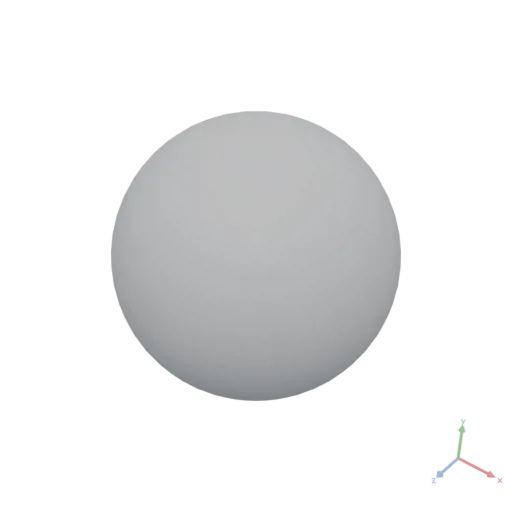
Syntax
A Moon document is a hierarchy of YAML objects. Which property name an object carries determines its node type (see the table above); each node type adds its own required and optional properties.
Most property values are themselves nodes: any node type is accepted as long as it evaluates to an asset type the consuming property expects. Where a node is expected, YAML scalars (number, string, bool), scalar arrays, and nested arrays of scalars (e.g. [[0, 0, 0], [1, 0, 0]] for point arrays) may also be written directly; they evaluate to a DATA asset.
Some properties such as 'params', 'assets', and 'with' require a named map of nodes. Names are user-defined, and values of type Node.
Formatting: We prefer 4 spaces indentation. Indent a list item's hyphen 2 spaces ( -), so the item's properties align at the next multiple of 4 spaces (see any items: example below).
Order of properties is technically not relevant, however we prefer:
- For a composition node the order is: 'doc:', 'params:', 'assets:', 'render:'.
- For other node types, the required property comes first.
- 'with:' comes before 'input:'.
The input: property is syntactic sugar for a with: entry named input.
Assets
An asset is the value produced by evaluating a node. Every node produces exactly one asset of a fixed type. Node asset types are resolved at link time; a type knowable only at run time (e.g. calling a composition passed as a parameter) is checked at evaluation instead. Operation and Use nodes infer their type from the called signature. Composition nodes inherit the type of their render:. Import nodes derive it from the file extension. Param nodes inherit it from their default. Expression nodes declare their type via the produces: property (defaulting to DATA). A type mismatch between a producing node and a consuming node's expected argument type is a link error.
Meshes Asset
A MESHES asset represents 3D geometry and is the primary output type of most Moon documents. It serializes to and from a glTF 2.0 binary file (.glb). Judge solidity in Moon: a successful Volume call proves the geometry is a closed solid (it errors on open surfaces). External tools that judge watertightness by shared vertex indices may report an exported solid as open, because the .glb stores vertices split at sharp edges — weld first in such tools.
Coordinate system: Right-handed, Y-up, consistent with glTF 2.0. +X right, +Y up, +Z toward the viewer (out of the screen). Unit of measurement: meters. Model real-world objects at 1:1 scale.
glTF (.glb/.gltf) and OBJ are already Y-up and import as-is. The CAD formats STL and STEP are Z-up (the engineering convention) and are rotated −90° about X on import — (x, y, z) → (x, z, −y) — a rigid rotation that preserves triangle winding.
Internal representation: An array of triangle meshes, each with vertex positions, normals, optional UVs and material. Closed STEP solids import watertight (boolean-ready); STEP tessellation, assembly flattening, unit conversion, and color handling are noted in the Import node's extension table.
Solid (CSG) operations — the booleans (Union, Difference, Intersection), the edge operations (Fillet, Chamfer), and the other solid operations — convert to a CSG solid internally and back. Constant-color materials survive the round-trip; UV coordinates are lost, so textured materials lose their mapping — re-establish it afterwards (TileMaterial, BakeMaterial).
Group assembles meshes into one scene without merging geometry (the lowest-cost assembly); Union fuses a single solid.
Empty geometry is valid. A boolean may produce an empty result; operations accept it (measurements report 0, Bounds returns [[0,0,0],[0,0,0]]) and it serializes to a valid empty file.
Meshes from data
Inside expressions, mesh geometry is readable and constructible as plain data through the mesh record — one canonical shape both ways:
js
{
    vertices:    /* [N,3] numeric tensor — required */,
    triangles:   /* [T,3] integer tensor, 0-based vertex indices — required */,
    normals:     /* [N,3] numeric tensor — optional; computed (flat per-face,
                    then vertex-averaged) when omitted */,
    materialUVs: /* [N,2] numeric tensor — optional */,
    material:    /* MATERIAL asset — optional, opaque (pass-through only) */,
}
Reading: a MESHES value exposes length (mesh count) and meshes[i], a mesh record with exactly the fields above plus vertexCount / triangleCount conveniences. The tensor fields carry element-wise math and broadcasting, so vertex-level analysis and transformation are single expressions (m.vertices * 2, m.vertices + offsets) — no per-vertex loops.
Constructing: the Mesh operation builds a MESHES asset from a mesh record, and an expression declaring produces: MESHES may equivalently return a bare mesh record or a { meshes: [...] } record directly. Both paths validate identically, with precise errors: vertices must be a finite [N, 3] tensor, triangles an integer [T, 3] tensor with indices in [0, N), normals/materialUVs per-vertex when present. For grid-based surfaces, GridIndices computes the triangulation natively. Triangle winding is counter-clockwise = outward-facing (glTF convention).
yaml
moon: "1.0"
doc: |
    A sine-wave sheet from computed vertices — coordinate grids and tensor math give
    every vertex at once, GridIndices triangulates, normals are computed automatically
params:
    n: 40
render:
    expression: |
        const n = params.n
        const [x, z] = Coords({ shape: [n, n], normalize: true, center: true })
        const y = Sin(x * 10) * Cos(z * 10) * 0.08
        const vertices = Reshape({ input: StackAxis({ input: [x, y, z], axis: 2 }), newShape: [n * n, 3] })
        return Mesh({ vertices, triangles: GridIndices({ rows: n, cols: n }) })
    produces: MESHES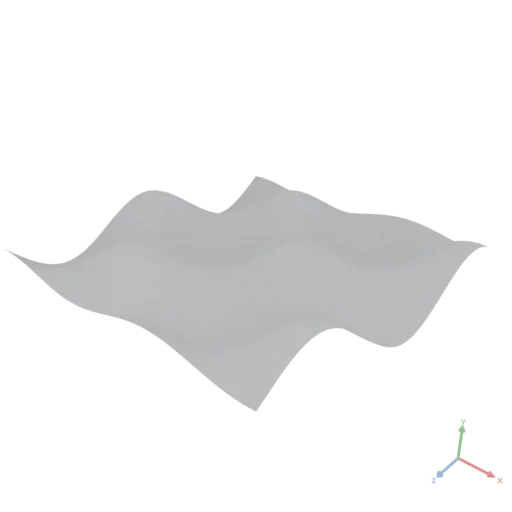
Round-trip: Mesh(asset.meshes[i]) — or the spread form Mesh({ ...m, vertices: m.vertices + displacement }) — reproduces the input mesh's geometry, normals, UVs, and material, so imported geometry can be deformed at the vertex level and rebuilt.
Watertightness is the key limitation. A constructed mesh renders and feeds Group / Transform / ApplyMaterial directly, but boolean operations and volume measurements require watertight (manifold) geometry. Applying Union, Difference, Intersection, or Volume to an open surface (such as the wave sheet above) is an evaluation error describing the open mesh. Open surfaces are first-class for rendering only.
Performance (style): boolean operations dominate evaluation time and scale with triangle count. When looping booleans over many curved primitives, lower their resolution while iterating and reserve high resolution for the final render; prefer Group whenever parts do not overlap.
Polygons Asset
A POLYGONS asset contains 2D planar contour data. It is used for generative profiles, 2D boolean operations, and as input to 3D operations (Extrude, Revolve, Sweep, Loft). Serializes to and from SVG 1.1 (.svg). When loading a .svg file, all visible shape elements (paths, rects, circles, ellipses, polygons, polylines, text) are tessellated into closed polygon contours; unsupported elements are ignored. Curves (arcs, beziers) are tessellated with a quality floor of about 64 segments per full circle (large curves receive more). Fill semantics match a standard SVG viewer:
- Each element is interpreted with its
fill-rule(defaultnonzero;evenoddis honored). - A lone path fills regardless of winding direction; counter-wound subpaths become holes.
- Overlapping elements are unioned (opaque fills).
Internal representation: A set of closed polygon contours. Curves (arcs, beziers) are pre-tessellated at import time. No curve data is retained internally.
Coordinate system — 2D to 3D mapping:
For Extrude, Sweep, and Loft, the 2D coordinate system maps to the 3D X-Z plane (the floor):
| 2D axis | 3D axis | Direction |
|---|---|---|
| +X | +X | Right |
| +Y | +Z | Toward viewer (out of the screen) |
A 2D profile therefore extrudes along the 3D +Y axis (upward).
Exception for Revolve:Revolve forms a solid by rotating the profile around the 3D +Y axis, so its mapping defines a vertical cross-section:
- 2D X maps to the radial distance from the 3D Y axis.
- 2D Y maps to the 3D +Y axis (vertical height).
Units: 1 user unit = 1 meter internally.
- Import: coordinate values are interpreted as-is (1:1 meters).
- Export:
width/heightattributes are written in millimeters (meters × 1000) for correct display in vector editors; theviewBoxretains the 1:1 meter coordinate space.
Material Asset
A MATERIAL asset describes the PBR surface appearance of geometry. It is always inert until explicitly applied to a MESHES asset via ApplyMaterial or OverrideMaterial.
Internal representation: A glTF 2.0 PBR metallic-roughness material — constant color/roughness/metallic factors, plus byte-precision texture maps for the texture variant.
Two factory variants exist (both use the Material operation name):
- Constant material: color given as
[r, g, b, a]scalars; roughness and metallic as scalars. - Texture material: color, normal, roughness, and metallic as imported IMAGE asset nodes.
Both variants accept the same optional extended surface properties, which map 1:1 (names, units, defaults) onto core glTF emissive and the ratified KHR_materials_* extensions: emissive + emissiveStrength, transmission, ior, thickness / attenuationColor / attenuationDistance (volume), clearcoat / clearcoatRoughness, specular / specularColor, sheenColor / sheenRoughness, and unlit (the texture variant names the ones that have a glTF texture slot with a Factor suffix, e.g. transmissionFactor). An extension is written to the exported glTF only when a value differs from its default, so plain materials stay extension-free. Every extension degrades gracefully in viewers that lack it, except transmission: there the surface renders opaque — use a color alpha below 1 for a lowest-common-denominator transparency instead.
Image Asset
An IMAGE asset is a raster image, used e.g. as a texture map input to the Material operation. Supported import formats: .png, .jpg, .jpeg, .bmp, .gif, .tga, .webp, .tif, .tiff.
Internal representation: A raster image with automatic channel detection:
- Grayscale → single-channel (used for roughness/metallic maps)
- RGB → three-channel (used for normal maps)
- RGBA → four-channel (used for base color maps)
Images from data
Two surfaces bridge the packed image and float tensors:
Reading — an IMAGE value exposes
width/height/channels, the raw packed bytes aspixels(an[H, W, C]tensor of integers in0–255), andvalues(the same pixels as an[H, W, C]float tensor normalized to[0, 1]).Authoring rule: compute on
values, neverpixels.img.values * 0.6darkens correctly in the[0, 1]convention;img.pixels * 0.6is a0–255field that clamps to white when packed.pixelsis for inspection / raw byte access;valuesis the math surface.Constructing —
Image(field)packs a numeric pixel field into an IMAGE asset: values are written in the[0, 1]convention, clamped to[0, 1], scaled×255and rounded to bytes. The field is[H, W, C](C ∈ {1, 3, 4}) or[H, W](grayscale, reshaped to[H, W, 1]); all values must be finite. An IMAGE holds display-encoded (sRGB) bytes when used as aMaterialcolor texture — viewers decode a glTF color texture as sRGB — and raw data for non-color maps. A color texture computed in linear space (the space ofMaterialcolor values) must be packed withImage({ input, transfer: "srgb" }), which applies the linear→sRGB encoding per channel (alpha excluded); the defaulttransfer: "none"stays byte-exact. LikeData(…)it is callable bare:Image(field)≡Image({ input: field }). An expression declaringproduces: IMAGEmay equivalently return the bare field directly — the runtime packs it exactly asImage(...)would (the same convention as returning a bare mesh record underproduces: MESHES).
yaml
moon: "1.0"
doc: |
    Grayscale via Rec. 709 luminance: per-channel weights broadcast over an [H, W, 3] colour field, Sum over axis 2 reduces it to [H, W]
render:
    expression: |
        const n = 128
        const [x, y] = Coords({ shape: [n, n], normalize: true })
        const rgb = StackAxis({ input: [x, y, 1 - x], axis: 2 })  // [n, n, 3] colour field
        const w = Data([0.2126, 0.7152, 0.0722])                  // per-channel weights
        return Image(Sum({ input: rgb * w, axis: 2 }))            // [n, n] grayscale
    produces: IMAGE
The vectorized convention — don't loop over pixels, compute with coordinate grids. Per-pixel ECMAScript (nested loops, or map over rows) costs one script call per pixel; whole-tensor math over coordinate grids from Coords costs one native operation per step, independent of resolution:
yaml
moon: "1.0"
doc: An 8×8 checkerboard, generated vectorized from coordinate grids (no per-pixel loop).
params:
    size: 256
    squares: 8
render:
    expression: |
        const n = params.size, cell = n / params.squares
        const [x, y] = Coords({ shape: [n, n] })
        return Image((Floor(x / cell) + Floor(y / cell)) % 2)
    produces: IMAGE
Tone, channel mixing, blending, and compositing need no dedicated operations — they are ordinary tensor math (p * 0.6, 1 - p, p ** 2.2). Neighbourhood filters and resampling are dedicated IMAGE → IMAGE operations (see the Moon API reference) and chain on an imported .png with no expression at all. Two neighbors differ: Noise returns a tensor (pack it with Image(...)), and Rasterize turns polygons into an image.
Performance (style): each operator step materializes a full-resolution intermediate image, so prefer a single dedicated operation over a long chain of element-wise steps where one exists, and keep working resolution modest while iterating.
Font Asset
A FONT asset holds a single font face used by the Text operation to produce 2D polygon outlines.
Internal representation: A parsed TrueType-outline font face.
Supported import formats: .ttf, .otf with TrueType (glyf) outlines, single face per file. CFF-flavored OpenType fonts (CFF /CFF2 outlines) are rejected at import with an explicit error — their outlines cannot be extracted.
Data Asset
A DATA asset holds any value without a dedicated asset type: scalars, numeric arrays of any rank (tensors), named-column tables, plain objects, and combinations thereof. Expressions produce DATA by default — any ECMAScript result that is not a MESHES, POLYGONS, MATERIAL, IMAGE, or GRAPH asset becomes DATA (an expression can never produce FONT or MOON — see produces:). Many operations (Bounds, Centroid, Volume, Sum, …) also return DATA, so their results can feed with: arguments wherever scalars or arrays are expected.
Value kinds and serialization. A value's kind is inferred from its structure — there is no declaration.
| Kind | Shape / content | JSON form | File |
|---|---|---|---|
| Scalar | one number, string, boolean, or null | 42, "hi", true, null | .json |
| Tensor | rectangular n-dimensional numeric (or boolean) array | [1,2,3], [[1,2],[3,4]] | .json (.npy import) |
| Table | array of uniform objects (named numeric/text columns) | [{"x":1,"y":"a"},…] | .json (.csv import) |
| Record | object with named fields | {"name":"Alice","age":30} | .json |
| List | array whose elements are not uniform (the fallback array) | [{"a":1},{"b":"x","c":2}] | .json |
| String list | flat array of strings | ["a","b","c"] | .json |
| Jagged array | numeric array whose rows differ in length | [[0,1],[2]] | .json |
The value kind is recognized from the value's structure: a rectangular numeric (or boolean) array (any rank) is a tensor, a numeric array with rows of differing length is a jagged array, an array of uniform objects is a table, and so on. Only numbers and booleans form tensors: a nested array of strings such as [["a","b"],["c","d"]] is a list of string lists, whether rectangular or not. Table columns hold numbers or text only, so an array of objects with a boolean field stays a list of records — the booleans keep their type instead of being coerced into a text column. This applies equally to values written inline, to imported .json, and to the dedicated .npy (tensor) and .csv (table) formats — a .json holding [1,2,3] loads as a tensor, one holding [{"x":1},{"x":2}] as a table. A tensor's shape is its size per axis ([3] a vector, [N,3] N points, [H,W,C] an image). Axis 0 is outermost; indexing walks axis 0.
Lossy round-trip: NaN/Infinity serialize to null — for lossless numeric data, import the binary .npy/.npz formats instead of .json.
Group merge of DATA — see the Group node's merge strategies.
How these values behave inside expressions — operators, members, and the inline-vs-supplied rule — is described under Values in Expressions.
Graph Asset
A GRAPH asset is a directed, unweighted graph: a fixed set of nodes 0 … N-1 and directed edges between them. It is the input to the graph operations (degree, neighbors, edges, connected components, subgraph, …) cataloged in the Moon API reference.
Construction. The Graph operation builds a GRAPH from an edge list, index arrays, or adjacency rows; see the Moon API reference. To build one from a table's from/to columns, map its rows in an expression: Graph({ edges: rows.map(r => [r.from, r.to]) }). Alternatively, an inline value: node holding the adjacency form — an object with a single graph key whose row i lists the out-neighbor node indices of node i — is typed GRAPH and feeds graph operations directly:
yaml
moon: "1.0"
doc: |
    The adjacency form is a GRAPH; a graph operation accepts it directly
render:
    op: Degree
    input:
        value:
            graph: [[1, 2], [2], []]
json
[
  2,
  1,
  0
]
Files. There is no dedicated graph file format: a graph serializes to .json in the adjacency form ({ "graph": [[1, 2], [2], []] }). Imported graph data — that .json, index arrays from .npz, a from/to table from .csv — is typed DATA (a file extension cannot reveal graph content at link time); wire the import into the Graph parameter matching its format (adjacency, indices/edgesFlat, or edges via the row-mapping idiom above):
yaml
render:
    op: Graph
    with:
        adjacency:
            import: ./graph.json
Inside expressions: a graph value exposes length (node count) and graph (the adjacency as a jagged array; graph[i] is node i's out-neighbors as a tensor); all graph algorithms are operations, not members.
Moon Asset
A MOON asset wraps a Composition node, making it a first-class callable value.
Three uses:
- Import:
import:of a.moonfile resolves at link time to a Composition node that can be called viause:. - Inline asset: a
Compositionnode defined insideassets:is itself a MOON asset and can be called viause: asset: name. - Higher-order parameter: a
Compositionnode defined inparams:can be passed to and called by other compositions, enabling factory/strategy patterns.
Inside an expression, a MOON asset bound via assets.name or params.name is callable as a function: assets.myComp({ param1: value1 }). The argument object maps to the composition's params: block.
List
A list is a transient, ordered collection of same-type assets produced by the items: node. It is not a storable asset type.
Rules:
- All items must produce the same asset type.
- A list may be empty.
Unionof an empty list yields valid empty geometry;Groupof an empty list yields an empty list (an empty list child contributes nothing to an enclosinggroup:). - A list is consumed immediately by the receiving operation (e.g.
Union,Difference,Intersection,Stack,Group). - A list may be the final output of a document. It is then reduced to a single asset for serialization: a list of DATA assets serializes as a JSON array; MESHES and POLYGONS lists are grouped (same semantics as the
group:node) into a single.glb/.svg. Lists of other asset types (IMAGE, MATERIAL, FONT, GRAPH, MOON) cannot be serialized — rendering them is an error. - A list cannot be nested inside another list.
Passing a single asset where a list is expected is valid — the operation wraps it automatically. Passing a list where a single asset is expected is an evaluation error; use Group first to merge the list into a single asset.
Moon nodes
Composition Node (render:)
A Composition is a user-defined blueprint, similar to a function declaration in programming. It has optional parameters with which the function can be called. The root node of a Moon document is always a Composition node. This root Composition is then automatically called by the Moon runtime. A composition's scope is fully isolated: it sees only its own params and assets, never the caller's — callers influence it only by overriding its params. A composition cannot reference itself — node-level recursion is a link error (recursive functions inside a single expression are fine).
doc: string (required) A concise summary of what the Composition produces. Required on every composition — the root and all inner compositions. Use a YAML literal block scalar ('|') so the string does not need to be escaped.
moon: string (required at root, forbidden elsewhere) Declares the Moon language version. Must be "1.0". Only the root composition of a document carries this property; inner compositions must omit it. A missing, mistyped, or unsupported value is reported as a deserialization error.
assets?: map of nodes (optional) Intermediate results for building complex compositions.
params?: map of nodes (optional) Default values that may be overwritten by the caller. Each entry is either a node directly (compact form) or an expanded parameter specification with UI metadata — see Parameter Specifications. Params may include Composition nodes, enabling higher-order patterns where compositions are passed as arguments.
render: node (required) This node is what will be produced by this composition.
Example:
yaml
moon: "1.0"
doc: |
    A cone translated +0.5 meters on the x-axis with a parameter for its height
params:
    height: 0.6
assets:
    cone:
        op: Transform
        with:
            translate: [0.5, 0, 0]
        input:
            op: Cylinder
            with:
                height:
                    param: height
                radiusLow: 0.2
                radiusHigh: 0
render:
    asset: cone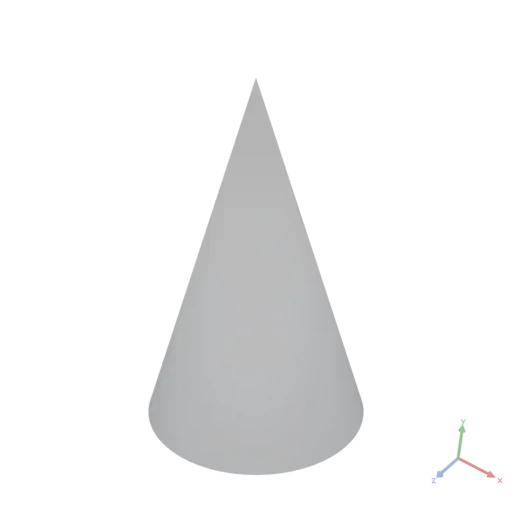
Use Composition Node (use:)
Invokes a Composition.
use: node (required) A node that evaluates to a MOON asset (Composition). Typically asset:, param:, or import:.
with?: map of nodes (optional) Named arguments passed into the composition call, overwriting default param values.
input?: node (optional) Sugar for the argument named input, exactly as on operation nodes.
Example — calling a local composition defined in assets:
yaml
moon: "1.0"
doc: |
    Local composition and composition call
assets:
    sphereGenerator:
        doc: |
            A parameterized sphere
        params:
            a: 1
        render:
            op: Sphere
            with:
                radius:
                    param: a
render:
    use:
        asset: sphereGenerator
    with:
        a: 0.6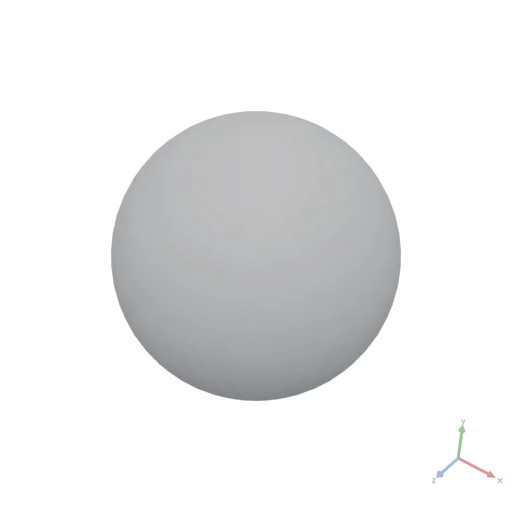
Example — calling an imported composition:
yaml
moon: "1.0"
doc: |
    Import and call an external composition
render:
    use:
        import: ./node_composition.moon
    with:
        height: 0.3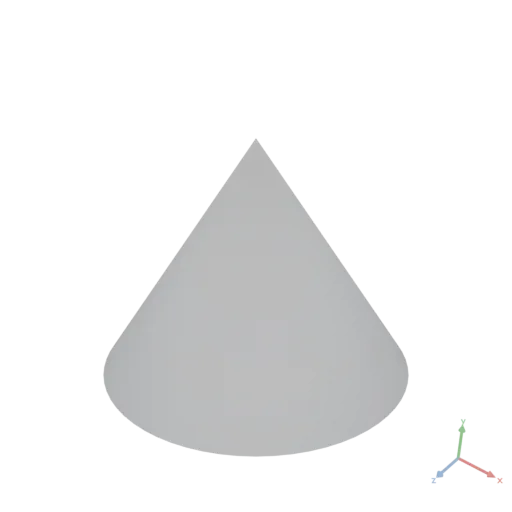
Example — calling a composition passed as a parameter (higher-order):
yaml
moon: "1.0"
doc: |
    Higher-order composition with a factory parameter
params:
    shapeFactory:
        doc: |
            A factory that produces a shape given a size
        params:
            size: 1
        render:
            op: Sphere
            with:
                radius:
                    param: size
render:
    use:
        param: shapeFactory
    with:
        size: 0.5
Param Node (param:)
param: string (required) The key of the parameter in the params map of the current composition. Reference a param value.
yaml
moon: "1.0"
doc: |
    Param Node to refer to composition arguments
params:
    diameter: 1
render:
    op: Sphere
    with:
        radius:
            expression: |
                params.diameter / 2
Asset Node (asset:)
asset: string (required) The key of the asset in the assets map of the current composition. Reference an asset (see the Composition example above: render: asset: cone).
Operation Node (op:)
op: string (required) Call a built-in operation of the Moon API by name.
with?: map of nodes (optional, depends on the operation) Named arguments for the operation.
input?: node (optional, depends on the operation) Argument with the name 'input'.
Example:
yaml
moon: "1.0"
doc: |
    Call built-in operations
render:
    op: Extrude
    with:
        height: 0.5
        twistDegrees: 120
        divisions: 48
        scaleTop: [0.6, 0.6]
    input:
        op: Ellipse
        with:
            radii: [0.16, 0.1]
            resolution: 64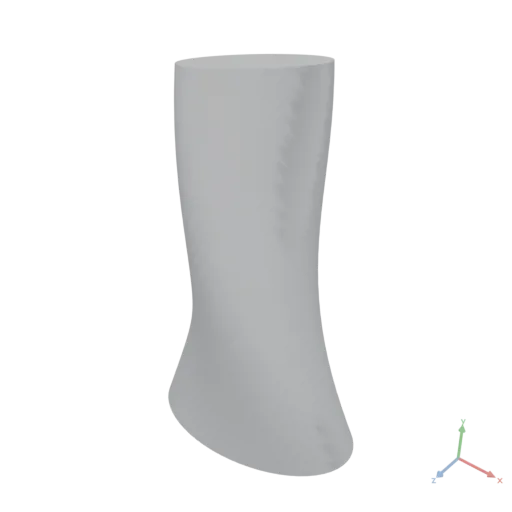
Expression Node (expression:)
expression: string (required) Custom ECMAScript to produce an asset. Write multi-line expressions as a YAML literal block scalar ('|'); it avoids manual escaping.
with?: map of nodes (optional, depends on expression) Named variables that will be directly available in the scope of the expression.
input?: node (optional) The value is available as input in the expression scope.
produces?: asset type string (optional, default DATA) Declares the asset type the expression produces. Valid values are DATA, MESHES, POLYGONS, IMAGE, MATERIAL, GRAPH.
Expressions that assemble geometry, polygon contours, materials, or other non-DATA assets must declare the corresponding type explicitly — whenever the last statement is Union(...), Group(...), Hull(...), Transform(...), a call to another composition that produces geometry (assets.myComp({...})), or any other non-DATA-returning pattern. The declared type is checked at link time against consumers (a mismatch is a link error before evaluation) and verified during evaluation (a mismatch is an error naming the declared and actual types).
An expression may also return a plain array of same-type non-DATA assets. The result is a transient list, exactly as if the elements were written as an items: node — list-consuming operations (Union, Difference, Stack, …) receive the elements individually, a group: node merges them, and as the final document output the list reduces like any other list. Declare the element type as the produces:. Where a single asset is required (an input: or with: argument expecting one asset), merge explicitly with Group([...]). An expression can never produce a MOON composition (select between compositions with if:/match: nodes instead), nor a FONT (fonts have no constructor — they are pass-through only).
Auto-binding of params and assets
Expressions can directly access the enclosing composition's params and assets via the params and assets objects without needing explicit with: bindings. This is purely syntactic sugar, detected at link time: the behavior is identical to manually declaring the equivalent with: bindings using param: and asset: nodes.
Auto-binding rules:
- Only non-computed dot-notation access is detected:
params.widthis auto-bound,params["width"]is not. - Only params and assets of the current (enclosing) composition are available.
- If a
with:variable namedparamsorassetsis explicitly provided, auto-binding for that namespace is disabled — the explicit binding takes precedence. - Auto-binding and explicit
with:bindings can be mixed freely in the same expression.
Example — geometry-producing expression (annotation required):
yaml
moon: "1.0"
doc: |
    Fan-out then fuse — expression produces a MESHES asset
params:
    count: 16
render:
    expression: |
        const slat = Box({ size: [0.5, 0.04, 0.15] })
        const slats = Range({ count: params.count }).map(i =>
            Transform({ input: slat, translate: [0, i * 0.035, 0], rotate: [0, i * 20, 0] }))
        return Union(slats)
    produces: MESHES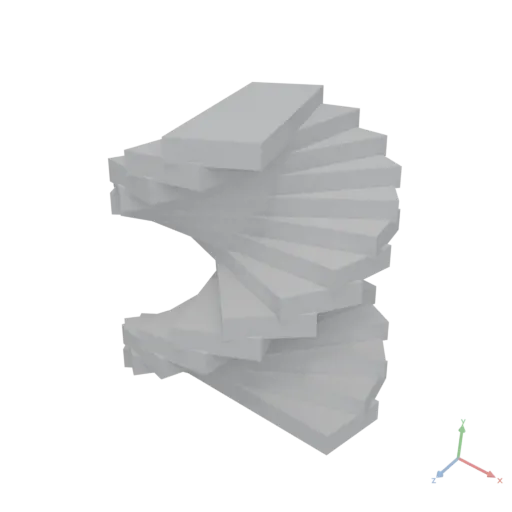
Example mixing auto-binding with explicit with::
yaml
moon: "1.0"
doc: |
    Mixing auto-binding and explicit with: bindings
params:
    scale: 2
render:
    expression: |
        const s = params.scale * base
        return Box({ size: [s, s, s] })
    with:
        base: 0.5
    produces: MESHES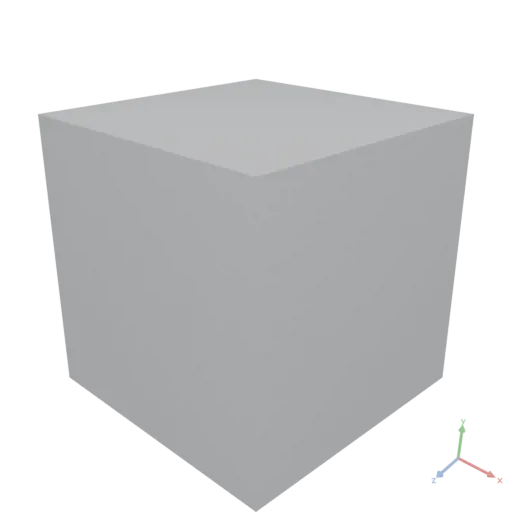
Example using input: on an expression:
yaml
moon: "1.0"
doc: |
    Expression with input sugar
render:
    expression: |
        Transform({ input, translate: [0, 1, 0] })
    input:
        op: Sphere
        with:
            radius: 0.5
    produces: MESHES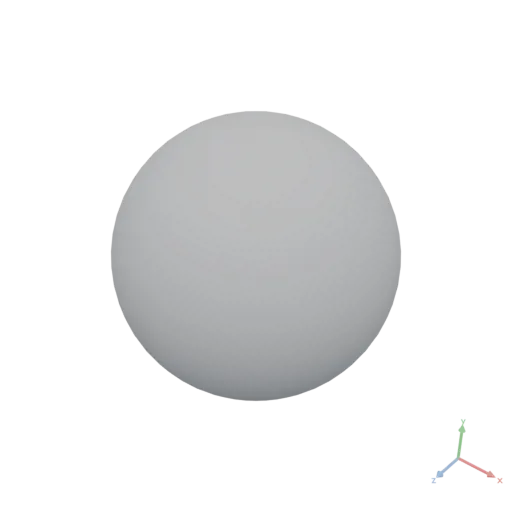
Import Node (import:)
import: string (required)
A URI referencing an external asset. Supported forms:
- Relative path — resolved against the current .moon document's location;
..segments are supported. Examples:./textures/Color.jpg,../shared/part.moon - Absolute URL — fetched directly over HTTP(S). Prefer
https://— a browser-hosted runtime cannot fetch plainhttp://from an HTTPS page (mixed content). Example:https://lib.mycompany.com/materials/fabric.moon
The asset type is determined by the file extension of the resolved path:
| Extension(s) | Asset type | Notes |
|---|---|---|
.moon | MOON | |
.glb, .gltf | MESHES | Draco and WebP supported; meshopt is not |
.obj | MESHES | Geometry only — materials ignored |
.stl | MESHES | Geometry only; values are read as meters — mm-authored files arrive 1000× too large (rescale with Transform) |
.step, .stp | MESHES | ISO 10303 (AP203/AP214/AP242) B-rep, tessellated on load; assemblies flattened; colors → flat materials; units → meters |
.svg | POLYGONS | 1 SVG user unit = 1 meter, no Y-flip (SVG +y-down is kept as-is) |
.json, .geojson | DATA | Subtype inferred from content |
.csv | DATA | Loaded as a table |
.npy | DATA | A single NumPy array → a tensor |
.npz | DATA | NumPy archive → a record of tensors |
.png, .jpg, .jpeg, .bmp, .gif, .tga, .webp, .tif, .tiff | IMAGE | |
.ttf, .otf | FONT |
NumPy dtypes. Little-endian C-order arrays of bool, uint8, int16, int32, int64 (NumPy's default), uint32, uint64, float32, and float64 are accepted; int8, uint16, and float16 are rejected — cast before saving. Wide integer arrays (int64, uint64, uint32) are converted on load: to 32-bit integers when every value fits (the integer type Moon uses for indices and graph structures), otherwise to 64-bit floats. Integer values whose magnitude exceeds 2^53 are rejected (they cannot be represented exactly). .npy/.npz are import formats only — a DATA result always serializes to .json.
Relative paths are resolved via the local asset loader. When running in a browser, remote URLs are subject to CORS policies — the remote server must include appropriate Access-Control-Allow-Origin headers. Remote imports fetch live content that can change between runs, so they sit outside Moon's determinism guarantee; for reproducible output, vendor remote files next to the document and import them by relative path.
Example (importing a composition is shown under the Use node):
yaml
moon: "1.0"
doc: |
    A sphere with a marble material based on imported textures.
assets:
    marble:
        op: Material
        with:
            color:
                import: https://assets.moonomat.com/textures/ambientcg/Marble/Marble001_Color.jpg
            normal:
                import: https://assets.moonomat.com/textures/ambientcg/Marble/Marble001_NormalGL.jpg
            roughness:
                import: https://assets.moonomat.com/textures/ambientcg/Marble/Marble001_Roughness.jpg
render:
    op: BakeMaterial
    input:
        op: ApplyMaterial
        with:
            material:
                asset: marble
        input:
            op: Sphere
            with:
                radius: 0.2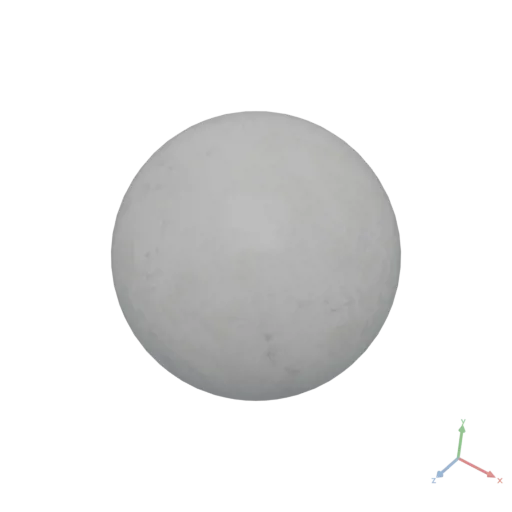
Value Node (value:)
value: arbitrary YAML / JSON (required) Use when you need to inline structured data more complex than a scalar or flat array — objects, arrays of objects, or nested arrays.
Example:
yaml
moon: "1.0"
doc: |
    Inline a record and read its fields in an expression (a table is shown in the rainfall chart blueprint)
assets:
    plate:
        value:
            size: [0.3, 0.2]
            thickness: 0.004
render:
    op: Box
    with:
        size:
            expression: |
                [...assets.plate.size, assets.plate.thickness]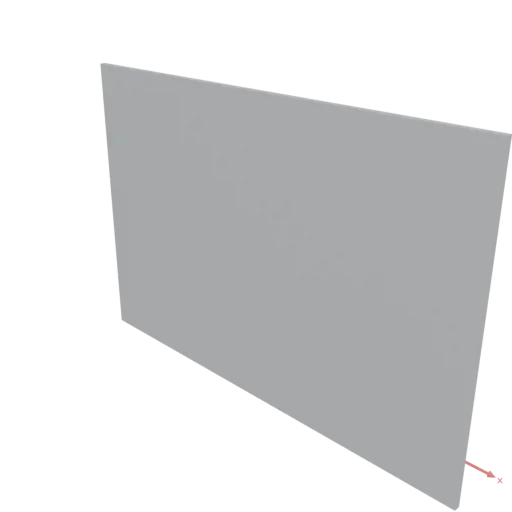
List Node (items:)
items: array of nodes (required) Constructs a list of separate assets that is passed as a single argument to a consuming operation. The assets in the list remain independent — no merging, concatenation, or boolean operations are performed. All nodes must produce the same asset type.
Use items: when an operation accepts multiple inputs, such as Union, Difference, Intersection, or Stack. The operation itself determines how the list of assets is processed.
Example:
yaml
moon: "1.0"
doc: |
    Boolean union of two separate shapes passed as a list
render:
    op: Union
    input:
        items:
          - op: Box
            with:
                size: [0.8, 0.8, 0.8]
          - op: Sphere
            with:
                radius: 0.55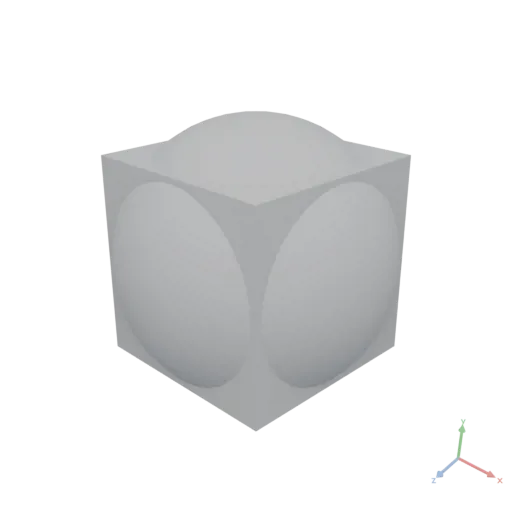
Group Node (group:)
group: array of nodes (required, non-empty — an empty group: is an evaluation error) Combines multiple nodes of the same asset type into a single asset without boolean or geometry merging. The result is one asset, not a list.
All nodes in the group must produce the same asset type. A child that produces a list (an items: node, or an expression returning an array of assets) merges as if its elements were listed directly. Grouping is not supported for MATERIAL, IMAGE, FONT, GRAPH, or MOON assets (MATERIAL and IMAGE groups are rejected at link time; FONT, GRAPH, and MOON groups fail at evaluation).
Merge strategies by asset type:
- MESHES: Lazy scene union — meshes are combined into one scene without boolean computation.
- POLYGONS: Contours are collected into one asset without boolean operations.
- DATA: Arrays and tensors are concatenated (tables row-wise, tensors along axis 0); records are deep-merged; scalars are collected into an array. A group with a single child returns that child's value unchanged.
Note: group: merges directly into one asset, whereas items: passes separate assets to an operation — group: of meshes yields one scene of side-by-side parts, while items: into Union yields one boolean-fused mesh.
Example:
yaml
moon: "1.0"
doc: |
    Assemble a scene from parts
render:
    group:
      - import: https://github.com/KhronosGroup/glTF-Sample-Models/raw/d7a3cc8e51d7c573771ae77a57f16b0662a905c6/2.0/BoxTextured/glTF-Binary/BoxTextured.glb
      - op: Transform
        with:
            translate: [2, 0, 0]
        input:
            import: https://github.com/KhronosGroup/glTF-Sample-Models/raw/d7a3cc8e51d7c573771ae77a57f16b0662a905c6/2.0/Duck/glTF-Binary/Duck.glb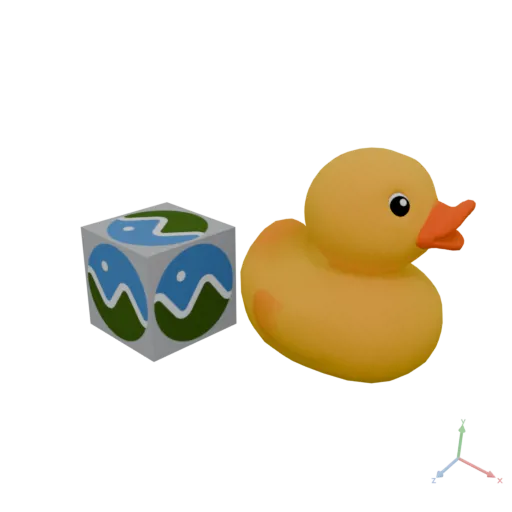
Pipe Node (pipe:)
pipe: array of nodes (required) Processes nodes sequentially. The output of each node is passed as input: to the following node. The last node's output is the final output of the pipe.
This is syntactic sugar — at link time, the pipe is expanded into a nested hierarchy of nodes. The first node in the pipe may be any node type — it is evaluated standalone with no implicit input. Each subsequent node must be an op:, use:, or expression: node that accepts an input: parameter. Subsequent nodes must not have an explicit input: property (it is injected automatically). Type compatibility is validated at each step, following the same rules as regular input: wiring.
Example — a pipe is the top-to-bottom form of nesting each node as the next one's input::
yaml
moon: "1.0"
doc: |
    3D text built as a pipe — each step feeds the next (top-to-bottom)
render:
    pipe:
      - op: Text
        with:
            text: Moon
            fontSize: 0.3
            alignX: center
      - op: Extrude
        with:
            height: 0.06
      - op: Transform
        with:
            rotate: [90, 0, 0]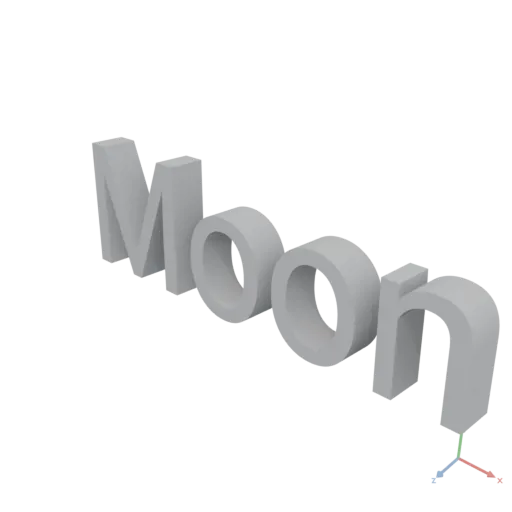
Match Node (match:)
Selects one of several branches based on the value of a key. Only the matched branch is evaluated — all others remain inert. This enables conditional logic without expressions.
match: node (required) A node that evaluates to a DATA scalar (string, number, or boolean).
cases: map of nodes (required) A map from string keys to nodes. Case keys are treated as strings — quote numeric and boolean keys (e.g. "2", "true").
default?: node (optional) Fallback node evaluated when no case key matches. If omitted and no case matches, evaluation fails with an error.
All branches (cases and default) must produce the same asset type — a link error, enforced even for branches never taken.
Evaluation rules:
- The
match:node is evaluated first and coerced to a string key: booleans to"true"/"false"; numbers to a locale-independent shortest decimal — plain for magnitudes in[1e-4, 1e17), uppercase exponent form outside it (1e21→"1E+21",2e-5→"2E-05"), float error preserved (0.1 + 0.2→"0.30000000000000004"), no trailing point (2.0→"2"). Prefer string or small-integer keys. Anullmatch value is an evaluation error. - The key is looked up in
cases:; if found, that branch — and only that branch — is evaluated. - If not found and
default:is present, the default branch is evaluated. - If not found and no
default:, the runtime reports an error naming the unmatched value and listing available cases.
Example:
yaml
moon: "1.0"
doc: |
    A sphere whose material depends on a style parameter
params:
    style: matte
render:
    op: ApplyMaterial
    with:
        material:
            match:
                param: style
            cases:
                matte:
                    op: Material
                    with:
                        color: [0.8, 0.2, 0.2, 1]
                        roughness: 0.9
                glossy:
                    op: Material
                    with:
                        color: [0.8, 0.2, 0.2, 1]
                        roughness: 0.1
            default:
                op: Material
                with:
                    color: [0.5, 0.5, 0.5, 1]
    input:
        op: Sphere
        with:
            radius: 0.5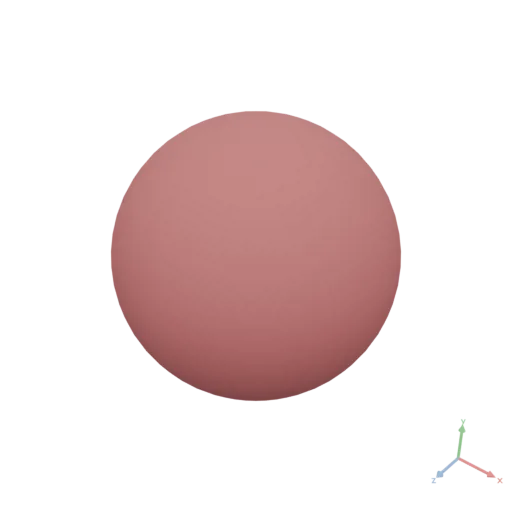
If Node (if:)
Selects between two branches based on a boolean condition. Exactly one branch is evaluated — the other remains inert. This is the preferred way to express binary conditional logic; use match: for multi-way branching on discrete values.
if: node (required) A node that evaluates to a DATA boolean (true or false). Numbers, strings, null, arrays, and objects are not coerced — a non-boolean value is an evaluation error.
then: node (required) The node evaluated and returned when the condition is true.
else: node (required — keeps the language total: every node must produce an asset) The node evaluated and returned when the condition is false. Use a no-op identity (e.g. the unmodified input) as an explicit "do nothing" branch when needed.
The then: and else: branches must produce the same asset type.
Property order convention: if:, then:, else:.
Example — conditional geometry based on a threshold:
yaml
moon: "1.0"
doc: |
    Box enclosure with conditional reinforcement ribs
params:
    wall_thickness: 0.003
assets:
    shell:
        op: Box
        with:
            size: [0.2, 0.1, 0.15]
    shell_with_ribs:
        op: Union
        input:
            items:
              - asset: shell
              - op: Box
                with:
                    size: [0.01, 0.12, 0.17]
render:
    if:
        expression: |
            params.wall_thickness < 0.005
    then:
        asset: shell_with_ribs
    else:
        asset: shell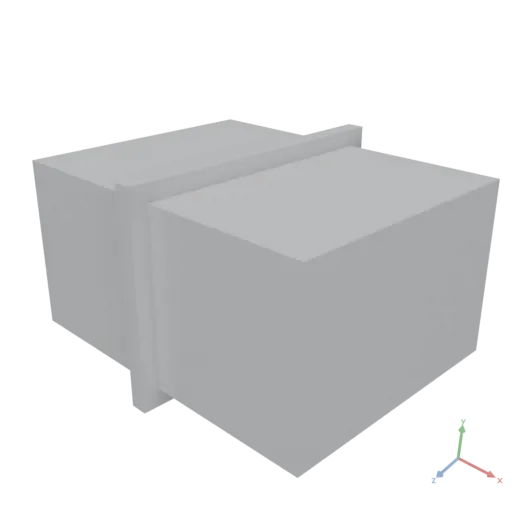
Parameter Specifications
A params: entry has two forms:
- Compact — the value is the default node directly. Used for quick sketches and inline tools.
- Expanded — a YAML mapping with a
default:key plus optional metadata. Drives UI controls in interactive viewers, caller-facing introspection, and URL-based parameter overrides.
The expanded form is recognized only inside params: (a default: key inside with: or cases: is a regular key). Metadata drives UI controls only, with two runtime effects:
- At link time the declared
default:is validated against its own metadata — a default outside itsmin:/max:bounds or not among itschoices:is a link error (it catches author typos); caller overrides are not bounds-checked. - The
directionandrotationkinds canonicalize their value at evaluation (unit-normalize / wrap mod 360 — see Kinds), for both the default and caller overrides.
Common fields
| Field | Purpose |
|---|---|
default: | Required. The default value node. Its resolved type determines the param's type. |
kind: | Optional. Selects a UI widget — see table below. When omitted, scalar defaults infer an obvious widget; every other default is edited as raw Moon. |
doc: | Optional. Tooltip / help text. |
label: | Optional. Display label. Auto-derived from key name otherwise (wall_thickness → "Wall thickness"). |
category: | Optional. UI grouping. Params sharing a category appear together in declaration order. |
Kinds
A kind: selects an interactive widget in viewers and authoring tools. It is an authoring affordance only — except direction and rotation, which also canonicalize the value at evaluation (unit-normalize / wrap mod 360).
kind: | Default shape | Extra fields | Notes |
|---|---|---|---|
number | scalar | min, max, step, choices (number list) | |
string | scalar | choices (string list) | |
boolean | scalar | — | |
color | length 3 or 4 array | — | Each component in [0, 1]. |
position | length 2 or 3 array | min, max, step (applied to all components) | |
direction | length 2 or 3 array | — | Implicitly normalized. |
rotation | length 1 or 3 array | step | Degrees; wraps mod 360. |
scale | length 2 or 3 array | min, max, step | Typically min > 0. |
raw | any | — | No widget; edited as raw Moon. |
Inference rules (when kind: is omitted)
Only the unambiguous, side-effect-free scalar widgets are inferred:
default: resolves to | Inferred kind: |
|---|---|
| JSON number | number |
| JSON string | string |
| JSON boolean | boolean |
anything else — array, object, import:, expression: | raw |
A param with no declared or inferred widget is edited as raw Moon — the param node's source, replaceable by any Moon node. Write kind: raw explicitly to force raw editing of an otherwise-inferred scalar.
The vector-shaped kinds (position, direction, scale, color) and rotation are never inferred: their array shapes are ambiguous, and direction/rotation carry value-normalizing side effects that must be opt-in. Declare them explicitly to get their widget.
Examples
Mixed compact and expanded:
yaml
moon: "1.0"
doc: |
    A configurable cylinder
params:
    radius:
        default: 0.12
        doc: |
            Outer radius.
        category: Geometry
        min: 0.05
        max: 0.25
        step: 0.005
    height:
        default: 0.4
        category: Geometry
        min: 0.1
        max: 1
    style:
        default: matte
        category: Appearance
        choices: [matte, glossy]
    tint:
        default: [0.9, 0.85, 0.7]
        kind: color
        category: Appearance
render:
    op: Cylinder
    with:
        radiusLow:
            param: radius
        height:
            param: height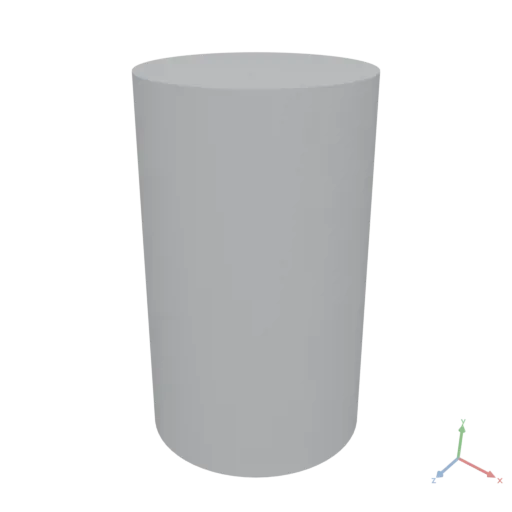
Asset-typed params:
yaml
moon: "1.0"
doc: |
    Box clad in a parameterized material
params:
    color:
        default:
            import: https://assets.moonomat.com/textures/ambientcg/Bricks/Bricks082A_Color.jpg
        category: Appearance
render:
    pipe:
      - op: Box
        with:
            size: [2, 1, 0.4]
      - op: ApplyMaterial
        with:
            material:
                op: Material
                with:
                    color:
                        param: color
      - op: TileMaterial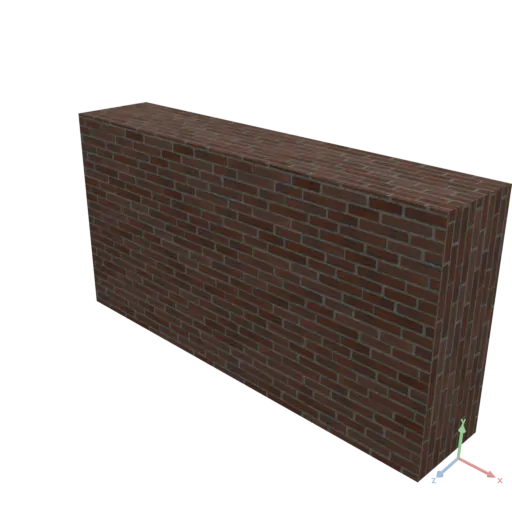
Expression Scripts
Expressions are sandboxed, purely functional ECMAScript code that produces a value. They have no access to the network, filesystem, wall-clock time, or any mutable global state. The output is entirely determined by the with: inputs and auto-bound params/assets — identical inputs always produce identical output. Any use of randomness must be seeded through input parameters (Math.random and Date.now are blocked; use RandomNormal({ shape, seed })). Beyond the exclusions below, console, eval, Symbol, BigInt, Proxy/Reflect, typed arrays, Intl, and globalThis cannot be referenced (rejected at validation); zero-argument new Date() throws, while explicit-argument Date construction works. Errors thrown by operations are ordinary exceptions — catchable with try/catch; an uncaught error fails the document with a precise source location.
Language Level
Expressions conform to ECMAScript 2023 (ECMA-262, 14th Edition). See: https://262.ecma-international.org/14.0/
The following features are excluded from Moon expressions:
async/awaitand Promises (no asynchronous execution model)classdeclarations (prefer functional style: factory functions, closures, plain objects)import/exportdeclarations (dependencies are provided viawith:and auto-binding)
Values in Expressions
Standard ECMAScript is assumed. Moon adds three things on top: operator overloading on values, a small set of members for accessing and iterating values, and a rule for which values are native JS and which are Moon objects.
Members vs. operations — the rule
Every supplied value carries lightweight members for accessing and iterating it. Anything that reduces, reshapes, aggregates, joins, or builds a new asset is a global operation, not a member. So points.length, points[0], points.filter(...) are members, but summing, reshaping, transposing, table aggregation/joins, graph algorithms and all mesh/polygon/material construction are operations — call them as globals (see the Moon API reference). If a transformation you expect is not a member, look for it as an operation.
Operations take one named-argument object: Sum({ input: data }), Box({ size: [1,1,1] }). As a shorthand, an operation may be called with a single bare value, which is passed as its input argument — Sum(data) ≡ Sum({ input: data }). This shorthand is available only for operations that have an input parameter (most transform/reduce operations do; pure constructors like Box, which take size/radius, do not).
Operators (non-standard extension)
+ - * / % **, unary -, the geometry booleans & ^, and the comparisons == != > >= < <= are overloaded on Moon values — a deliberate extension beyond standard ECMAScript (which would coerce the operands to primitives):
- Tensors: all arithmetic (including
%,**, and unary-) is applied element-wise, with scalar and shape broadcasting (right-aligned; each axis must be equal or1). Mixed order works:1 + tensor,tensor * 2, and2 ** tensorare all element-wise.%and**keep JS scalar semantics per element (truncated remainder,Math.pow). Comparisons yield a boolean tensor and broadcast exactly like arithmetic. Arithmetic and comparisons on shape-incompatible tensors are an error. - MESHES assets:
a + b= boolean union,a - b= difference,a & b= intersection. - POLYGONS assets:
a + b= union,a - b= difference,a & b= intersection,a ^ b= symmetric difference (XOR — the area covered by exactly one of the two shapes).
Only these operators are overloaded. & and ^ are geometry-only; on plain numbers both keep native JS bitwise semantics. Neither they nor the logical operators are element-wise on tensors — use the corresponding operation or .map; on any other Moon value both & and ^ raise an error. Tables and jagged arrays carry no arithmetic or ordering operators (==/!= compare identity, not contents): do per-row math via .map, or pull a numeric column/row out as a tensor first.
yaml
moon: "1.0"
doc: |
    Element-wise math on a supplied point array (shape [3,3] + [3] broadcasts)
params:
    points: [[0, 0, 0], [1, 0, 0], [2, 0, 0]]
    offset: [10, 0, 0]
render:
    expression: |
        return params.points + params.offset
json
[
  [
    10,
    0,
    0
  ],
  [
    11,
    0,
    0
  ],
  [
    12,
    0,
    0
  ]
]
Supplied arrays are tensors; inline arrays are plain arrays
The distinction that most often surprises authors: a numeric array supplied to the expression — through params, assets, a with: binding, input:, or as the result of an operation — is a tensor and carries the operators above. An array written inline as a literal in the script is a plain JavaScript array: it has the native array methods but no element-wise operators. Combining it with a number, a Moon value, or another plain array through an arithmetic operator throws an error pointing at the fix — JS's silent [1,2] + [3] → "1,23" string concatenation is never useful. String peers keep native concat. Convert an inline array to a tensor with Data(...):
yaml
moon: "1.0"
doc: |
    An inline array has no element-wise math until upgraded with Data(...)
render:
    expression: |
        return Data([1, 2, 3]) + 1
json
[
  2,
  3,
  4
]
Which values are native JS, which are Moon objects
- Native JS values (full standard behavior,
(element, index, array)callbacks): scalars, records (plain objects), lists, and string lists (a supplied["a","b","c"]is a real JS array —join,includes, spread,for…ofall work). - Moon objects (operators + the members below): tensors, tables, and jagged arrays. Their callbacks also receive
(element, index, source), where the third argument is the source collection itself (the tensor/table/jagged host object, not a plain array) — e.g.t.map((x, i, a) => x / a.length).
Members by value kind
Indexing is value[i] (negative indices count from the end); there is no value.at(i), and the two-index form m[i, j] is rejected at validation (it would be the JS comma operator, a silently wrong 1-D lookup) — chain m[i][j]. Tensors, tables, and jagged arrays are iterable (for…of, spread), JSON.stringify to their data form, and share the accessors shape, rank, size, isNumeric, and length (axis-0 / row count). Native JS values (scalars, records, lists, string lists) carry none of these accessors.
| Kind | Members (beyond the shared accessors) |
|---|---|
| Tensor | [i], length; map flatMap filter find findIndex every some forEach reduce slice |
| Table | [i] (a row object), length, columns, col(name), schema(); the tensor iterators + sort |
| Jagged array | [i] (a row → tensor), length, the iterators, toArray() |
| String list | a native JS array — all Array.prototype methods |
| List | a native JS array — all Array.prototype methods |
Only a jagged array's row axis is rectangular, so the shared accessors describe just that axis: shape is [rowCount], rank is 1, isNumeric is true (jagged arrays are numeric by definition).
A GRAPH value exposes length (node count) and graph (the adjacency as a jagged array) — see Graph Asset.
A MESHES value exposes length (mesh count) and meshes[i] — a mesh record (fields in Meshes from data) plus vertexCount / triangleCount; like plain records it carries none of the shared accessors — its tensor fields do.
An IMAGE value exposes width, height, channels, pixels, and values (see Images from data) but no operators and no tensor ops — img − img or Reshape(img) are errors; read img.values, do the math on the tensor, rebuild with Image(...).
A table column is read by name with col("name") — a numeric column returns a tensor, a text column a native string array. table[i] reads a row (integer index only); there is no string-key column indexer, so always read columns with col(...). map and flatMap (its depth-1-flattening sibling) follow JavaScript and return a plain array, not the source kind — wrap it in Data(...) (or use an operation) if you need a tensor/table back.
yaml
moon: "1.0"
doc: |
    Read and filter a table inside an expression
assets:
    rows:
        value:
          - id: 1
            price: 10
          - id: 2
            price: 20
render:
    expression: |
        return assets.rows.filter(r => r.price > 15)[0].price
json
20yaml
moon: "1.0"
doc: |
    Map a supplied point array to translated boxes, then fuse
params:
    points: [[0, 0, 0], [2, 0, 0], [4, 0, 0]]
render:
    expression: |
        return Union(params.points.map(p => Transform({ input: Box({ size: [1, 1, 1] }), translate: p })))
    produces: MESHES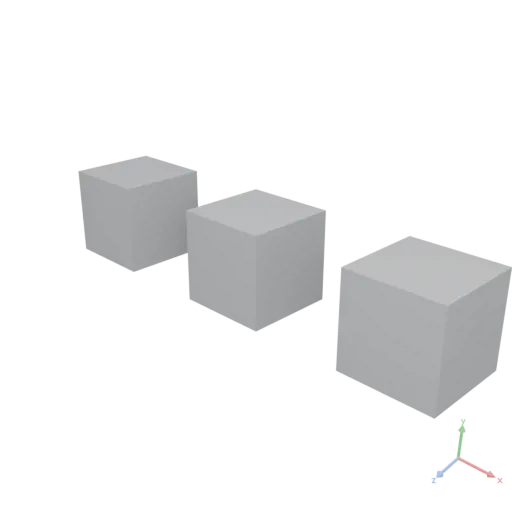
yaml
moon: "1.0"
doc: |
    A supplied string list behaves as a native JS array
params:
    names: [alpha, beta, gamma]
render:
    expression: |
        return params.names.map(s => s.toUpperCase()).join("-")
json
"ALPHA-BETA-GAMMA"Return Rules
Single-expression scripts return their value implicitly:
yaml
moon: "1.0"
doc: |
    single line, no return
params:
    width: 1
    height: 2
    depth: 0.5
render:
    expression: |
        [params.width, params.height, params.depth]
json
[
  1,
  2,
  0.5
]
Multi-statement scripts (anything beyond a single expression) must use an explicit return for the final value:
yaml
moon: "1.0"
doc: |
    multi-line, with return
params:
    width: 1
    height: 2
    depth: 0.5
    wall_thickness: 0.2
render:
    expression: |
        const t = params.wall_thickness
        return [params.width - 2 * t, params.height - 2 * t, params.depth]
json
[
  0.6,
  1.6,
  0.5
]
Style Guidelines
- Semicolons are optional and should be omitted.
- Prefer
constoverlet; never usevar. - Use arrow functions:
const fn = x => x * 2 - Use destructuring, spread, optional chaining (
?.), nullish coalescing (??) — on values. Do not destructure theparams/assetsnamespaces themselves (const { width } = params): auto-binding detects only dot-notation access (params.width), so destructured names are never bound. - Use modern array methods:
map,filter,reduce,find,flatMap,toSorted, etc. - Prefer
params.X/assets.Yauto-binding over explicitwith:bindings.
Calling Operations
Moon API operations are available as global functions inside expressions, taking a single object argument that mirrors the with: / input: semantics. The few operations marked "cannot be called from within an expression" in the API reference (Text, BakeMaterial, BakeOcclusion) must be invoked via an op: node — to use one in a data-driven loop, wrap the op: in a small composition and call that composition from the expression. All operation angle arguments are in degrees; Math trigonometry uses radians.
Calling Compositions
Compositions available via assets auto-binding (or explicit with:) are callable as functions. The object argument maps to the composition's params:. Compositions from both assets and params can be called this way:
yaml
moon: "1.0"
doc: |
    Calling user-defined compositions
params:
    boxFactory:
        doc: |
            A box
        params:
            size: 0.5
        render:
            op: Box
            with:
                size:
                    expression: |
                        [params.size, params.size, params.size]
assets:
    sphereGenerator:
        doc: |
            A sphere
        params:
            r: 1
        render:
            op: Sphere
            with:
                radius:
                    param: r
render:
    expression: |
        const box = params.boxFactory({ size: 1 })
        const sphere = assets.sphereGenerator({ r: 0.6 })
        return Difference([box, sphere])
    produces: MESHES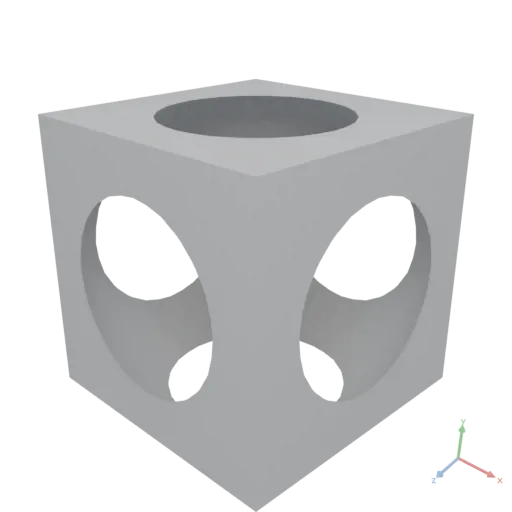
Moon evaluation
A document is processed in three phases; every error names the phase at which it occurred.
Deserialization — the YAML document is parsed into the node hierarchy. All expressions are syntax-checked — including expressions in nodes never referenced by
render:.Linking — asset and param references are resolved, variables referenced by reachable expressions are validated,
use:targets are resolved to MOON assets (Compositions), and imported Moon documents are loaded and validated.Evaluation — nodes are evaluated lazily, starting from the root composition's
render:; only referenced nodes are evaluated. A node's result is cached and re-used when the same node declaration is evaluated again with identical inputs (params, assets, andwith:bindings).
Designing with Moon
A design is a graph of named nodes, not a script. The rules below are style — they change what a good document looks like, not what is valid; the blueprints after them are complete designs, one per kind of document.
Structure
- One
assets:entry per part, material, or shared measurement — something a reader can name (face,bezel,ink,dims).render:assembles them (group:,Union,pipe:); it does not build them. A node is re-used from cache while its declaration and inputs are unchanged, so a design split into assets re-evaluates only what an edit touched; one large expression re-evaluates whole. - A node over an expression. Call an operation as an
op:node. Use anexpression:where a value is computed — a formula, a point list, a measurements record, a data-driven fan-out — and put it on the argument that needs it (radiusLow: expression: assets.dims.r), not around the operation. An expression that stacks several parts is a sign to split it into assets. - An operation over a loop. Repetition is an operation:
Placefor copies of one part at a tensor of positions,PlaceGrid,Stack; paths, profiles, and position sets are tensor math overRange; images and fields are tensor math overCoords; vertex work is tensor math over the mesh record..mapover a supplied tensor or table covers copies that differ (in text, size, or rotation). Aforloop that pushes into an array is almost always one of these. - A part used more than once is a composition in
assets:(or its own.moon) withparams:, called withuse:from nodes and asassets.part({ … })from expressions. This is also howText,BakeMaterial, andBakeOcclusionreach a data-driven loop. - Branch with nodes.
if:/match:on a param select whole nodes and are type-checked at link time; keep expression conditionals for values. - Materials are applied to named parts. A shared material is an asset applied to each part or part group that uses it; a single-use material sits inline in its part's
pipe:. - Build in the natural frame, pose once. Model a part where its construction is simplest (a face lying flat, a hand pointing at 12), then place it with one
Transform.
Blueprints
Reuse a blueprint's shape — parameters, a measurements record, materials, one asset per part, a render: that only assembles — and swap the parts.
Object assembly — wall clock
Parts are pipes; dims holds the measurements several parts share; ring is a composition producing positions as one tensor, called with use: for Place and from an expression for the marks that differ; if: picks the hour-mark style; everything is built face-up and stood up once.
yaml
moon: "1.0"
doc: |
    A wall clock: a painted face in a steel bezel, sixty minute dots, hour marks as
    numerals or bars, tapered hands set by the hour and minute parameters, and a
    hole in the back to hang it from. Meters, Y-up, facing +Z.
params:
    diameter:
        default: 0.3
        doc: Outer diameter of the bezel, in meters.
        category: Size
        min: 0.15
        max: 0.6
        step: 0.01
    hour:
        default: 10
        doc: Hour hand position, 0–12.
        category: Time
        min: 0
        max: 12
        step: 1
    minute:
        default: 10
        doc: Minute hand position, 0–59.
        category: Time
        min: 0
        max: 59
        step: 1
    show_numerals:
        default: true
        doc: Hour marks as numerals; off shows bars.
        category: Style
    face_color:
        default: [0.93, 0.9, 0.82, 1]
        doc: Paint color of the face.
        kind: color
        category: Style
assets:
    # Measurements shared by several parts; a part's own ratios stay inline.
    dims:
        expression: |
            const rim = params.diameter * 0.03
            const r = params.diameter / 2 - rim
            return { r, rim, faceTop: rim * 1.5 }

    # ── MATERIALS ──
    steel:
        op: Material
        with:
            color: [0.75, 0.75, 0.78, 1]
            roughness: 0.3
            metallic: 1
    paint:
        op: Material
        with:
            color:
                param: face_color
            roughness: 0.7
    ink:
        op: Material
        with:
            color: [0.1, 0.1, 0.12, 1]
            roughness: 0.6

    # ── FACE ── a disc ending under the bezel lip, minus a hanging hole cut into its back.
    disc:
        op: Cylinder
        with:
            radiusLow:
                expression: |
                    assets.dims.r - assets.dims.rim / 2
            height:
                expression: |
                    assets.dims.faceTop
            anchor: [0.5, 0, 0.5]
            resolution: 128
    hang_hole:
        op: Transform
        with:
            translate:
                expression: |
                    [0, 0, -assets.dims.r * 0.85]
        input:
            op: Cylinder
            with:
                radiusLow:
                    expression: |
                        assets.dims.rim * 0.4
                height:
                    expression: |
                        assets.dims.faceTop * 0.6
                anchor: [0.5, 0, 0.5]
    face:
        pipe:
          - op: Difference
            input:
                items:
                  - asset: disc
                  - asset: hang_hole
          - op: ApplyMaterial
            with:
                material:
                    asset: paint

    # ── BEZEL ── a rim profile (2D X = radius, 2D Y = height) revolved around Y.
    bezel:
        pipe:
          - op: Polygon
            with:
                points:
                    expression: |
                        const { r, rim, faceTop } = assets.dims
                        const top = faceTop + rim * 0.6
                        return [
                            [r, 0], [r + rim, 0], [r + rim, top],
                            [r - rim, top], [r - rim, faceTop], [r, faceTop],
                        ]
          - op: Revolve
            with:
                resolution: 128
          - op: ApplyMaterial
            with:
                material:
                    asset: steel

    # ── MARK RINGS ── points on a circle as one tensor (angles from Range, sine and
    # cosine element-wise), computed by a composition both rings call.
    ring:
        doc: |
            `count` points on a circle of `radius` at height `y`, clockwise from 12.
        params:
            count: 12
            radius: 0.1
            y: 0
        render:
            expression: |
                const step = 360 / params.count
                const a = Range({ count: params.count, start: step, step }) * Math.PI / 180
                const y = Fill({ value: params.y, shape: [params.count] })
                const r = params.radius
                return StackAxis({ input: [Sin(a) * r, y, -Cos(a) * r], axis: 1 })
    dot:
        op: Cylinder
        with:
            radiusLow:
                expression: |
                    assets.dims.rim * 0.3
            height: 0.002
            anchor: [0.5, 0, 0.5]
            resolution: 16
    minute_dots:
        op: Place
        with:
            positions:
                use:
                    asset: ring
                with:
                    count: 60
                    radius:
                        expression: |
                            assets.dims.r * 0.9
                    y:
                        expression: |
                            assets.dims.faceTop
        input:
            asset: dot
    hour_points:
        use:
            asset: ring
        with:
            count: 12
            radius:
                expression: |
                    assets.dims.r * 0.74
            y:
                expression: |
                    assets.dims.faceTop

    # ── HOUR MARKS ── each mark differs (its text, or its rotation), so map over the
    # points; Place only translates. A node-level branch picks the style.
    label:
        doc: |
            Flat raised text centered on the origin — wraps Text, which an expression cannot call.
        params:
            text: "?"
            size: 0.01
        render:
            pipe:
              - op: Text
                with:
                    text:
                        param: text
                    fontSize:
                        param: size
                    alignX: center
                    alignY: center
              - op: Extrude
                with:
                    height: 0.001
    numeral_marks:
        expression: |
            const size = assets.dims.r * 0.18
            return Group(assets.hour_points.map((p, i) =>
                Transform({ input: assets.label({ text: `${i + 1}`, size }), translate: p })))
        produces: MESHES
    bar_marks:
        expression: |
            const { r } = assets.dims
            const bar = Box({ size: [r * 0.03, 0.002, r * 0.12], anchor: [0.5, 0, 0.5] })
            return Group(assets.hour_points.map((p, i) =>
                Transform({ input: bar, rotate: [0, -30 * (i + 1), 0], translate: p })))
        produces: MESHES
    hour_marks:
        if:
            param: show_numerals
        then:
            asset: numeral_marks
        else:
            asset: bar_marks

    # ── HANDS ── a tapered profile extruded flat, then posed; negative yaw = clockwise.
    hand:
        doc: |
            A tapered hand pointing at 12 with its pivot at the origin.
        params:
            length: 0.1
            width: 0.01
        render:
            pipe:
              - op: Polygon
                with:
                    points:
                        expression: |
                            const w = params.width / 2, L = params.length
                            return [[-w, w], [w, w], [w * 0.3, -L], [-w * 0.3, -L]]
              - op: Extrude
                with:
                    height: 0.003
    hub:
        op: Transform
        with:
            translate:
                expression: |
                    [0, assets.dims.faceTop, 0]
        input:
            op: Cylinder
            with:
                radiusLow:
                    expression: |
                        assets.dims.rim * 0.7
                height: 0.012
                anchor: [0.5, 0, 0.5]
                resolution: 32
    hands:
        expression: |
            const { r, faceTop } = assets.dims
            const hourAngle = (params.hour % 12 + params.minute / 60) * 30
            const minuteAngle = params.minute * 6
            const pose = (hand, angle, lift) => Transform({
                input: hand, rotate: [0, -angle, 0], translate: [0, faceTop + lift, 0],
            })
            return Group([
                pose(assets.hand({ length: r * 0.4, width: r * 0.06 }), hourAngle, 0.004),
                pose(assets.hand({ length: r * 0.6, width: r * 0.04 }), minuteAngle, 0.007),
            ])
        produces: MESHES

    # ── MARKINGS ── everything in ink, colored once as a group.
    markings:
        pipe:
          - group:
              - asset: minute_dots
              - asset: hour_marks
              - asset: hub
              - asset: hands
          - op: ApplyMaterial
            with:
                material:
                    asset: ink

render:
    pipe:
      - group:
          - asset: face
          - asset: bezel
          - asset: markings
        # Built face-up; stand it up to face +Z.
      - op: Transform
        with:
            rotate: [90, 0, 0]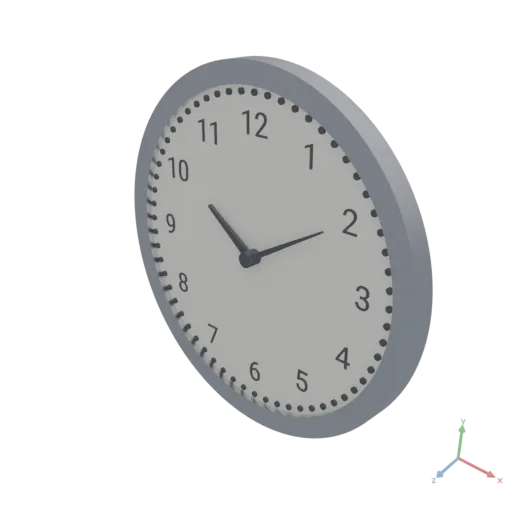
Data-driven — rainfall chart
The table is inline (import: ./rainfall.csv would replace it); match: on a param selects between table operations; layout derives the shared measurements from the columns; bars and labels map over the rows, calling the Text-wrapper composition per row.
yaml
moon: "1.0"
doc: |
    A printable bar chart from a table: one bar per row, scaled so the tallest
    reaches chart_height, the month under each bar, the value embossed on its
    front, and a bead on every bar top. Bar order is a parameter. Meters, Y-up.
params:
    chart_height:
        default: 0.12
        doc: Height of the tallest bar, in meters.
        min: 0.05
        max: 0.3
        step: 0.01
    bar_width:
        default: 0.015
        doc: Bar footprint, in meters.
        min: 0.005
        max: 0.04
        step: 0.001
    gap:
        default: 0.006
        doc: Space between bars, in meters.
        min: 0
        max: 0.02
        step: 0.001
    sort:
        default: none
        doc: Bar order; `none` keeps the table order.
        choices: [none, ascending, descending]
    bar_color:
        default: [0.2, 0.45, 0.8, 1]
        doc: Color of the bars.
        kind: color
assets:
    # `import: ./rainfall.csv` would load the same table from a file.
    rainfall:
        value:
          - month: Jan
            mm: 62
          - month: Feb
            mm: 48
          - month: Mar
            mm: 55
          - month: Apr
            mm: 70
          - month: May
            mm: 95
          - month: Jun
            mm: 110
          - month: Jul
            mm: 118
          - month: Aug
            mm: 104
          - month: Sep
            mm: 84
          - month: Oct
            mm: 73
          - month: Nov
            mm: 66
          - month: Dec
            mm: 60

    # ── ROWS ── the table in display order: a param selects between table operations.
    rows:
        match:
            param: sort
        cases:
            none:
                asset: rainfall
            ascending:
                op: SortBy
                with:
                    column: mm
                input:
                    asset: rainfall
            descending:
                op: SortBy
                with:
                    column: mm
                    descending: true
                input:
                    asset: rainfall

    # ── LAYOUT ── measurements every part shares.
    layout:
        expression: |
            const pitch = params.bar_width + params.gap
            const scale = params.chart_height / Max(assets.rows.col("mm"))
            return { pitch, scale, width: assets.rows.length * pitch }

    # ── MATERIALS ──
    board:
        op: Material
        with:
            color: [0.9, 0.9, 0.88, 1]
            roughness: 0.8
    fill:
        op: Material
        with:
            color:
                param: bar_color
    ink:
        op: Material
        with:
            color: [0.12, 0.12, 0.12, 1]
            roughness: 0.6

    # ── BASE ── the plate the bars stand on; its top is y = 0.
    base:
        pipe:
          - op: Box
            with:
                size:
                    expression: |
                        [assets.layout.width, 0.004, params.bar_width + 0.05]
                anchor: [0, 1, 0.5]
          - op: ApplyMaterial
            with:
                material:
                    asset: board

    # ── BARS ── one box per row: the height varies per row, so map over the rows.
    bars:
        pipe:
          - expression: |
                const { pitch, scale } = assets.layout
                const w = params.bar_width
                return Group(assets.rows.map((row, i) => Transform({
                    input: Box({ size: [w, row.mm * scale, w], anchor: [0.5, 0, 0.5] }),
                    translate: [(i + 0.5) * pitch, 0, 0],
                })))
            produces: MESHES
          - op: ApplyMaterial
            with:
                material:
                    asset: fill

    # ── LABELS ── the composition wraps Text; the row loops call it like a function.
    label:
        doc: |
            Flat raised text centered on the origin — wraps Text, which an expression cannot call.
        params:
            text: "?"
            size: 0.01
        render:
            pipe:
              - op: Text
                with:
                    text:
                        param: text
                    fontSize:
                        param: size
                    alignX: center
                    alignY: center
              - op: Extrude
                with:
                    height: 0.001
    month_labels:
        expression: |
            const { pitch } = assets.layout
            const size = params.bar_width * 0.45
            return Group(assets.rows.map((row, i) => Transform({
                input: assets.label({ text: row.month, size }),
                translate: [(i + 0.5) * pitch, 0, params.bar_width / 2 + 0.012],
            })))
        produces: MESHES
    value_labels:
        expression: |
            const { pitch, scale } = assets.layout
            const size = params.bar_width * 0.4
            return Group(assets.rows.map((row, i) => Transform({
                input: assets.label({ text: `${row.mm}`, size }),
                rotate: [90, 0, 0],   // stood up, embossed on the bar's front face
                translate: [(i + 0.5) * pitch, row.mm * scale - size, params.bar_width / 2],
            })))
        produces: MESHES

    lettering:
        pipe:
          - group:
              - asset: month_labels
              - asset: value_labels
          - op: ApplyMaterial
            with:
                material:
                    asset: ink

render:
    group:
      - asset: base
      - asset: bars
      - asset: lettering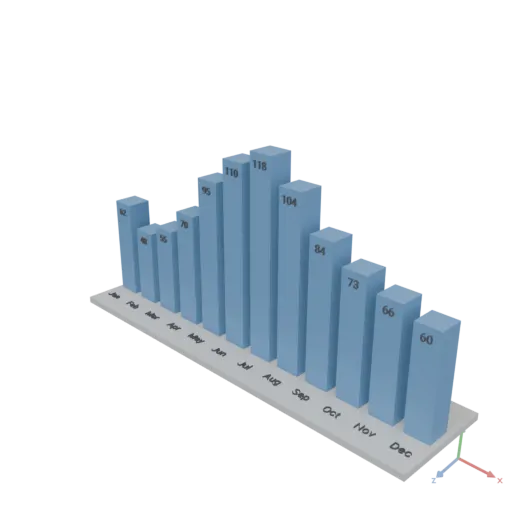
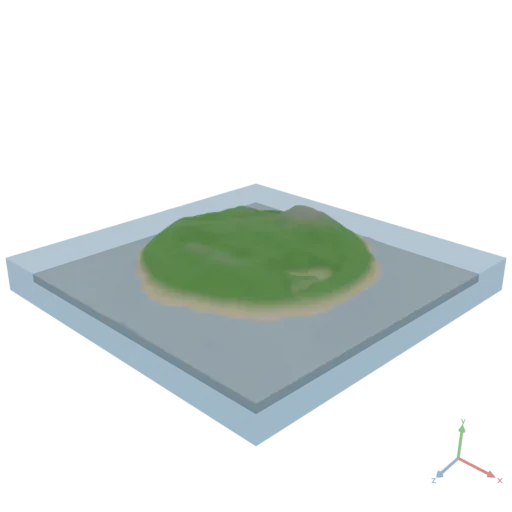
Procedural — island
Every field is tensor math over Coords and Noise; one height field drives both the mesh (Heightmap) and the color texture (Smoothstep / Mix ramps packed sRGB); single-use materials sit inline; island and sea block are laid out so no two faces coincide.
yaml
moon: "1.0"
doc: |
    A procedural island tile: a seeded height field shaped by a radial falloff,
    textured by height (sand, grass, rock), standing in a translucent block of sea.
    Meters, Y-up.
params:
    size:
        default: 0.4
        doc: Edge length of the square tile, in meters.
        min: 0.2
        max: 1
        step: 0.05
    relief:
        default: 0.08
        doc: Height of the highest peak above the island's base, in meters.
        min: 0.02
        max: 0.2
        step: 0.01
    sea_level:
        default: 0.25
        doc: Sea surface height as a fraction of the relief.
        min: 0.05
        max: 0.8
        step: 0.05
    seed:
        default: 7
        doc: Noise seed; each value is a different island.
        min: 0
        max: 100
        step: 1
    grid: 160
    base: 0.01
assets:
    # ── HEIGHT FIELD ── an [n, n] tensor in [0, 1]: fbm noise over a floor, fading out
    # toward the rim so the coast is a ring and the interior stays above the sea.
    height:
        expression: |
            const n = params.grid
            const [x, y] = Coords({ shape: [n, n], normalize: true, center: true })
            const d = Sqrt(x * x + y * y) * 2   // 0 at the center, 1 at the edge midpoints
            const noise = Noise({ shape: [n, n], seed: params.seed, scale: 3, type: "fbm" })
            const falloff = 1 - Smoothstep({ input: d * (0.7 + 0.6 * noise), edge0: 0.5, edge1: 1 })
            return (noise * 0.8 + 0.2) * falloff

    # ── COLOR TEXTURE ── height ramps sand → grass → rock; an [n, n, 1] field broadcasts
    # against [3] colors. Linear colors are packed sRGB for a Material color map.
    color_map:
        expression: |
            const n = params.grid
            const h = Reshape({ input: assets.height, newShape: [n, n, 1] })
            const sand = Data([0.76, 0.7, 0.5])
            const grass = Data([0.2, 0.45, 0.15])
            const rock = Data([0.45, 0.42, 0.4])
            const sea = params.sea_level
            const shore = Smoothstep({ input: h, edge0: sea, edge1: sea + 0.15 })
            const peaks = Smoothstep({ input: h, edge0: 0.6, edge1: 0.85 })
            const land = Mix({ input: sand, target: grass, t: shore })
            return Image({ input: Mix({ input: land, target: rock, t: peaks }), transfer: "srgb" })
        produces: IMAGE

    # ── ISLAND ── the height field displaces a grid on a solid base; Heightmap UVs carry
    # the texture, no baking. Inset and lifted one base into the sea block, so no face of
    # the island coincides with a face of the block.
    island:
        pipe:
          - op: Heightmap
            with:
                image:
                    expression: |
                        Image(assets.height)
                    produces: IMAGE
                size:
                    expression: |
                        [params.size * 0.9, params.size * 0.9]
                maxHeight:
                    param: relief
                baseThickness:
                    param: base
          - op: Transform
            with:
                translate:
                    expression: |
                        [0, params.base, 0]
          - op: ApplyMaterial
            with:
                material:
                    op: Material
                    with:
                        color:
                            asset: color_map
                        roughnessFactor: 0.9   # no roughness map, so the factor is the roughness

    # ── SEA ── a translucent block from the ground up to the sea surface.
    sea:
        pipe:
          - op: Box
            with:
                size:
                    expression: |
                        const depth = 2 * params.base + params.sea_level * params.relief
                        return [params.size, depth, params.size]
                anchor: [0.5, 0, 0.5]
          - op: ApplyMaterial
            with:
                material:
                    op: Material
                    with:
                        color: [0.15, 0.4, 0.65, 0.6]
                        roughness: 0.1

render:
    group:
      - asset: island
      - asset: sea