
Appearance
Moon API Reference
Available operations that can be called from an Operation node or from within an expression. Operation nodes pass named arguments via with:; the input argument may instead be given directly via the input: shortcut. Expressions call them directly via operationName({ argName1: value1, argName2: value2 }).
Operations accept either a single asset or multiple assets for their input parameter. Single-input operations (e.g. Transform) take exactly one asset. Multi-input operations (documented with T[]) accept a single asset or a list of assets via the items: node.
Operations are listed alphabetically. When an operation has multiple overloads, all of its signatures are listed together under the same heading, ordered by input asset type.
Abs
DataAsset Abs({ input: DataAsset })
Returns a numeric DataAsset containing the element-wise absolute values of input.
yaml
moon: "1.0"
doc: |
    Abs returns the element-wise absolute value of a tensor containing mixed positive and negative numbers.
render:
    op: Abs
    input:
        value: [[-3, 2, -1.5], [0, 4, -2.25]]
json
[
  [
    3,
    2,
    1.5
  ],
  [
    0,
    4,
    2.25
  ]
]
Acos
DataAsset Acos({ input: DataAsset })
Applies the inverse cosine (arccosine) to every element, returning angles in radians in [0, π]. Inputs outside [−1, 1] follow Math.Acos semantics (NaN, which serializes to null in JSON).
yaml
moon: "1.0"
doc: |
    Acos applies the inverse cosine element-wise, returning radians in [0, pi].
    acos([1, 0.5, 0, -1]) = [0, pi/3, pi/2, pi].
render:
    op: Acos
    input: [1, 0.5, 0, -1]
json
[
  0,
  1.0472,
  1.5708,
  3.14159
]
Align
PolygonsAsset Align({ input: PolygonsAsset, anchor: number[], target?: number[] })
Aligns the bounding-box anchor of the input to a target point. Anchor is normalized: [0, 0] = bottom-left, [0.5, 0.5] = center, [1, 1] = top-right.
anchor: Normalized anchor position as [x, y] on the input's bounding box.target: World-space point as [x, y] to align to. Default is [0, 0].
yaml
moon: "1.0"
doc: |
    Align moves the bottom-left anchor ([0, 0]) of a rectangle to a target world-space point, here [0.3, 0.2]. Anchor [0, 0] is the bottom-left of the bounding box, [0.5, 0.5] is the center, [1, 1] is the top-right.
render:
    op: Align
    with:
        anchor: [0, 0]
        target: [0.3, 0.2]
    input:
        op: Rect
        with:
size: [0.5, 0.3]'%20stroke='rgb(0,%200,%200)'%20stroke-width='0.0025'%20fill-rule='evenodd'%20d='M%200.3%200.2%20L%200.8%200.2%20L%200.8%200.5%20L%200.3%200.5%20Z'%20/%3e%3c/svg%3e)
AlignTo
PolygonsAsset AlignTo({ input: PolygonsAsset, reference: PolygonsAsset, anchor: number[] })
Moves the input so that the same anchor point on both shapes coincides. For example, [0.5, 0.5] centers the input on the reference.
reference: The reference Polygons asset whose bounding box defines the target anchor.anchor: Normalized anchor as [x, y] used for both input and reference.
yaml
moon: "1.0"
doc: |
    AlignTo (3-arg variant) centers a small circle on a larger rectangle by matching the [0.5, 0.5] anchor of both shapes.
assets:
    base:
        op: Rect
        with:
            size: [0.8, 0.5]
render:
    op: Group
    input:
        items:
          - asset: base
          - op: AlignTo
            with:
                reference:
                    asset: base
                anchor: [0.5, 0.5]
            input:
                op: Circle
                with:
radius: 0.15'%20stroke='rgb(0,%200,%200)'%20stroke-width='0.004'%20fill-rule='evenodd'%20d='M%20-0.4%20-0.25%20L%200.4%20-0.25%20L%200.4%200.25%20L%20-0.4%200.25%20Z%20M%200.15%200%20L%200.1492777%200.014702571%20L%200.1471178%200.029263549%20L%200.14354105%200.0435427%20L%200.13858193%200.057402514%20L%200.13228819%200.07070951%20L%200.12472044%200.083335534%20L%200.11595157%200.095158994%20L%200.10606602%200.10606602%20L%200.095158994%200.11595157%20L%200.083335534%200.12472044%20L%200.07070951%200.13228819%20L%200.057402514%200.13858193%20L%200.0435427%200.14354105%20L%200.029263549%200.1471178%20L%200.014702571%200.1492777%20L%200%200.15%20L%20-0.014702571%200.1492777%20L%20-0.029263549%200.1471178%20L%20-0.0435427%200.14354105%20L%20-0.057402514%200.13858193%20L%20-0.07070951%200.13228819%20L%20-0.083335534%200.12472044%20L%20-0.095158994%200.11595157%20L%20-0.10606602%200.10606602%20L%20-0.11595157%200.095158994%20L%20-0.12472044%200.083335534%20L%20-0.13228819%200.07070951%20L%20-0.13858193%200.057402514%20L%20-0.14354105%200.0435427%20L%20-0.1471178%200.029263549%20L%20-0.1492777%200.014702571%20L%20-0.15%200%20L%20-0.1492777%20-0.014702571%20L%20-0.1471178%20-0.029263549%20L%20-0.14354105%20-0.0435427%20L%20-0.13858193%20-0.057402514%20L%20-0.13228819%20-0.07070951%20L%20-0.12472044%20-0.083335534%20L%20-0.11595157%20-0.095158994%20L%20-0.10606602%20-0.10606602%20L%20-0.095158994%20-0.11595157%20L%20-0.083335534%20-0.12472044%20L%20-0.07070951%20-0.13228819%20L%20-0.057402514%20-0.13858193%20L%20-0.0435427%20-0.14354105%20L%20-0.029263549%20-0.1471178%20L%20-0.014702571%20-0.1492777%20L%200%20-0.15%20L%200.014702571%20-0.1492777%20L%200.029263549%20-0.1471178%20L%200.0435427%20-0.14354105%20L%200.057402514%20-0.13858193%20L%200.07070951%20-0.13228819%20L%200.083335534%20-0.12472044%20L%200.095158994%20-0.11595157%20L%200.10606602%20-0.10606602%20L%200.11595157%20-0.095158994%20L%200.12472044%20-0.083335534%20L%200.13228819%20-0.07070951%20L%200.13858193%20-0.057402514%20L%200.14354105%20-0.0435427%20L%200.1471178%20-0.029263549%20L%200.1492777%20-0.014702571%20Z'%20/%3e%3c/svg%3e)
PolygonsAsset AlignTo({ input: PolygonsAsset, reference: PolygonsAsset, inputAnchor: number[], referenceAnchor: number[] })
Moves the input so that its anchor point coincides with a reference shape's anchor point. Anchors are normalized: [0, 0] = bottom-left, [1, 1] = top-right.
reference: The reference Polygons asset whose bounding box defines the target anchor.inputAnchor: Normalized anchor as [x, y] on the input's bounding box.referenceAnchor: Normalized anchor as [x, y] on the reference's bounding box.
yaml
moon: "1.0"
doc: |
    AlignTo (4-arg variant) places a small circle's bottom-center onto a rectangle's top-center, like stacking a lollipop head onto a base.
assets:
    base:
        op: Rect
        with:
            size: [0.6, 0.2]
render:
    op: Group
    input:
        items:
          - asset: base
          - op: AlignTo
            with:
                reference:
                    asset: base
                inputAnchor: [0.5, 0]
                referenceAnchor: [0.5, 1]
            input:
                op: Circle
                with:
radius: 0.1'%20stroke='rgb(0,%200,%200)'%20stroke-width='0.003'%20fill-rule='evenodd'%20d='M%20-0.3%20-0.1%20L%200.3%20-0.1%20L%200.3%200.1%20L%20-0.3%200.1%20Z%20M%200.1%200.2%20L%200.09951847%200.20980172%20L%200.09807853%200.21950904%20L%200.095694035%200.22902846%20L%200.09238795%200.23826835%20L%200.08819213%200.24713968%20L%200.08314696%200.25555703%20L%200.07730105%200.26343933%20L%200.07071068%200.27071068%20L%200.06343933%200.27730104%20L%200.055557024%200.28314695%20L%200.047139674%200.28819212%20L%200.038268343%200.29238796%20L%200.029028468%200.29569402%20L%200.019509032%200.29807854%20L%200.009801714%200.29951847%20L%200%200.3%20L%20-0.009801714%200.29951847%20L%20-0.019509032%200.29807854%20L%20-0.029028468%200.29569402%20L%20-0.038268343%200.29238796%20L%20-0.047139674%200.28819212%20L%20-0.055557024%200.28314695%20L%20-0.06343933%200.27730104%20L%20-0.07071068%200.27071068%20L%20-0.07730105%200.26343933%20L%20-0.08314696%200.25555703%20L%20-0.08819213%200.24713968%20L%20-0.09238795%200.23826835%20L%20-0.095694035%200.22902846%20L%20-0.09807853%200.21950904%20L%20-0.09951847%200.20980172%20L%20-0.1%200.2%20L%20-0.09951847%200.19019829%20L%20-0.09807853%200.18049097%20L%20-0.095694035%200.17097153%20L%20-0.09238795%200.16173166%20L%20-0.08819213%200.15286033%20L%20-0.08314696%200.14444298%20L%20-0.07730105%200.13656068%20L%20-0.07071068%200.12928933%20L%20-0.06343933%200.122698955%20L%20-0.055557024%200.116853036%20L%20-0.047139674%200.111807875%20L%20-0.038268343%200.10761204%20L%20-0.029028468%200.10430597%20L%20-0.019509032%200.10192147%20L%20-0.009801714%200.100481525%20L%200%200.1%20L%200.009801714%200.100481525%20L%200.019509032%200.10192147%20L%200.029028468%200.10430597%20L%200.038268343%200.10761204%20L%200.047139674%200.111807875%20L%200.055557024%200.116853036%20L%200.06343933%200.122698955%20L%200.07071068%200.12928933%20L%200.07730105%200.13656068%20L%200.08314696%200.14444298%20L%200.08819213%200.15286033%20L%200.09238795%200.16173166%20L%200.095694035%200.17097153%20L%200.09807853%200.18049097%20L%200.09951847%200.19019829%20Z'%20/%3e%3c/svg%3e)
ApplyMaterial
MeshesAsset ApplyMaterial({ input: MeshesAsset, material: MaterialAsset })
Assigns a material to triangles that do not already have one. Child material assignments take precedence — this acts as a default fallback. Assignment does not generate UV coordinates, but geometry-provided UVs are preserved and used (a Heightmap's image-aligned grid, an imported glTF's UVs, a Mesh() record's materialUVs). On geometry without UVs a textured material does not render — follow with TileMaterial or BakeMaterial to generate them.
material: The material asset to apply.
yaml
moon: "1.0"
doc: |
    ApplyMaterial assigns a material to triangles that do not already have one — acting as a default fallback that existing child material assignments override.
render:
    op: ApplyMaterial
    with:
        material:
            op: Material
            with:
                color: [0.2, 0.7, 0.3, 1]
                roughness: 0.5
                metallic: 0.1
    input:
        op: RoundedBox
        with:
            size: [0.6, 0.4, 0.4]
            radius: 0.06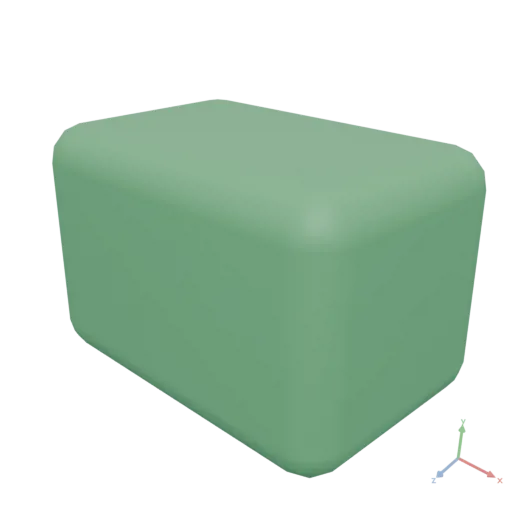
Area
number Area({ input: PolygonsAsset })
Returns the total enclosed area of the input polygons.
yaml
moon: "1.0"
doc: |
    Area returns the enclosed area of 2D polygons in square meters; a 0.5 m × 0.5 m square equals 0.25.
render:
    op: Area
    input:
        op: Rect
        with:
            size: [0.5, 0.5]
json
0.25ArgMax
DataAsset ArgMax({ input: DataAsset, axis?: integer })
Finds the index of the maximum value along axis, reducing that dimension to an integer tensor of positions (contrast Max, which returns the values). When axis is null, returns the flat row-major index of the global maximum as a number scalar. Ties resolve to the first occurrence.
axis: Axis to reduce over.null= global flat index.
yaml
moon: "1.0"
doc: |
    ArgMax reduces a 2x3 matrix along axis 1, returning for each row the position of
    its largest element (contrast Max, which returns the values): [1, 2].
render:
    op: ArgMax
    with:
        axis: 1
    input:
        value: [[5, 8, 3], [7, 2, 9]]
json
[
  1,
  2
]
ArgMin
DataAsset ArgMin({ input: DataAsset, axis?: integer })
Finds the index of the minimum value along axis, reducing that dimension to an integer tensor of positions (contrast Min, which returns the values). When axis is null, returns the flat row-major index of the global minimum as a number scalar. Ties resolve to the first occurrence.
axis: Axis to reduce over.null= global flat index.
yaml
moon: "1.0"
doc: |
    ArgMin returns the index of the smallest element instead of its value (contrast Min).
    Without an axis it is the flat row-major index: arg_min([5, 8, 3, 7]) = 2.
render:
    op: ArgMin
    input: [5, 8, 3, 7]
json
2Asin
DataAsset Asin({ input: DataAsset })
Applies the inverse sine (arcsine) to every element, returning angles in radians in [−π/2, π/2]. Inputs outside [−1, 1] follow Math.Asin semantics (NaN, which serializes to null in JSON).
yaml
moon: "1.0"
doc: |
    Asin applies the inverse sine element-wise, returning radians in [-pi/2, pi/2].
    asin([-1, 0, 0.5, 1]) = [-pi/2, 0, pi/6, pi/2].
render:
    op: Asin
    input: [-1, 0, 0.5, 1]
json
[
  -1.5708,
  0,
  0.523599,
  1.5708
]
Atan
DataAsset Atan({ input: DataAsset })
Applies the inverse tangent (arctangent) to every element, returning angles in radians in (−π/2, π/2). For the full-circle angle of a 2-D vector use Atan2, which resolves the quadrant from both components.
yaml
moon: "1.0"
doc: |
    Atan applies the inverse tangent element-wise, converting a slope into an angle
    in radians in (-pi/2, pi/2). atan([0, 1, -1]) = [0, pi/4, -pi/4]. For the
    full-circle angle of a 2D vector use Atan2 instead.
render:
    op: Atan
    input: [0, 1, -1]
json
[
  0,
  0.785398,
  -0.785398
]
Atan2
DataAsset Atan2({ input: DataAsset, other: DataAsset })
Element-wise two-argument arctangent: the signed angle in radians, in (−π, π], of the vector whose vertical component is input (y) and horizontal component is other (x) — the standard atan2(y, x). Unlike Atan of the ratio y/x, the quadrant is resolved from the signs of both components and x = 0 is well-defined. The operands broadcast together by the standard NumPy rules.
other: Horizontal (x) component(s), broadcast-compatible.
yaml
moon: "1.0"
doc: |
    Atan2 computes the signed full-circle angle atan2(y, x) element-wise: input is the
    vertical (y) component, other the horizontal (x). The four unit directions +X, +Y,
    -X, -Y map to [0, pi/2, pi, -pi/2] — quadrants Atan alone cannot distinguish.
render:
    op: Atan2
    with: { other: [1, 0, -1, 0] }
    input: [0, 1, 0, -1]
json
[
  0,
  1.5708,
  3.14159,
  -1.5708
]
BakeMaterial
MeshesAsset BakeMaterial({ input: MeshesAsset, resolution?: integer, method?: string })
Bakes all source materials of the input into a single combined PBR material with a packed texture atlas. UV charts are unwrapped and packed into a single [0,1]² atlas; source materials are sampled per-texel and rasterized into the atlas. This operation cannot be called from within an expression. Baking creates new textures: each source is re-synthesized into the atlas (stochastic sampling or patch-based, depending on its content), reproducing the material's look but not the placement of specific artwork on the surface. One-off placed artwork (a label, logo, or hard-alpha decal) will not survive it — render decals directly on a UV-mapped Mesh with a textured material and bake only the surfaces around them.
resolution: Side length of the baked atlas in texels. Default is 1024.method: Bake strategy: "stochastic", "graphcut", or "auto". Default is "auto".
yaml
moon: "1.0"
doc: |
    A small scene with five distinct source materials (metal ring, concrete top,
    wood board, metal pin, plastic drape) is unified into a single mesh with a
    single atlas via BakeMaterial. Occlusion is then baked on top to add the
    contact shadows that sell the assembly.
assets:
    concrete:
        op: Material
        with:
            color:
                import: https://assets.moonomat.com/textures/ambientcg/Concrete/Concrete020_Color.jpg
            normal:
                import: https://assets.moonomat.com/textures/ambientcg/Concrete/Concrete020_NormalGL.jpg
            roughness:
                import: https://assets.moonomat.com/textures/ambientcg/Concrete/Concrete020_Roughness.jpg
            textureSizeInMeters: 0.4
    wood:
        op: Material
        with:
            color:
                import: https://assets.moonomat.com/textures/ambientcg/WoodFloor/WoodFloor051_Color.jpg
            normal:
                import: https://assets.moonomat.com/textures/ambientcg/WoodFloor/WoodFloor051_NormalGL.jpg
            roughness:
                import: https://assets.moonomat.com/textures/ambientcg/WoodFloor/WoodFloor051_Roughness.jpg
            textureSizeInMeters: 0.3
    paint:
        op: Material
        with:
            color: [0.55, 0.1, 0.1, 1]
            roughness: 0.4
    metal:
        op: Material
        with:
            color: [0.85, 0.85, 0.9, 1]
            roughness: 0.2
            metallic: 1
    plastic:
        op: Material
        with:
            color:
                import: https://assets.moonomat.com/textures/ambientcg/Plastic/Plastic013A_Color.jpg
            normal:
                import: https://assets.moonomat.com/textures/ambientcg/Plastic/Plastic013A_NormalGL.jpg
            roughness:
                import: https://assets.moonomat.com/textures/ambientcg/Plastic/Plastic013A_Roughness.jpg
            textureSizeInMeters: 0.2
    scene:
        op: Group
        input:
            items:
              - pipe:
                  - op: Cylinder
                    with:
                        height: 0.15
                        radiusLow: 0.4
                        radiusHigh: 0.42
                  - op: ApplyMaterial
                    with:
                        material:
                            asset: paint
              - pipe:
                  - op: Cylinder
                    with:
                        height: 0.05
                        radiusLow: 0.38
                  - op: Transform
                    with:
                        translate: [0, 0.15, 0]
                  - op: ApplyMaterial
                    with:
                        material:
                            asset: concrete
              - pipe:
                  - op: RoundedBox
                    with:
                        size: [0.7, 0.04, 0.5]
                        radius: 0.01
                  - op: Transform
                    with:
                        translate: [0, 0.22, 0]
                  - op: ApplyMaterial
                    with:
                        material:
                            asset: wood
              - pipe:
                  - op: Cylinder
                    with:
                        height: 0.35
                        radiusLow: 0.04
                  - op: Transform
                    with:
                        translate: [0, 0.2, 0]
                  - op: ApplyMaterial
                    with:
                        material:
                            asset: metal
              - pipe:
                  - op: Extrude
                    with:
                        height: 0.005
                    input:
                        op: Rect
                        with:
                            size: [0.4, 0.3]
                  - op: Transform
                    with:
                        translate: [-0.1, 0.28, 0]
                  - op: ApplyMaterial
                    with:
                        material:
                            asset: plastic
render:
    pipe:
      - asset: scene
      - op: BakeMaterial
      - op: BakeOcclusion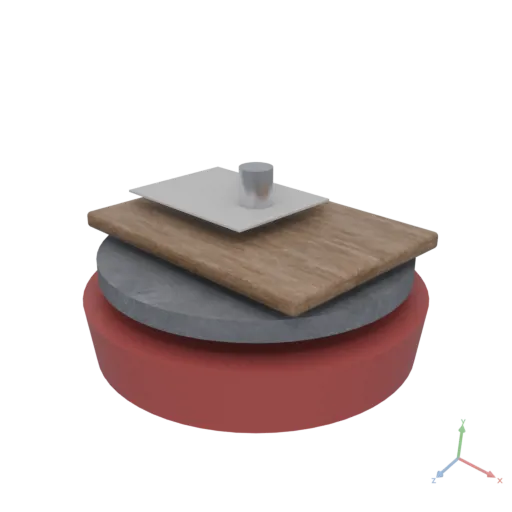
BakeOcclusion
MeshesAsset BakeOcclusion({ input: MeshesAsset, resolution?: integer, occluder?: MeshesAsset, strength?: number, distance?: number })
Computes ambient occlusion — a distance-limited, multi-bounce diffuse gather over the geometry — and writes the result into the occlusion channel of the asset's material(s). Existing color, normal, and roughness/metallic data are preserved. See-through materials (a uniform alpha below 1, e.g. glass) are left untouched: they receive no occlusion map and do not block ambient light. If the input does not already have a single [0,1]² UV atlas, one is generated and packed internally (a fast lightmap-style atlas — many-part scenes are fine). Otherwise the existing atlas is reused, sharing the cost with a previous BakeMaterial call. This operation cannot be called from within an expression.
resolution: Side length of the occlusion map in texels — a single atlas shared by all meshes of the asset. 0 (the default) picks it from the number of parts: 256 for a simple object up to 1024 for a scene of thousands of parts. Cost grows with the texel count, so set it explicitly only to trade speed against detail. Default is 0.occluder: Additional geometry that contributes occlusion but is not itself baked: it blocks ambient light as an opaque, two-sided blocker, receives no occlusion map, and does not appear in the output. Default is null.strength: How strongly the baked occlusion darkens the result, 0 to 1 — exported as the glTF occlusion strength, so viewers blend the map at this weight. Full-strength occlusion often over-darkens; lower for a calmer look. Default is 1.distance: How far occlusion reaches, in scene units: geometry farther away than this neither darkens a surface nor bounces light onto it, so occlusion stays local — corners, contact shadows and undersides darken, an enclosed room does not go black as a whole. 0 (the default) picks it from the baked surface area — a few metres for a house, never below half a metre, so hand-sized objects keep the classic full occlusion. Default is 0.
yaml
moon: "1.0"
doc: |
    A simple room: 4.5 m wide (X), 3 m tall (Y), 10 m deep (Z).
    Walls, floor, and ceiling are all 0.2 m thick. The front face (+Z) is
    completely open. Finished with a light concrete material.
    The occlusion reach is set to the room depth so the closed end darkens
    as a whole; the default reach (a few metres at most, derived from the
    baked area) keeps occlusion local to corners and contacts.
params:
    width: 4.5
    height: 3
    depth: 10
    wall_thickness: 0.2
assets:
    outer:
        op: Box
        with:
            size:
                expression: |
                    [params.width, params.height, params.depth]
    inner:
        op: Transform
        with:
            translate:
                expression: |
                    [0, 0, params.wall_thickness / 2]
        input:
            op: Box
            with:
                size:
                    expression: |
                        const t = params.wall_thickness
                        return [params.width - 2*t, params.height - 2*t, params.depth - t]
    shell:
        op: Difference
        input:
            items:
              - asset: outer
              - asset: inner
    concrete:
        op: Material
        with:
            color: [0.85, 0.82, 0.78, 1]
            roughness: 0.8
            metallic: 0.0
render:
    op: BakeOcclusion
    with:
        distance:
            param: depth
    input:
        op: ApplyMaterial
        with:
            material:
                asset: concrete
        input:
            op: Transform
            with:
                translate:
                    expression: |
                        [0, params.height / 2, 0]
            input:
                asset: shell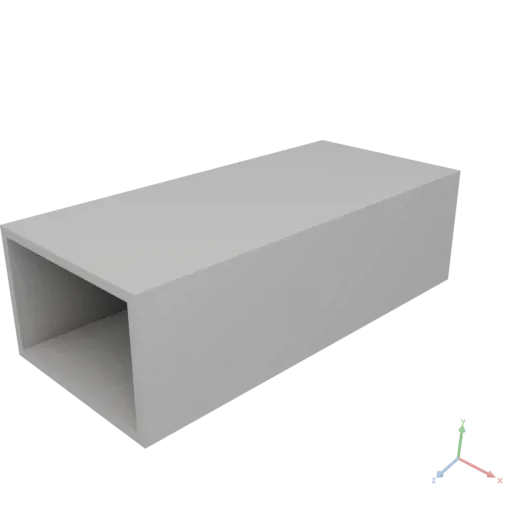
Blur
ImageAsset Blur({ input: ImageAsset, radius: number })
Gaussian blur with kernel radius radius pixels (standard deviation radius/3); radius ≥ 0, 0 returns the input. Borders clamp-to-edge; channels filtered independently (separable).
radius: Blur radius in pixels (≥ 0).
yaml
moon: "1.0"
doc: |
    Blur applies a Gaussian blur of the given kernel radius in pixels (standard deviation
    radius/3, separable, clamp-to-edge), softening the checkerboard's hard edges.
assets:
    base:
        op: Image
        with:
            input:
                expression: |
                    const [x, y] = Coords({ shape: [96, 96] })
                    return (Floor(x / 12) + Floor(y / 12)) % 2
                produces: IMAGE
render:
    op: Blur
    with: { radius: 6 }
    input: { asset: base }
BoundingBox
MeshesAsset BoundingBox({ input: MeshesAsset })
Returns the axis-aligned bounding box of the input as a mesh box.
yaml
moon: "1.0"
doc: |
    BoundingBox returns the axis-aligned bounding volume of a shape as a new glTF box mesh — useful for visualization and layout.
render:
    op: BoundingBox
    input:
        op: Hull
        with:
            points:
              - [0, 0, 0]
              - [0.6, 0.1, 0]
              - [0.2, 0.7, 0.3]
              - [-0.1, 0.3, 0.5]
              - [0.4, 0.2, -0.2]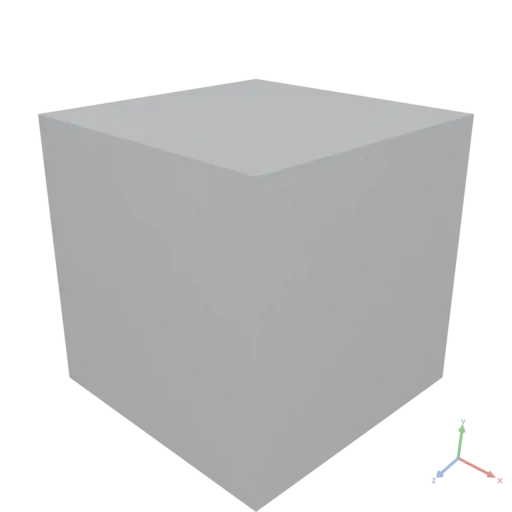
BoundingRect
PolygonsAsset BoundingRect({ input: PolygonsAsset })
Returns the axis-aligned bounding box of the input as a rectangular Polygons asset.
yaml
moon: "1.0"
doc: |
    BoundingRect returns the axis-aligned bounding rectangle of an SVG shape as a new SVG asset — useful for layout and visualization.
render:
    op: BoundingRect
    input:
        op: Polygon
        with:
            points:
              - [0, 0]
              - [0.5, 0.1]
              - [0.7, 0.4]
              - [0.3, 0.6]
- [-0.1, 0.3]'%20stroke='rgb(0,%200,%200)'%20stroke-width='0.004'%20fill-rule='evenodd'%20d='M%20-0.1%200%20L%200.7%200%20L%200.7%200.6%20L%20-0.1%200.6%20Z'%20/%3e%3c/svg%3e)
Bounds
number[][] Bounds({ input: MeshesAsset })
Returns the axis-aligned bounds of the geometry in world space as a [min, max] pair of [x, y, z] points.
yaml
moon: "1.0"
doc: |
    Bounds returns the axis-aligned min and max world-space coordinates of a translated sphere as a 2x3 array.
render:
    op: Bounds
    input:
        op: Transform
        with:
            translate: [0.5, 0.2, 0]
        input:
            op: Sphere
            with:
                radius: 0.3
json
[
  [
    0.2,
    -0.1,
    -0.3
  ],
  [
    0.8,
    0.5,
    0.3
  ]
]
number[][] Bounds({ input: PolygonsAsset })
Returns the axis-aligned 2D bounds as a [min, max] pair of [x, y] points.
yaml
moon: "1.0"
doc: |
    Bounds returns the 2D axis-aligned min and max coordinates of a translated ellipse as a 2x2 array.
render:
    op: Bounds
    input:
        op: Transform
        with:
            translate: [0.5, 0.2]
        input:
            op: Ellipse
            with:
                radii: [0.3, 0.2]
json
[
  [
    0.2,
    0
  ],
  [
    0.8,
    0.4
  ]
]
Box
MeshesAsset Box({ size: number[], anchor?: number[] })
Constructs an axis-aligned box.
size: Dimensions as [x, y, z].anchor: The normalized [0–1] point of the bounding box placed at the origin. Default is [0.5, 0.5, 0.5] (centered).
yaml
moon: "1.0"
doc: |
    Box factory — an axis-aligned cube with explicit size.
render:
    op: Box
    with:
        size: [1, 1, 1]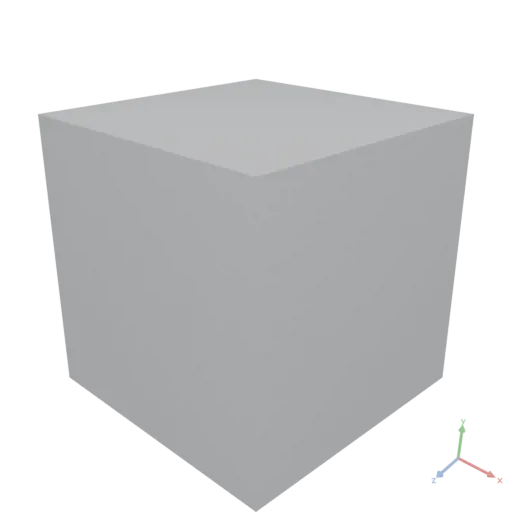
Ceil
DataAsset Ceil({ input: DataAsset })
Rounds every element up to the nearest integer (toward +∞).
yaml
moon: "1.0"
doc: |
    Ceil rounds each element up toward positive infinity. ceil([1.2, 2.1, -0.5]) = [2, 3, 0].
render:
    op: Ceil
    input: [1.2, 2.1, -0.5]
json
[
  2,
  3,
  0
]
Centroid
number[] Centroid({ input: MeshesAsset })
Returns the area-weighted centroid of the input mesh as [x, y, z]. This is the geometric center of mass of the surface area, independent of vertex distribution or tessellation resolution.
yaml
moon: "1.0"
doc: |
    Centroid returns the area-weighted center of mass of a shape's surface as [x, y, z]. Here it recovers the offset center of a translated sphere.
render:
    op: Centroid
    input:
        op: Transform
        with:
            translate: [0.3, 0.5, -0.2]
        input:
            op: Sphere
            with:
                radius: 0.25
json
[
  0.3,
  0.5,
  -0.2
]
number[] Centroid({ input: PolygonsAsset })
Returns the area-weighted centroid of the input polygons as [x, y]. This is the geometric center of mass of the filled area, independent of vertex distribution or tessellation resolution.
yaml
moon: "1.0"
doc: |
    Centroid returns the area-weighted center of mass of a 2D shape. Here it recovers the offset center of a translated circle.
render:
    op: Centroid
    input:
        op: Transform
        with:
            translate: [0.3, 0.5]
        input:
            op: Circle
            with:
                radius: 0.25
json
[
  0.3,
  0.5
]
Chamfer
MeshesAsset Chamfer({ input: MeshesAsset, distance: number, minSharpAngle?: number })
Bevels sharp edges of the input mesh with a flat cut. Only convex edges with dihedral angles above minSharpAngle are chamfered.
distance: The chamfer distance from the edge, measured along each adjacent face.minSharpAngle: Only edges with dihedral angles above this threshold (in degrees) are chamfered. Default is 30.
yaml
moon: "1.0"
doc: |
    Chamfer bevels all sharp convex edges of a box with a flat cut of the given distance.
render:
    op: Chamfer
    with:
        distance: 0.08
    input:
        op: Box
        with:
            size: [0.6, 0.6, 0.6]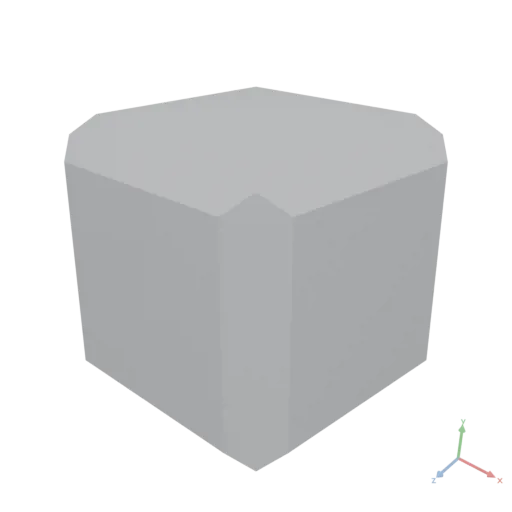
Circle
PolygonsAsset Circle({ radius: number, anchor?: number[], resolution?: integer })
Constructs a circle.
radius: Radius of the circle.anchor: The normalized [0–1] point of the bounding box placed at the origin. Default is [0.5, 0.5] (centered).resolution: Number of segments for a full circle. Default is 64.
yaml
moon: "1.0"
doc: |
    Circle factory — a simple 2D circle profile.
render:
    op: Circle
    with:
        radius: 0.4
resolution: 64'%20stroke='rgb(0,%200,%200)'%20stroke-width='0.004'%20fill-rule='evenodd'%20d='M%200.4%200%20L%200.39807388%200.039206855%20L%200.3923141%200.07803613%20L%200.38277614%200.11611387%20L%200.3695518%200.15307337%20L%200.3527685%200.1885587%20L%200.33258784%200.2222281%20L%200.3092042%200.25375733%20L%200.28284273%200.28284273%20L%200.25375733%200.3092042%20L%200.2222281%200.33258784%20L%200.1885587%200.3527685%20L%200.15307337%200.3695518%20L%200.11611387%200.38277614%20L%200.07803613%200.3923141%20L%200.039206855%200.39807388%20L%200%200.4%20L%20-0.039206855%200.39807388%20L%20-0.07803613%200.3923141%20L%20-0.11611387%200.38277614%20L%20-0.15307337%200.3695518%20L%20-0.1885587%200.3527685%20L%20-0.2222281%200.33258784%20L%20-0.25375733%200.3092042%20L%20-0.28284273%200.28284273%20L%20-0.3092042%200.25375733%20L%20-0.33258784%200.2222281%20L%20-0.3527685%200.1885587%20L%20-0.3695518%200.15307337%20L%20-0.38277614%200.11611387%20L%20-0.3923141%200.07803613%20L%20-0.39807388%200.039206855%20L%20-0.4%200%20L%20-0.39807388%20-0.039206855%20L%20-0.3923141%20-0.07803613%20L%20-0.38277614%20-0.11611387%20L%20-0.3695518%20-0.15307337%20L%20-0.3527685%20-0.1885587%20L%20-0.33258784%20-0.2222281%20L%20-0.3092042%20-0.25375733%20L%20-0.28284273%20-0.28284273%20L%20-0.25375733%20-0.3092042%20L%20-0.2222281%20-0.33258784%20L%20-0.1885587%20-0.3527685%20L%20-0.15307337%20-0.3695518%20L%20-0.11611387%20-0.38277614%20L%20-0.07803613%20-0.3923141%20L%20-0.039206855%20-0.39807388%20L%200%20-0.4%20L%200.039206855%20-0.39807388%20L%200.07803613%20-0.3923141%20L%200.11611387%20-0.38277614%20L%200.15307337%20-0.3695518%20L%200.1885587%20-0.3527685%20L%200.2222281%20-0.33258784%20L%200.25375733%20-0.3092042%20L%200.28284273%20-0.28284273%20L%200.3092042%20-0.25375733%20L%200.33258784%20-0.2222281%20L%200.3527685%20-0.1885587%20L%200.3695518%20-0.15307337%20L%200.38277614%20-0.11611387%20L%200.3923141%20-0.07803613%20L%200.39807388%20-0.039206855%20Z'%20/%3e%3c/svg%3e)
Clamp
DataAsset Clamp({ input: DataAsset, min?: number, max?: number })
Clamps each element into [min, max]. Defaults clamp into the pixel range [0, 1]. Shape is preserved.
min: Lower bound. Default is 0.max: Upper bound. Default is 1.
yaml
moon: "1.0"
doc: |
    Clamp confines each element to [min, max] (defaults [0, 1]).
    clamp([-0.5, 0.25, 2], 0, 1) = [0, 0.25, 1].
render:
    op: Clamp
    with: { min: 0, max: 1 }
    input: [-0.5, 0.25, 2]
json
[
  0,
  0.25,
  1
]
ClothConstraints
DataAsset ClothConstraints({ input: DataAsset })
Extracts cloth constraint topology from a triangle mesh: the unique edges (structural constraints), the wing-vertex pairs of adjacent triangles (bending constraints), and the edge lengths in the input positions, ready to pass to Simulate.
Returns a DATA record { edges [E,2], bending [B,4], lengths [E] }: the unique mesh edges as index pairs, one [v0, v1, wingA, wingB] row per interior edge (v0, v1 = the shared edge's endpoints), and each edge's length measured in input.vertices. The lengths are the pattern-space rest lengths — scale them for pretension (restLengths: cc.lengths * 0.95) or pass them as rest lengths when the simulation starts from deformed (e.g. pre-wrapped) positions.
js
const panel = Triangulate({ input: outline, edgeLength: 0.02 })
const cc = ClothConstraints(panel)
const rest = Simulate({
    input: panel.vertices,
    distance: { indices: cc.edges, compliance: 1e-7 },
    bending: { indices: cc.bending, compliance: 1e-4 },
})
yaml
moon: "1.0"
doc: |
    A square tablecloth drapes over a round pedestal table — Triangulate meshes
    the cloth, ClothConstraints extracts its structure, and Simulate drapes it
    using the table meshes directly as colliders.
assets:
    clothOutline:
        op: Rect
        with:
            size: [1.15, 1.15]
    tableMaterial:
        op: Material
        with:
            color: [0.36, 0.22, 0.12, 1]
            roughness: 0.55
    clothMaterial:
        op: Material
        with:
            color: [0.56, 0.09, 0.11, 1]
            roughness: 0.92
    tableTop:
        # eased (filleted) rim: sharp corners knife through cloth chords.
        # Separate asset so the cloth collides against the top alone — the
        # skirt never reaches stem or foot, and a slab-sized SDF bakes ~20x
        # faster than one spanning the whole table.
        expression: |
            const top = Fillet({
                input: Cylinder({ height: 0.04, radiusLow: 0.44, anchor: [0.5, 0, 0.5] }),
                radius: 0.012,
                resolution: 16,
            })
            return Transform({ input: top, translate: [0, 0.71, 0] })
        produces: MESHES
    table:
        expression: |
            const stem = Cylinder({ height: 0.71, radiusLow: 0.045, anchor: [0.5, 0, 0.5] })
            const foot = Cylinder({ height: 0.025, radiusLow: 0.24, anchor: [0.5, 0, 0.5] })
            return ApplyMaterial({
                input: Group({ input: [assets.tableTop, stem, foot] }),
                material: assets.tableMaterial,
            })
        produces: MESHES
    cloth:
        expression: |
            const panel = Triangulate({ input: assets.clothOutline, edgeLength: 0.015 })
            const cc = ClothConstraints(panel)
            // lay the panel horizontal at drop height: (x, y, 0) -> (x, 0.84, -y)
            const start = Gather({ input: panel.vertices, indices: [0, 2, 1], axis: 1 })
                * Data([1, 0, -1]) + Data([0, 0.84, 0])
            const sim = Simulate({
                input: start,
                masses: 0.0005,
                distance: { indices: cc.edges, compliance: 2e-7 },
                bending: { indices: cc.bending, compliance: 5e-4 },
                colliders: assets.tableTop,
                duration: 2.5,
                substeps: 750,
                friction: 0.5,
                thickness: 0.006,
                colliderCellSize: 0.005,
            })
            // two-sided fabric shell: front and back copies offset along the
            // vertex normals (computed natively by Mesh) so they never coincide
            const nrm = Mesh({ vertices: sim.positions, triangles: panel.triangles }).meshes[0].normals
            const off = nrm * 0.0006
            const flipped = Gather({ input: panel.triangles, indices: [0, 2, 1], axis: 1 })
            return Group({ input: [
                Mesh({ vertices: sim.positions + off, triangles: panel.triangles,
                       materialUVs: panel.uvs, material: assets.clothMaterial }),
                Mesh({ vertices: sim.positions - off, triangles: flipped,
                       materialUVs: panel.uvs, material: assets.clothMaterial }),
            ] })
        produces: MESHES
render:
    op: Group
    input:
        items:
          - asset: table
          - asset: cloth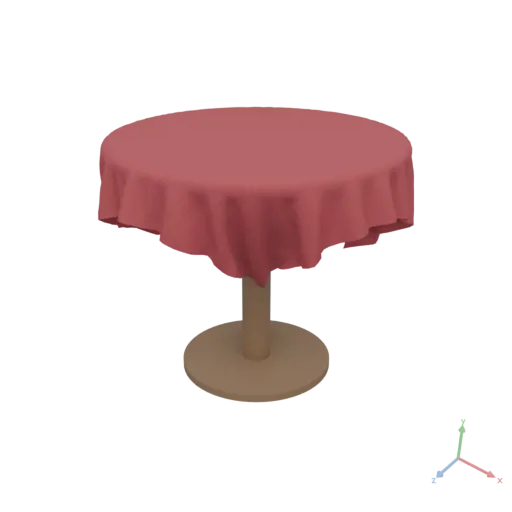
ColumnCount
integer ColumnCount({ input: DataAsset })
Returns the number of columns in a tabular DataAsset.
yaml
moon: "1.0"
doc: |
    ColumnCount returns the number of columns in a table built from a JSON array of three-field records.
assets:
    cities:
        value:
          - city: Berlin
            population: 3700000
            area_sqkm: 892
          - city: Madrid
            population: 3300000
            area_sqkm: 604
render:
    op: ColumnCount
    input:
        asset: cities
json
3ColumnNames
string[] ColumnNames({ input: DataAsset })
Returns the column names of a tabular DataAsset as a string array, in declaration order.
yaml
moon: "1.0"
doc: |
    Column names of a table constructed from inline JSON city data.
assets:
    cities:
        value:
          - city: NewYork
            population: 8400000
            area_sqkm: 783
          - city: Tokyo
            population: 14000000
            area_sqkm: 2194
render:
    op: ColumnNames
    input:
        asset: cities
json
[
  "city",
  "population",
  "area_sqkm"
]
ConnectedComponent
DataAsset ConnectedComponent({ input: GraphAsset, node: integer })
Returns the sorted node indices of all nodes forward-reachable from node via directed edges, as a 1-D integer tensor.
Traversal follows out-edges only. On a directed graph this gives the forward-reachable set from node; on a graph produced by ToUndirected (which stores both directions) it gives the full connected component. To find which component a node belongs to in an undirected sense, call ToUndirected on the graph first. The result is sorted in ascending node-index order.
node: Zero-based index of the seed node. The returned array always includes this node.
yaml
moon: "1.0"
doc: |
    ConnectedComponent returns the sorted node indices of all nodes reachable from the given seed node via directed edges.
    This graph has two disconnected components: {0, 1, 2} and {3, 4}.
    Seeding from node 0 returns only the first component.
assets:
    g:
        op: Graph
        with:
            edges:
              - [0, 1]
              - [1, 2]
              - [3, 4]
            nodeCount: 5
render:
    op: ConnectedComponent
    with:
        node: 0
    input:
        asset: g
json
[
  0,
  1,
  2
]
Convolve
ImageAsset Convolve({ input: ImageAsset, kernel: DataAsset, flip?: boolean })
General linear filter with an odd-sized [k, k] numeric kernel, applied per channel; clamp-to-edge borders; the result is clamped to [0, 1] at the IMAGE boundary. The clamp discards negative responses, so a signed kernel (e.g. Sobel) cannot return a signed gradient directly: convolve once with the kernel and once with its negation, then subtract the two results.
flip: false (the default) applies correlation — the kernel as-is, matching image libraries (PIL, OpenCV, shaders); flip: true flips the kernel 180° (numpy/scipy convolution). Only asymmetric kernels differ.
kernel: An odd-sized square[k, k]numeric tensor.flip: True for mathematical convolution (kernel flipped 180°). Default is false (correlation).
yaml
moon: "1.0"
doc: |
    Convolve applies a general odd-sized [k, k] kernel per channel (correlation by default).
    This 3x3 edge-detect kernel highlights the checkerboard boundaries.
assets:
    base:
        op: Image
        with:
            input:
                expression: |
                    const [x, y] = Coords({ shape: [96, 96] })
                    return (Floor(x / 12) + Floor(y / 12)) % 2
                produces: IMAGE
render:
    op: Convolve
    with:
        kernel:
          - [-1, -1, -1]
          - [-1,  8, -1]
          - [-1, -1, -1]
    input: { asset: base }
Coords
DataAsset Coords({ shape: integer[], normalize?: boolean, center?: boolean })
Builds broadcastable coordinate grids for vectorized generation (the meshgrid / mgrid idiom) — the fast alternative to per-pixel loops. Returns the pair [x, y] of two [H, W] Float64 tensors: x varies along axis 1 (columns), y along axis 0 (rows). They broadcast against each other and against [H, W, C] fields. Destructure positionally: const [x, y] = Coords({…}).
js
// An 8×8 checkerboard, generated vectorized from coordinate grids
const [x, y] = Coords({ shape: [256, 256] })
return Image((Floor(x / 32) + Floor(y / 32)) % 2)shape: Grid dimensions[H, W]; both ≥ 1.normalize: Whentrue, each axis spans[0, 1](x = col/(W−1),y = row/(H−1)); whenfalse(default), axes are integer indices (x ∈ 0..W−1,y ∈ 0..H−1).center: Whentrue, shifts each axis to be centered on 0 (normalized →[−0.5, 0.5]; integer → about[−n/2, n/2]). Useful for radial patterns. Default is false.
yaml
moon: "1.0"
doc: |
    Coords builds broadcastable [x, y] coordinate grids for vectorized generation.
    For shape [2, 2]: x = [[0, 1], [0, 1]] (varies along columns), y = [[0, 0], [1, 1]] (rows).
render:
    op: Coords
    with: { shape: [2, 2] }
json
[
  [
    [
      0,
      1
    ],
    [
      0,
      1
    ]
  ],
  [
    [
      0,
      0
    ],
    [
      1,
      1
    ]
  ]
]
Cos
DataAsset Cos({ input: DataAsset })
Applies cosine to every element (radians). See Sin.
yaml
moon: "1.0"
doc: |
    Cos applies cosine element-wise (radians). cos([0, pi/2, pi]) = [1, 0, -1].
render:
    op: Cos
    input: [0, 1.5707963267948966, 3.141592653589793]
json
[
  1,
  0,
  -1
]
Crop
ImageAsset Crop({ input: ImageAsset, origin: integer[], size: integer[] })
Extracts the [H, W] window at pixel origin = [row, col]; the window must lie within bounds.
origin: Top-left corner as[row, col].size: Window size as[H, W].
yaml
moon: "1.0"
doc: |
    Crop extracts a [H, W] window at pixel origin [row, col].
assets:
    base:
        op: Image
        with:
            input:
                expression: |
                    const [x, y] = Coords({ shape: [96, 96], normalize: true })
                    return StackAxis({ input: [x, y, Fill({ value: 0.4, shape: [96, 96] })], axis: 2 })
                produces: IMAGE
render:
    op: Crop
    with: { origin: [16, 16], size: [56, 56] }
    input: { asset: base }
Cylinder
MeshesAsset Cylinder({ height: number, radiusLow: number, radiusHigh?: number, resolution?: integer, anchor?: number[] })
Constructs a cylinder or cone extending along the Y axis, centered at the origin by default. Use anchor [0.5, 0, 0.5] to place the base on the XZ plane.
height: Extent along the Y axis.radiusLow: Radius of the bottom circle.radiusHigh: Radius of the top circle. Zero produces a cone. Default is equal to radiusLow.resolution: Number of segments for a full circle. Default is 64.anchor: The normalized [0–1] point of the bounding box placed at the origin. Default is [0.5, 0.5, 0.5] (centered).
yaml
moon: "1.0"
doc: |
    Cylinder factory used as a truncated cone by giving differing top and bottom radii.
render:
    op: Cylinder
    with:
        height: 0.8
        radiusLow: 0.4
        radiusHigh: 0.15
        resolution: 64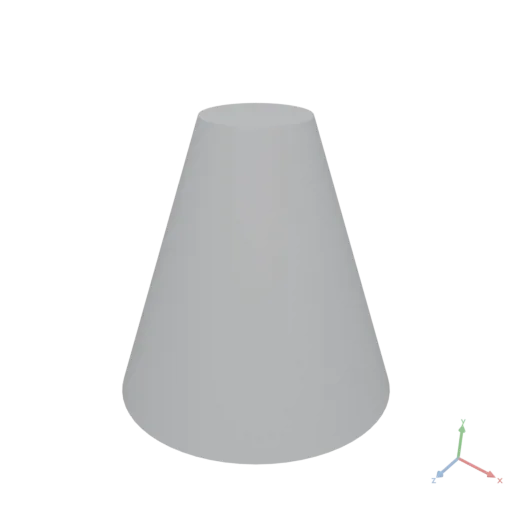
Data
DataAsset Data({ input: any })
Upgrades an arbitrary value to its Moon data representation, choosing the representation automatically from the value's structure:
- a rectangular numeric array → a numeric
tensor(with element-wise math operators and broadcasting); - a number, string, or boolean → the corresponding scalar;
- an object → a record; an all-numeric array with rows of differing length → a jagged array; a mixed array → a list.
This is most useful inside an expression, where an array literal such as [1, 2, 3] is an ordinary JavaScript array with no tensor math. Data([1, 2, 3]) turns it into a tensor, so Data([1, 2, 3]) + 1 evaluates element-wise to [2, 3, 4]. A value that is already a Moon data value is returned unchanged.
js
Data([1, 2, 3]) + 1            // → [2, 3, 4]
Data([[1, 2], [3, 4]])         // → a 2×2 tensor
yaml
moon: "1.0"
doc: |
    Data upgrades a plain array literal in an expression to a tensor, enabling element-wise math. Here [1, 2, 3] becomes a tensor, so adding 1 broadcasts across every element to yield [2, 3, 4].
render:
    expression: |
        Data([1, 2, 3]) + 1
json
[
  2,
  3,
  4
]
Degree
DataAsset Degree({ input: GraphAsset })
Returns the out-degree of every node as a 1-D integer tensor of length nodeCount. Element i is the number of directed edges leaving node i.
yaml
moon: "1.0"
doc: |
    Degree returns the out-degree of every node as a 1-D Int32 array.
    Node 0 has 1 out-edge, node 1 has 2, nodes 2 and 4 are sinks (0), node 3 has 1.
assets:
    g:
        op: Graph
        with:
            edges:
              - [0, 1]
              - [1, 2]
              - [1, 3]
              - [3, 4]
render:
    op: Degree
    input:
        asset: g
json
[
  1,
  2,
  0,
  1,
  0
]
DegreeOfSeparation
DataAsset DegreeOfSeparation({ input: GraphAsset, node: integer, maxDistance?: integer })
Computes the BFS hop-distance from node to every other node and returns the result as a 1-D integer tensor of length nodeCount. Element i is the shortest directed-path length from node to node i. Nodes unreachable within maxDistance hops receive the value maxDistance.
node: Zero-based index of the source node (distance 0).maxDistance: BFS stops after this many hops. Nodes not reached within the limit are assigned this value in the output. Default is 6.
yaml
moon: "1.0"
doc: |
    DegreeOfSeparation computes the BFS hop-distance from a source node to every other node.
    Starting from node 0: node 0 is distance 0, node 1 is 1 hop away, nodes 2 and 3 are 2 hops, node 4 is 3 hops.
assets:
    g:
        op: Graph
        with:
            edges:
              - [0, 1]
              - [1, 2]
              - [1, 3]
              - [3, 4]
render:
    op: DegreeOfSeparation
    with:
        node: 0
    input:
        asset: g
json
[
  0,
  1,
  2,
  2,
  3
]
Difference
MeshesAsset Difference({ input: MeshesAsset[] })
Computes the boolean difference, subtracting all subsequent meshes from the first. Cost scales with total triangle count (see Union). A fully subtracted result is valid empty geometry.
yaml
moon: "1.0"
doc: |
    Difference subtracts a sphere from a box, carving a hemispherical cavity into the top corner.
render:
    op: Difference
    input:
        items:
          - op: Box
            with:
                size: [0.8, 0.8, 0.8]
          - op: Transform
            with:
                translate: [0.4, 0.4, 0.4]
            input:
                op: Sphere
                with:
                    radius: 0.35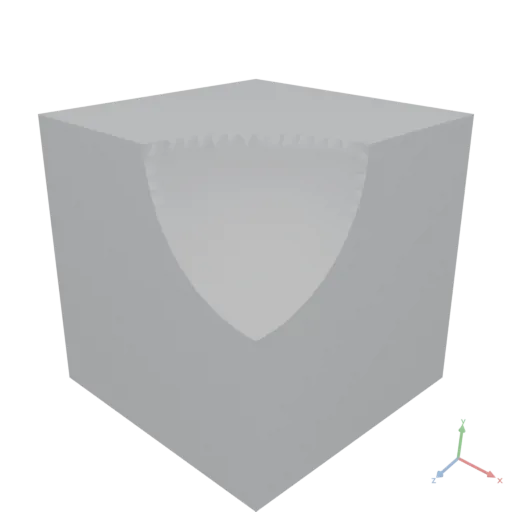
PolygonsAsset Difference({ input: PolygonsAsset[] })
Computes the boolean difference, subtracting all subsequent polygons from the first.
yaml
moon: "1.0"
doc: |
    Difference subtracts a circle from a rectangle, creating a 2D shape with a circular bite taken out of one corner.
render:
    op: Difference
    input:
        items:
          - op: Rect
            with:
                size: [0.8, 0.5]
          - op: Transform
            with:
                translate: [0.4, 0.25]
            input:
                op: Circle
                with:
radius: 0.25'%20stroke='rgb(0,%200,%200)'%20stroke-width='0.004'%20fill-rule='evenodd'%20d='M%200.4%200%20L%200.3754957%200.00120382%20L%200.35122743%200.00480368%20L%200.32742882%200.01076492%20L%200.30432913%200.01903012%20L%200.28215083%200.02951968%20L%200.26110744%200.0421326%20L%200.24140169%200.05674739%20L%200.2232233%200.0732233%20L%200.20674738%200.09140168%20L%200.1921326%200.11110744%20L%200.17951968%200.13215081%20L%200.16903012%200.15432914%20L%200.16076492%200.17742883%20L%200.15480368%200.20122743%20L%200.15120383%200.22549571%20L%200.15%200.25%20L%20-0.4%200.25%20L%20-0.4%20-0.25%20L%200.4%20-0.25%20Z'%20/%3e%3c/svg%3e)
Dilate
ImageAsset Dilate({ input: ImageAsset, radius: number })
Morphological dilation: the per-channel maximum over a square neighborhood of radius pixels (grows bright regions). Borders clamp-to-edge.
radius: Neighborhood radius in pixels (≥ 0).
yaml
moon: "1.0"
doc: |
    Dilate is the morphological max over a square neighbourhood — it grows bright regions.
assets:
    base:
        op: Image
        with:
            input:
                expression: |
                    const [x, y] = Coords({ shape: [96, 96] })
                    return (Floor(x / 12) + Floor(y / 12)) % 2
                produces: IMAGE
render:
    op: Dilate
    with: { radius: 2 }
    input: { asset: base }
Dimensions
number[] Dimensions({ input: MeshesAsset })
Returns the absolute width, height, and depth of the bounding box.
yaml
moon: "1.0"
doc: |
    Dimensions returns the width, height, and depth of a shape's axis-aligned bounding box as a 3-element array.
render:
    op: Dimensions
    input:
        op: RoundedBox
        with:
            size: [0.8, 0.3, 0.5]
            radius: 0.05
json
[
  0.8,
  0.3,
  0.5
]
number[] Dimensions({ input: PolygonsAsset })
Returns the absolute width and height of the 2D bounding box.
yaml
moon: "1.0"
doc: |
    Dimensions returns the width and height of an SVG shape's axis-aligned bounding box as a 2-element array.
render:
    op: Dimensions
    input:
        op: Polygon
        with:
            points:
              - [0, 0]
              - [0.8, 0.1]
              - [0.7, 0.5]
              - [0.1, 0.4]
json
[
  0.8,
  0.5
]
Distance
number Distance({ input: MeshesAsset, target: MeshesAsset })
Returns the shortest distance between the surfaces of two meshes. If the objects intersect, returns 0.
target: The second mesh asset to measure against.
yaml
moon: "1.0"
doc: |
    Distance returns the shortest surface-to-surface distance between two meshes. Two spheres of radius 0.2 centered 1 m apart should be 0.6 m apart at their surfaces.
render:
    op: Distance
    with:
        target:
            op: Transform
            with:
                translate: [1, 0, 0]
            input:
                op: Sphere
                with:
                    radius: 0.2
    input:
        op: Sphere
        with:
            radius: 0.2
json
0.6number Distance({ input: PolygonsAsset, target: PolygonsAsset })
Returns the shortest distance between the surfaces of two 2D polygons. If the objects intersect, returns 0.
target: The second Polygons asset to measure against.
yaml
moon: "1.0"
doc: |
    Distance returns the shortest surface-to-surface distance between two 2D shapes. Two circles of radius 0.2 centered 1 m apart should be 0.6 m apart at their edges.
render:
    op: Distance
    with:
        target:
            op: Transform
            with:
                translate: [1, 0]
            input:
                op: Circle
                with:
                    radius: 0.2
    input:
        op: Circle
        with:
            radius: 0.2
json
0.6Dot
DataAsset Dot({ input: DataAsset, other: DataAsset })
Computes the dot product of two numeric tensors, following NumPy np.dot rank rules: a 1-D pair gives the scalar inner product, two 2-D matrices give the matrix product, and a 1-D / 2-D mix gives the vector-matrix product. The contracted dimensions must match; both operands are computed in Float64.
other: The right numeric tensor (rank 1 or 2).
yaml
moon: "1.0"
doc: |
    Dot computes the dot product of two numeric tensors following NumPy np.dot rank rules.
    Here two 2×2 matrices are multiplied, producing the matrix product [[19, 22], [43, 50]].
assets:
    a:
        value: [[1, 2], [3, 4]]
    b:
        value: [[5, 6], [7, 8]]
render:
    op: Dot
    with:
        other:
            asset: b
    input:
        asset: a
json
[
  [
    19,
    22
  ],
  [
    43,
    50
  ]
]
EdgeCount
integer EdgeCount({ input: GraphAsset })
Returns the number of directed edges in the graph (the total out-degree summed over all nodes).
yaml
moon: "1.0"
doc: |
    EdgeCount returns the total number of directed edges in the graph (the out-degrees summed over all nodes).
    This graph has four edges: 0->1, 1->2, 1->3 and 3->4, so EdgeCount is 4.
assets:
    g:
        op: Graph
        with:
            edges:
              - [0, 1]
              - [1, 2]
              - [1, 3]
              - [3, 4]
render:
    op: EdgeCount
    input:
        asset: g
json
4Ellipse
PolygonsAsset Ellipse({ radii: number[], anchor?: number[], resolution?: integer })
Constructs an ellipse.
radii: Radii as [rx, ry].anchor: The normalized [0–1] point of the bounding box placed at the origin. Default is [0.5, 0.5] (centered).resolution: Number of segments for a full circle. Default is 64.
yaml
moon: "1.0"
doc: |
    Ellipse factory — a 2D ellipse with distinct X and Y radii.
render:
    op: Ellipse
    with:
        radii: [0.6, 0.3]
resolution: 64'%20stroke='rgb(0,%200,%200)'%20stroke-width='0.006'%20fill-rule='evenodd'%20d='M%200.6%200%20L%200.5971108%200.029405141%20L%200.5884712%200.058527097%20L%200.5741642%200.0870854%20L%200.5543277%200.11480503%20L%200.52915275%200.14141902%20L%200.49888176%200.16667107%20L%200.46380627%200.19031799%20L%200.42426407%200.21213204%20L%200.38063598%200.23190314%20L%200.33334213%200.24944088%20L%200.28283805%200.26457638%20L%200.22961006%200.27716386%20L%200.1741708%200.2870821%20L%200.117054194%200.2942356%20L%200.058810282%200.2985554%20L%200%200.3%20L%20-0.058810282%200.2985554%20L%20-0.117054194%200.2942356%20L%20-0.1741708%200.2870821%20L%20-0.22961006%200.27716386%20L%20-0.28283805%200.26457638%20L%20-0.33334213%200.24944088%20L%20-0.38063598%200.23190314%20L%20-0.42426407%200.21213204%20L%20-0.46380627%200.19031799%20L%20-0.49888176%200.16667107%20L%20-0.52915275%200.14141902%20L%20-0.5543277%200.11480503%20L%20-0.5741642%200.0870854%20L%20-0.5884712%200.058527097%20L%20-0.5971108%200.029405141%20L%20-0.6%200%20L%20-0.5971108%20-0.029405141%20L%20-0.5884712%20-0.058527097%20L%20-0.5741642%20-0.0870854%20L%20-0.5543277%20-0.11480503%20L%20-0.52915275%20-0.14141902%20L%20-0.49888176%20-0.16667107%20L%20-0.46380627%20-0.19031799%20L%20-0.42426407%20-0.21213204%20L%20-0.38063598%20-0.23190314%20L%20-0.33334213%20-0.24944088%20L%20-0.28283805%20-0.26457638%20L%20-0.22961006%20-0.27716386%20L%20-0.1741708%20-0.2870821%20L%20-0.117054194%20-0.2942356%20L%20-0.058810282%20-0.2985554%20L%200%20-0.3%20L%200.058810282%20-0.2985554%20L%200.117054194%20-0.2942356%20L%200.1741708%20-0.2870821%20L%200.22961006%20-0.27716386%20L%200.28283805%20-0.26457638%20L%200.33334213%20-0.24944088%20L%200.38063598%20-0.23190314%20L%200.42426407%20-0.21213204%20L%200.46380627%20-0.19031799%20L%200.49888176%20-0.16667107%20L%200.52915275%20-0.14141902%20L%200.5543277%20-0.11480503%20L%200.5741642%20-0.0870854%20L%200.5884712%20-0.058527097%20L%200.5971108%20-0.029405141%20Z'%20/%3e%3c/svg%3e)
Erode
ImageAsset Erode({ input: ImageAsset, radius: number })
Morphological erosion: the per-channel minimum over a square neighborhood of radius pixels (shrinks bright regions). Borders clamp-to-edge.
radius: Neighborhood radius in pixels (≥ 0).
yaml
moon: "1.0"
doc: |
    Erode is the morphological min over a square neighbourhood — it shrinks bright regions.
assets:
    base:
        op: Image
        with:
            input:
                expression: |
                    const [x, y] = Coords({ shape: [96, 96] })
                    return (Floor(x / 12) + Floor(y / 12)) % 2
                produces: IMAGE
render:
    op: Erode
    with: { radius: 2 }
    input: { asset: base }
Exp
DataAsset Exp({ input: DataAsset })
Natural exponential e^x of every element.
yaml
moon: "1.0"
doc: |
    Exp raises e to each element. exp([0, 1]) = [1, 2.71828].
render:
    op: Exp
    input: [0, 1]
json
[
  1,
  2.71828
]
Extrude
MeshesAsset Extrude({ input: PolygonsAsset, height: number, divisions?: integer, twistDegrees?: number, scaleTop?: number[] })
Constructs a solid by extruding 2D polygons along the +Y axis. 2D X maps to 3D X, 2D Y maps to 3D Z. The extrusion extends along 3D +Y from y=0 to y=height.
height: Extent of the extrusion along the Y axis.divisions: Number of extra cross-section slices inserted along the height. Default is 0.twistDegrees: Degrees to twist the top cross-section relative to the bottom. Default is 0.scaleTop: Scale factors [x, z] applied to the top cross-section. Default is [1, 1].
yaml
moon: "1.0"
doc: |
    Extrude turns a 2D rectangle profile into a 3D prism along +Y. Four variants
    demonstrate the key parameters: plain extrusion, tapered top via scaleTop,
    twisted via twistDegrees (with divisions for a smooth twist), and combined.
render:
    group:
      - op: Extrude
        with:
            height: 0.4
        input:
            op: Rect
            with:
                size: [0.3, 0.3]
      - op: Transform
        with:
            translate: [0.5, 0, 0]
        input:
            op: Extrude
            with:
                height: 0.4
                scaleTop: [0.4, 0.4]
            input:
                op: Rect
                with:
                    size: [0.3, 0.3]
      - op: Transform
        with:
            translate: [1.0, 0, 0]
        input:
            op: Extrude
            with:
                height: 0.4
                divisions: 32
                twistDegrees: 90
            input:
                op: Rect
                with:
                    size: [0.3, 0.3]
      - op: Transform
        with:
            translate: [1.5, 0, 0]
        input:
            op: Extrude
            with:
                height: 0.4
                divisions: 32
                twistDegrees: 90
                scaleTop: [0.4, 0.4]
            input:
                op: Rect
                with:
                    size: [0.3, 0.3]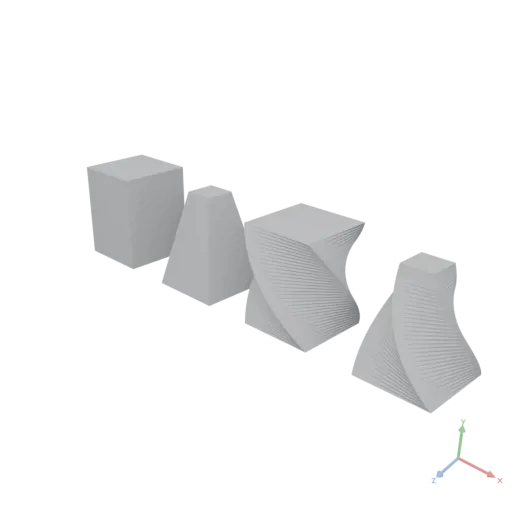
Fill
DataAsset Fill({ value: number, shape: integer[] })
Creates a numeric DataAsset where every element equals value.
js
// 4-element vector filled with 3.14
Fill({ value: 3.14, shape: [4] })value: The fill value.shape: Array of integer dimension sizes.
yaml
moon: "1.0"
doc: |
    Fill factory creates a tensor of a given shape with every element set to the same constant value.
render:
    op: Fill
    with:
        value: 3.14
        shape: [2, 3]
json
[
  [
    3.14,
    3.14,
    3.14
  ],
  [
    3.14,
    3.14,
    3.14
  ]
]
Fillet
MeshesAsset Fillet({ input: MeshesAsset, radius: number, resolution?: integer })
Rounds all convex (exterior) edges of the input mesh using morphological opening. The shape is first eroded (Minkowski difference with a sphere), which destroys convex sharp edges, then dilated (Minkowski sum with the same sphere), which restores the original dimensions without regenerating the sharp edges. Concave edges and flat faces are preserved unchanged. A through-hole keeps its diameter and cylindrical wall, but its entry rims are convex edges and are rounded like any other.
radius: Fillet radius. Must be positive and smaller than half the thinnest feature of the shape, or that feature will collapse. The radius is silently clamped to half the smallest bounding-box extent; if the erosion still consumes the shape entirely, the input is returned unchanged.resolution: Number of circular segments for the structuring sphere. Higher values produce smoother fillets but increase computation time and output triangle count. 12 is acceptable for preview, 24–32 for final output. Default is 16.
yaml
moon: "1.0"
doc: |
    Fillet rounds all convex exterior edges of a box using morphological opening.
render:
    op: Fillet
    with:
        radius: 0.08
        resolution: 24
    input:
        op: Box
        with:
            size: [0.6, 0.6, 0.6]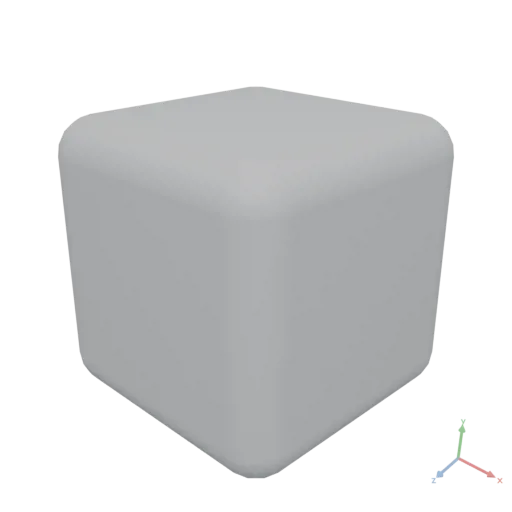
FilterRows
DataAsset FilterRows({ input: DataAsset, column: string, op: string, value: DataAsset })
Filters rows of a tabular DataAsset to those where the value in column satisfies the comparison against value under the operator op.
Supported operators for numeric columns: ==, !=, >, >=, <, <=.
Supported operators for text columns: ==, !=, >, >=, <, <=, contains, startsWith. String comparison is ordinal.
column: Column name to filter on.op: Comparison operator string.value: Value to compare against: a string for text columns, a number for numeric columns.
yaml
moon: "1.0"
doc: |
    FilterRows keeps only the rows whose numeric column satisfies the comparison — here, cities with population above 5 million.
assets:
    cities:
        value:
          - city: NewYork
            population: 8400000
            area_sqkm: 783
          - city: Tokyo
            population: 14000000
            area_sqkm: 2194
          - city: Paris
            population: 2100000
            area_sqkm: 105
          - city: London
            population: 8900000
            area_sqkm: 1572
render:
    op: FilterRows
    with:
        column: population
        op: ">"
        value: 5000000
    input:
        asset: cities
json
[
  {
    "city": "NewYork",
    "population": 8400000,
    "area_sqkm": 783
  },
  {
    "city": "Tokyo",
    "population": 14000000,
    "area_sqkm": 2194
  },
  {
    "city": "London",
    "population": 8900000,
    "area_sqkm": 1572
  }
]
Floor
DataAsset Floor({ input: DataAsset })
Rounds every element down to the nearest integer (toward −∞).
yaml
moon: "1.0"
doc: |
    Floor rounds each element down toward negative infinity. floor([1.2, 2.9, -0.5]) = [1, 2, -1].
render:
    op: Floor
    input: [1.2, 2.9, -0.5]
json
[
  1,
  2,
  -1
]
Gather
DataAsset Gather({ input: DataAsset, indices: DataAsset, axis?: integer })
Returns the slices of input selected by indices along axis, stacked in the order given.
For a (N, d) float tensor gathered on axis 0 with m indices the result shape is (m, d). Runs natively — much faster than per-element indexing in an expression.
indices may be any integer-valued DataAsset: a numeric tensor, or a list of number scalars.
js
// Pick rows 0, 2 and 4 from a (10, 3) position buffer
Gather({ input: positions, indices: Data([0, 2, 4]), axis: 0 })indices: Integer indices to select, in output order.axis: Axis along which to gather. Default is 0.
yaml
moon: "1.0"
doc: |
    Gather picks rows from a tensor by index — here rows 0, 2 and 4 are selected from a 5×3 position buffer, producing a 3×3 result.
render:
    op: Gather
    with:
        indices:
            value: [0, 2, 4]
        axis: 0
    input:
        value: [[1, 0, 0], [2, 0, 0], [3, 0, 0], [4, 0, 0], [5, 0, 0]]
json
[
  [
    1,
    0,
    0
  ],
  [
    3,
    0,
    0
  ],
  [
    5,
    0,
    0
  ]
]
Graph
GraphAsset Graph({ edges?: DataAsset, indices?: DataAsset, edgesFlat?: DataAsset, nodeCount?: integer, adjacency?: DataAsset })
Constructs a directed, unweighted graph.
Three forms are accepted — provide exactly one:
- Edge-list:
edges— a rectangular integer tensor of shape (E, 2) where each row is a[from, to]node-index pair. - CSR:
indices+edgesFlat— the standard Compressed Sparse Row encoding. Preferred for large pre-built graphs (e.g. imported .npz files) because no intermediate edge-list allocation is needed. - Adjacency:
adjacency— per-node out-neighbor rows, or a whole deserialized graph. Re-types a graph that was serialized to.jsonand imported back as DATA:Graph(adjacency: import). edges: Edge list as an integer tensor of shape (E, 2). Each row[from, to]adds a directed edge from nodefromto nodeto. Node indices must be in[0, nodeCount). Mutually exclusive withindices/edgesFlat. To build a graph from a table with from/to columns, map its rows in an expression:Graph({ edges: rows.map(r => [r.from, r.to]) }).indices: CSR row-offset array of lengthnodeCount + 1(integer).indices[i]is the position inedgesFlatwhere the out-edges of nodeibegin;indices[i+1]is where they end. Must be monotonically non-decreasing. Required together withedgesFlat.edgesFlat: CSR edge-target array (integer). Contains the concatenated out-neighbor lists of all nodes, partitioned byindices. Every value must be a valid node index in[0, nodeCount). Required together withindices.nodeCount: Number of nodes in the graph. When omitted, inferred from the data: edge-list form usesmax(from, to) + 1; CSR form usesindices.length - 1. Supply explicitly when the graph has isolated tail nodes that do not appear in any edge. Not accepted withadjacency(its row count is the node count).adjacency: The graph in adjacency form: rowilists the out-neighbor node indices of nodei(a jagged or rectangular integer array), or an entire graph value such as an imported.jsongraph export ({ "graph": [...] }), which passes through unchanged. Mutually exclusive with all other parameters.
yaml
moon: "1.0"
doc: |
    Graph factory builds a directed graph from an edge list — an (E, 2) integer tensor where each row is a [from, to] node-index pair.
    This five-node graph represents a simple chain with a branch: 0→1→2, 1→3, 3→4.
render:
    op: Graph
    with:
        edges:
          - [0, 1]
          - [1, 2]
          - [1, 3]
          - [3, 4]
GraphEdges
DataAsset GraphEdges({ input: GraphAsset })
Returns all stored directed edges as an integer tensor of shape (E, 2), where each row is [from, to]. Edges are enumerated in node-index order: all out-edges of node 0 first, then node 1, and so on.
Every edge stored in the graph is emitted exactly once. For a graph produced by ToUndirected, both directions of each undirected edge are stored and therefore both appear in the output. To obtain a deduplicated edge list for rendering purposes, filter the result to rows where from < to.
yaml
moon: "1.0"
doc: |
    GraphEdges returns all directed edges as an (E, 2) Int32 tensor where each row is [from, to].
    Edges are enumerated in node-index order: all out-edges of node 0 first, then node 1, and so on.
    The graph is constructed from its CSR representation: indices are the row offsets
    (node i owns edgesFlat[indices[i]..indices[i+1]]) and edgesFlat lists the out-neighbors.
assets:
    g:
        op: Graph
        with:
            indices: [0, 1, 3, 3, 4, 4]
            edgesFlat: [1, 2, 3, 4]
render:
    op: GraphEdges
    input:
        asset: g
json
[
  [
    0,
    1
  ],
  [
    1,
    2
  ],
  [
    1,
    3
  ],
  [
    3,
    4
  ]
]
GridIndices
DataAsset GridIndices({ rows: integer, cols: integer })
Creates the triangle indices for a regular rows × cols vertex grid in row-major order (vertex index r * cols + c): an integer [2 · (rows−1) · (cols−1), 3] tensor with two counter-clockwise triangles per grid cell, ready for Mesh.
Removes the last per-vertex loop in grid-surface building (heightfields, parametric sheets): compute vertex positions with tensor expressions and take the triangulation from GridIndices.
js
// Triangulate a 2×3 vertex grid: 4 triangles
GridIndices({ rows: 2, cols: 3 })rows: Number of vertex rows in the grid. Must be ≥ 2.cols: Number of vertex columns in the grid. Must be ≥ 2.
yaml
moon: "1.0"
doc: |
    Triangle indices for a 2×3 vertex grid in row-major order — two
    counter-clockwise triangles per cell, ready to feed into Mesh.
render:
    op: GridIndices
    with:
        rows: 2
        cols: 3
json
[
  [
    0,
    3,
    4
  ],
  [
    0,
    4,
    1
  ],
  [
    1,
    4,
    5
  ],
  [
    1,
    5,
    2
  ]
]
Group
MeshesAsset Group({ input: MeshesAsset[] })
Composes multiple mesh assets into a single asset without merging geometry (lazy scene composition).
yaml
moon: "1.0"
doc: |
    Group performs a lazy scene union on multiple glTF assets — meshes are combined side-by-side without any boolean computation, preserving their individual materials.
render:
    op: Group
    input:
        items:
          - op: Box
            with:
                size: [0.3, 0.3, 0.3]
          - op: Transform
            with:
                translate: [0.5, 0, 0]
            input:
                op: Sphere
                with:
                    radius: 0.2
          - op: Transform
            with:
                translate: [1.0, 0, 0]
            input:
                op: Cylinder
                with:
                    height: 0.4
                    radiusLow: 0.18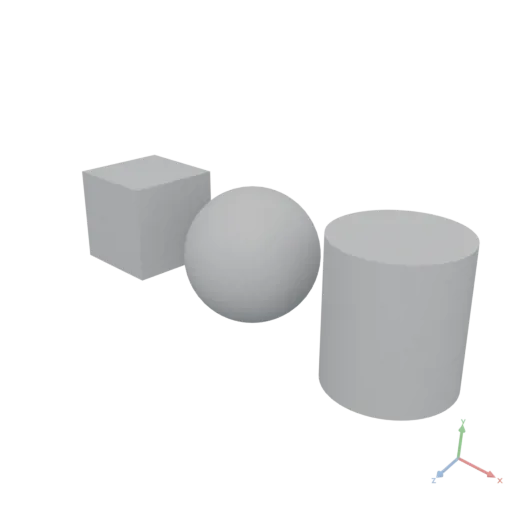
PolygonsAsset Group({ input: PolygonsAsset[] })
Groups multiple Polygons assets into a single polygon set without boolean operations.
yaml
moon: "1.0"
doc: |
    Group collects multiple SVG assets into a single polygon set without performing any boolean union — overlapping contours remain as separate paths, which is the cheapest way to assemble a 2D scene.
render:
    op: Group
    input:
        items:
          - op: Rect
            with:
                size: [0.4, 0.4]
          - op: Transform
            with:
                translate: [0.5, 0.1]
            input:
                op: Circle
                with:
                    radius: 0.2
          - op: Transform
            with:
                translate: [0.9, 0]
            input:
                op: Polygon
                with:
                    points:
                      - [0, 0]
                      - [0.4, 0]
- [0.2, 0.4]'%20stroke='rgb(0,%200,%200)'%20stroke-width='0.0075'%20fill-rule='evenodd'%20d='M%20-0.2%20-0.2%20L%200.2%20-0.2%20L%200.2%200.2%20L%20-0.2%200.2%20Z%20M%200.7%200.1%20L%200.69903696%200.119603425%20L%200.69615704%200.13901806%20L%200.6913881%200.15805693%20L%200.6847759%200.17653668%20L%200.67638427%200.19427934%20L%200.6662939%200.21111405%20L%200.6546021%200.22687866%20L%200.6414214%200.24142136%20L%200.6268787%200.2546021%20L%200.611114%200.2662939%20L%200.59427935%200.27638426%20L%200.5765367%200.2847759%20L%200.55805695%200.29138806%20L%200.53901803%200.29615706%20L%200.51960343%200.29903695%20L%200.5%200.3%20L%200.48039657%200.29903695%20L%200.46098194%200.29615706%20L%200.44194308%200.29138806%20L%200.4234633%200.2847759%20L%200.40572065%200.27638426%20L%200.38888595%200.2662939%20L%200.37312135%200.2546021%20L%200.35857865%200.24142136%20L%200.34539792%200.22687866%20L%200.33370608%200.21111405%20L%200.32361576%200.19427934%20L%200.31522408%200.17653668%20L%200.30861193%200.15805693%20L%200.30384293%200.13901806%20L%200.30096304%200.119603425%20L%200.3%200.1%20L%200.30096304%200.08039657%20L%200.30384293%200.060981937%20L%200.30861193%200.041943066%20L%200.31522408%200.023463314%20L%200.32361576%200.0057206526%20L%200.33370608%20-0.011114047%20L%200.34539792%20-0.026878657%20L%200.35857865%20-0.041421358%20L%200.37312135%20-0.05460209%20L%200.38888595%20-0.066293925%20L%200.40572065%20-0.076384254%20L%200.4234633%20-0.08477591%20L%200.44194308%20-0.09138807%20L%200.46098194%20-0.09615706%20L%200.48039657%20-0.09903695%20L%200.5%20-0.1%20L%200.51960343%20-0.09903695%20L%200.53901803%20-0.09615706%20L%200.55805695%20-0.09138807%20L%200.5765367%20-0.08477591%20L%200.59427935%20-0.076384254%20L%200.611114%20-0.066293925%20L%200.6268787%20-0.05460209%20L%200.6414214%20-0.041421358%20L%200.6546021%20-0.026878657%20L%200.6662939%20-0.011114047%20L%200.67638427%200.0057206526%20L%200.6847759%200.023463314%20L%200.6913881%200.041943066%20L%200.69615704%200.060981937%20L%200.69903696%200.08039657%20Z%20M%200.9%200%20L%201.3%200%20L%201.1%200.4%20Z'%20/%3e%3c/svg%3e)
DataAsset Group({ input: DataAsset[] })
Merges an array of DataAsset values into a single DataAsset using the merge strategy defined by the Moon spec (see the Data Asset section):
- Numeric tensors: Concatenated along axis 0.
- Tabular data: Row-wise concatenation; missing columns are padded with empty /
NaN. - Arrays (lists): Elements are concatenated into one flat list.
- Maps / objects: Deep-merged; later keys override earlier ones.
- Scalars or mixed types: Collected into a new list.
yaml
moon: "1.0"
doc: |
    Group on JSON assets performs intelligent merging — arrays are concatenated into one flat array.
render:
    op: Group
    input:
        items:
          - value: [1, 2, 3]
          - value: [4, 5, 6]
          - value: [7, 8, 9]
json
[
  1,
  2,
  3,
  4,
  5,
  6,
  7,
  8,
  9
]
GroupBy
DataAsset GroupBy({ input: DataAsset, keyColumn: string, valueColumn: string, op: string })
Groups the rows of a tabular DataAsset by keyColumn and aggregates valueColumn with op, returning a 2-column table [keyColumn, op].
Groups appear in first-seen order and the key column preserves its numeric/text type. count ignores valueColumn; the other ops require a numeric value column.
Grouping is single-key with scalar aggregates only. For multi-key grouping, nested per-group lists, window aggregates, or computed columns, transform the rows in an expression instead.
keyColumn: Column to group rows by.valueColumn: Column to aggregate (ignored whenopiscount).op: Aggregation:sum,mean,min,max, orcount.
yaml
moon: "1.0"
doc: |
    GroupBy collapses rows that share a key and aggregates a value column per group.
    Here sales rows are grouped by region and their amounts summed, producing a two-column
    table [region, sum] with one row per region in first-seen order: north 250, south 175, east 90.
assets:
    sales:
        value:
          - region: north
            amount: 100
          - region: south
            amount: 175
          - region: north
            amount: 150
          - region: east
            amount: 90
render:
    op: GroupBy
    with:
        keyColumn: region
        valueColumn: amount
        op: sum
    input:
        asset: sales
json
[
  {
    "region": "north",
    "sum": 250
  },
  {
    "region": "south",
    "sum": 175
  },
  {
    "region": "east",
    "sum": 90
  }
]
Heightmap
MeshesAsset Heightmap({ image: ImageAsset, size: number[], maxHeight: number, baseThickness?: number, resolution?: integer[], invert?: boolean, anchor?: number[] })
Constructs a heightmap mesh by displacing a grid along +Y based on the brightness of an image. The mesh lies on the XZ plane with its base at Y=0 and extends upward along +Y. Pixel (0, 0) of the image maps to the -X / -Z corner; the image U axis maps to +X and V to +Z. This is the core primitive for lithophanes, embossed medallions, and topographic models.
image: Source texture. Any format is accepted (grayscale, RGB, RGBA; byte or float). Multi-channel images are reduced to a single channel by taking the red channel (identical to luminance for grayscale images).size: Physical extent of the mesh on the XZ plane as [x, z], in meters.maxHeight: Maximum displacement along +Y for a fully-white pixel, in meters.baseThickness: Thickness of the solid base beneath the displaced surface. Its position relative to Y=0 depends onanchor; with the default anchor the base occupies [0, baseThickness] and the surface starts at Y = baseThickness. Set to 0 for an open surface with no base. Default is 0.resolution: Sampling grid resolution as [x, z]. If null, uses the image's native resolution clamped to 512×512 to avoid excessive triangle counts. Default is null.invert: If true, dark pixels produce high displacement and light pixels low. Useful for lithophanes where thicker regions should block more light. Default is false.anchor: The normalized [0–1] point of the bounding box placed at the origin. Default is [0.5, 0, 0.5] (centered on XZ, base at Y=0).
yaml
moon: "1.0"
doc: |
    Heightmap displaces a grid along +Y based on the luminance of an imported texture, producing a tile with a rough surface.
    A solid base thickness is added below Y=0 so the result is a closed, printable solid.
render:
    op: Heightmap
    with:
        image:
            import: https://assets.moonomat.com/textures/ambientcg/Rock/Rock026_Color.jpg
        size: [0.6, 0.6]
        maxHeight: 0.08
        baseThickness: 0.02
        resolution: [128, 128]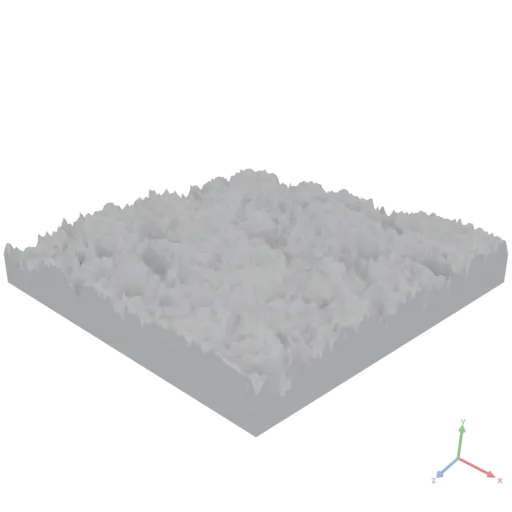
Hull
MeshesAsset Hull({ input: MeshesAsset })
Computes the convex hull of the input mesh.
yaml
moon: "1.0"
doc: |
    Hull (mesh variant) wraps an existing 3D asset — here the lazy union of three spheres — in its convex hull, producing a single faceted solid enclosing them all.
render:
    op: Hull
    input:
        group:
          - op: Sphere
            with:
                radius: 0.12
          - op: Transform
            with:
                translate: [0.5, 0.1, 0]
            input:
                op: Sphere
                with:
                    radius: 0.12
          - op: Transform
            with:
                translate: [0.2, 0.5, 0.3]
            input:
                op: Sphere
                with:
                    radius: 0.12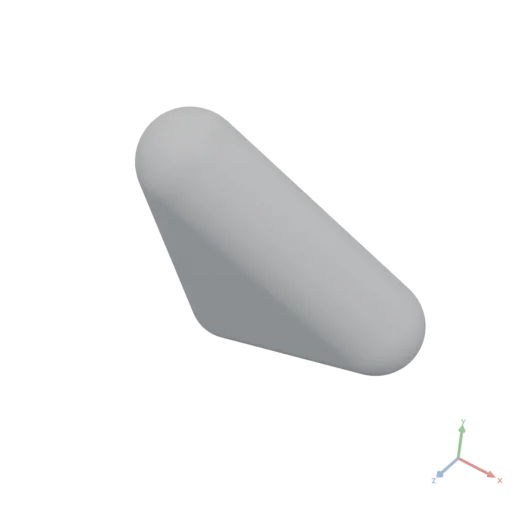
PolygonsAsset Hull({ input: PolygonsAsset })
Computes the convex hull enclosing all input polygons.
yaml
moon: "1.0"
doc: |
    Hull (SVG operation variant, mesh form) wraps an existing 2D asset — here the lazy union of three scattered circles — in its convex hull, producing a single enclosing polygon.
render:
    op: Hull
    input:
        group:
          - op: Circle
            with:
                radius: 0.08
          - op: Transform
            with:
                translate: [0.5, 0.1]
            input:
                op: Circle
                with:
                    radius: 0.08
          - op: Transform
            with:
                translate: [0.2, 0.5]
            input:
                op: Circle
                with:
radius: 0.08'%20stroke='rgb(0,%200,%200)'%20stroke-width='0.0033'%20fill-rule='evenodd'%20d='M%20-0.08%200%20L%20-0.07961478%20-0.007841371%20L%20-0.078462824%20-0.015607226%20L%20-0.07655523%20-0.023222774%20L%20-0.07391036%20-0.030614674%20L%20-0.0705537%20-0.03771174%20L%20-0.06651757%20-0.04444562%20L%20-0.061840836%20-0.050751463%20L%20-0.05656854%20-0.05656854%20L%20-0.050751463%20-0.061840836%20L%20-0.04444562%20-0.06651757%20L%20-0.03771174%20-0.0705537%20L%20-0.030614674%20-0.07391036%20L%20-0.023222774%20-0.07655523%20L%20-0.015607226%20-0.078462824%20L%20-0.007841371%20-0.07961478%20L%200%20-0.08%20L%200.007841371%20-0.07961478%20L%200.015607226%20-0.078462824%20L%200.51560724%200.021537177%20L%200.52322274%200.023444774%20L%200.5306147%200.026089637%20L%200.53771174%200.029446298%20L%200.54444563%200.033482432%20L%200.55075145%200.038159166%20L%200.55656856%200.043431457%20L%200.56184083%200.04924854%20L%200.5665176%200.055554383%20L%200.5705537%200.062288262%20L%200.57391036%200.06938533%20L%200.57655525%200.07677723%20L%200.57846284%200.08439277%20L%200.57961476%200.09215863%20L%200.58%200.1%20L%200.57961476%200.10784137%20L%200.57846284%200.115607224%20L%200.57655525%200.123222776%20L%200.57391036%200.13061467%20L%200.5705537%200.13771173%20L%200.5665176%200.14444561%20L%200.56184083%200.15075146%20L%200.26184085%200.55075145%20L%200.25656855%200.55656856%20L%200.25075147%200.56184083%20L%200.24444562%200.5665176%20L%200.23771174%200.5705537%20L%200.23061468%200.57391036%20L%200.22322278%200.57655525%20L%200.21560723%200.57846284%20L%200.20784137%200.57961476%20L%200.2%200.58%20L%200.19215862%200.57961476%20L%200.18439278%200.57846284%20L%200.17677723%200.57655525%20L%200.16938533%200.57391036%20L%200.16228826%200.5705537%20L%200.15555438%200.5665176%20L%200.14924854%200.56184083%20L%200.14343145%200.55656856%20L%200.13815917%200.55075145%20L%200.13348243%200.54444563%20L%200.1294463%200.53771174%20L%200.12608963%200.5306147%20L%20-0.07391036%200.030614674%20L%20-0.07655523%200.023222774%20L%20-0.078462824%200.015607226%20L%20-0.07961478%200.007841371%20Z'%20/%3e%3c/svg%3e)
MeshesAsset Hull({ points: number[][] })
Computes the convex hull of a set of 3D points as a mesh (2D [x, y] points select the Polygons overload instead).
points: Array of points as [x, y, z] to compute the hull from.
yaml
moon: "1.0"
doc: |
    Hull factory (points variant) computes the convex hull of a 3D point cloud, producing a faceted solid.
render:
    op: Hull
    with:
        points:
          - [0, 0, 0]
          - [0.6, 0, 0]
          - [0, 0.6, 0]
          - [0, 0, 0.6]
          - [0.5, 0.5, 0.1]
          - [0.1, 0.5, 0.5]
          - [0.5, 0.1, 0.5]
          - [0.3, 0.3, 0.7]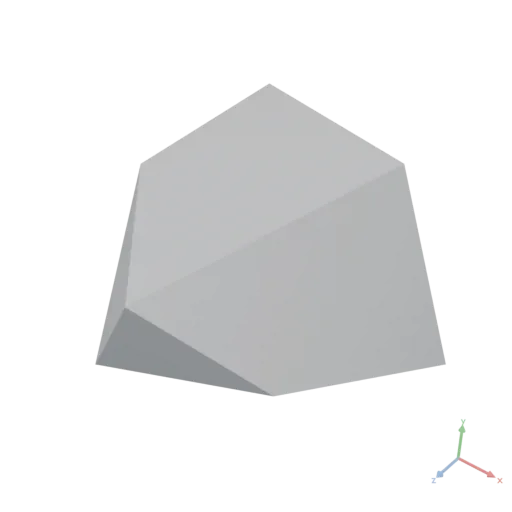
PolygonsAsset Hull({ points: number[][] })
Computes the convex hull of a set of 2D points.
points: Array of points as [x, y] to compute the hull from.
yaml
moon: "1.0"
doc: |
    Hull factory (points variant) computes the convex 2D hull of a point cloud, producing a closed polygon.
render:
    op: Hull
    with:
        points:
          - [0, 0]
          - [0.6, 0.05]
          - [0.7, 0.3]
          - [0.5, 0.6]
          - [0.1, 0.5]
          - [-0.1, 0.2]
          - [0.3, 0.3]
- [0.4, 0.15]'%20stroke='rgb(0,%200,%200)'%20stroke-width='0.004'%20fill-rule='evenodd'%20d='M%20-0.1%200.2%20L%200%200%20L%200.6%200.05%20L%200.7%200.3%20L%200.5%200.6%20L%200.1%200.5%20Z'%20/%3e%3c/svg%3e)
Image
ImageAsset Image({ input: DataAsset, transfer?: string })
Packs a numeric pixel field into an IMAGE asset (UInt8, GPU / glTF-ready).
Pixel values are written in the [0, 1] convention, where 0.5 is mid-gray and [1, 0, 0] is red. Values outside [0, 1] are clamped, then scaled ×255 and rounded to bytes. The high-precision float tensor is the scratch space you compute in (read it back with image.values); the packed image is the committed result you feed to Material or export in a .glb.
An IMAGE holds display-encoded (sRGB) bytes when used as a Material color texture — viewers decode a glTF color texture as sRGB — and raw data for non-color maps (normal, roughness, metallic). A color texture computed in linear space (the space of Material color values) must therefore be packed with transfer: "srgb" to display correctly; packing it byte-exact renders oversaturated/shifted.
The first argument is named input, so — like Data(…) — it is callable bare: Image(field) ≡ Image({ input: field }).
js
// A 2×2 RGB image: red, green, blue, white
Image([
    [[1, 0, 0], [0, 1, 0]],
    [[0, 0, 1], [1, 1, 1]],
])

// Darken an imported texture by scaling its pixel values
Image(asset.values * 0.6)

// Pack a linear-space color field for use as a Material color texture
Image({ input: field, transfer: "srgb" })transfer: Transfer function applied on pack: "none" writes values byte-exact; "srgb" applies the linear→sRGB encoding per channel (alpha excluded) — use it when packing linear-space values for a Material color texture. Default is "none".
yaml
moon: "1.0"
doc: |
    Image packs a numeric [0, 1] pixel field into an IMAGE asset (UInt8, GPU/glTF-ready).
    Values are written in the [0, 1] convention, exactly like Material colors. Here a 128×128
    RGB field built vectorized from coordinate grids — red ramps along X, green along Y, blue
    constant — is packed into a visible image. (A field may also be an explicit nested array,
    e.g. Image([[[1,0,0],[0,1,0]],[[0,0,1],[1,1,1]]]) for a 2×2 red/green/blue/white image.)
render:
    expression: |
        const n = 128
        const [x, y] = Coords({ shape: [n, n], normalize: true })
        return Image(StackAxis({
            input: [x, y, Fill({ value: 0.4, shape: [n, n] })],
            axis: 2,
        }))
    produces: IMAGE
IndexOf
integer IndexOf({ input: DataAsset, column: string, value: DataAsset })
Returns the zero-based row index of the first row in a tabular DataAsset whose column value equals value, or -1 if no row matches.
Runs natively — much faster than a findIndex predicate scan for key lookup on large tables. String comparison is ordinal.
js
// Find the row for "Photosynthesis" in a titles table
IndexOf({ input: titles, column: "title", value: "Photosynthesis" })column: The column name to look up.value: The scalar value to find: a string for text columns, a number for numeric columns.
yaml
moon: "1.0"
doc: |
    IndexOf finds the zero-based row index of the first row whose column matches a value — here the row for "Tokyo" in a city table.
assets:
    cities:
        value:
          - city: NewYork
            population: 8400000
          - city: Tokyo
            population: 14000000
          - city: Paris
            population: 2100000
render:
    op: IndexOf
    with:
        column: city
        value: Tokyo
    input:
        asset: cities
json
1Intersection
MeshesAsset Intersection({ input: MeshesAsset[] })
Computes the boolean intersection, keeping only the volume shared by all input meshes.
yaml
moon: "1.0"
doc: |
    Intersection of a cylinder and a sphere produces a domed cap.
render:
    op: Intersection
    input:
        items:
          - op: Cylinder
            with:
                height: 0.5
                radiusLow: 0.3
                resolution: 64
          - op: Transform
            with:
                translate: [0, -0.1, 0]
            input:
                op: Sphere
                with:
                    radius: 0.35
                    resolution: 64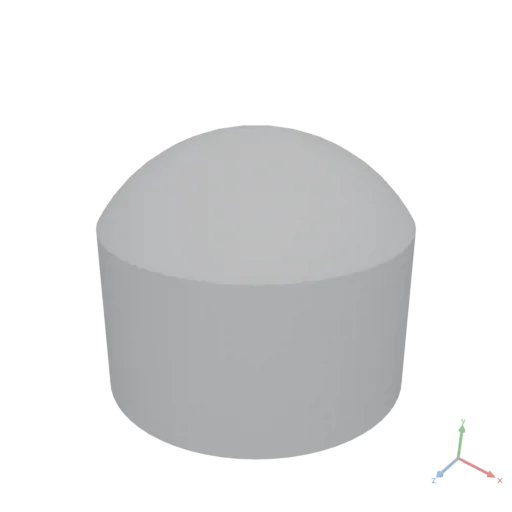
PolygonsAsset Intersection({ input: PolygonsAsset[] })
Computes the boolean intersection, keeping only the area shared by all input polygons.
yaml
moon: "1.0"
doc: |
    Intersection keeps only the 2D area shared by an ellipse and a rectangle, producing a lens-like clipped shape.
render:
    op: Intersection
    input:
        items:
          - op: Ellipse
            with:
                radii: [0.5, 0.3]
          - op: Transform
            with:
                translate: [0.2, 0]
            input:
                op: Rect
                with:
size: [0.6, 0.4]'%20stroke='rgb(0,%200,%200)'%20stroke-width='0.003'%20fill-rule='evenodd'%20d='M%200.38650522%20-0.19031799%20L%200.4157348%20-0.16667107%20L%200.44096062%20-0.14141902%20L%200.46193978%20-0.11480503%20L%200.47847018%20-0.0870854%20L%200.49039263%20-0.0585271%20L%200.49759236%20-0.02940514%20L%200.5%200%20L%200.49759236%200.02940514%20L%200.49039263%200.0585271%20L%200.47847018%200.0870854%20L%200.46193978%200.11480503%20L%200.44096062%200.14141902%20L%200.4157348%200.16667107%20L%200.38650522%200.19031799%20L%200.3718798%200.2%20L%20-0.1%200.2%20L%20-0.1%20-0.2%20L%200.3718798%20-0.2%20Z'%20/%3e%3c/svg%3e)
Jaccard
DataAsset Jaccard({ input: GraphAsset, nodes: DataAsset, target: DataAsset })
Computes the Jaccard similarity between the out-neighborhood of each node in nodes and the reference set target. Returns a 1-D float tensor of the same length as nodes, with values in [0, 1].
The Jaccard index for a node v is |N(v) ∩ target| / |N(v) ∪ target|, where N(v) is the set of out-neighbors of v. A value of 1 means the neighborhoods are identical; 0 means they are disjoint.
nodes: 1-D integer tensor of node indices for which to compute Jaccard scores. The output array has one entry per element ofnodes, in the same order.target: 1-D integer tensor of node indices forming the reference neighborhood set that every node innodesis compared against.
yaml
moon: "1.0"
doc: |
    Jaccard computes the neighborhood overlap between each query node and a reference set.
    Node 1 neighbors {2, 3}, node 3 neighbors {4}. The target is {2, 3, 4}.
    Node 1 score: |{2,3} ∩ {2,3,4}| / |{2,3} ∪ {2,3,4}| = 2/3 ≈ 0.667.
    Node 3 score: |{4} ∩ {2,3,4}| / |{4} ∪ {2,3,4}| = 1/3 ≈ 0.333.
assets:
    g:
        op: Graph
        with:
            edges:
              - [0, 1]
              - [1, 2]
              - [1, 3]
              - [3, 4]
render:
    op: Jaccard
    with:
        nodes: [1, 3]
        target: [2, 3, 4]
    input:
        asset: g
json
[
  0.666667,
  0.333333
]
Join
DataAsset Join({ input: DataAsset, other: DataAsset, onColumn: string, kind?: string })
Joins input (left) with other (right) on onColumn.
kind is inner (default) or left. The right table's join key is assumed unique (first match wins); unmatched left rows in a left join are padded with NaN / empty strings. The result has the left columns followed by the right columns (excluding the join key); a right column whose name collides with a left column is suffixed _right.
other: The right tabularDataAsset.onColumn: The join-key column present in both tables.kind:inner(default) orleft.
yaml
moon: "1.0"
doc: |
    Join combines two tables on a shared key column. Each order row is matched to the
    matching product row on the `product` key, appending the right table's `unit_price`
    column. With the default inner join only orders whose product has a price are kept.
assets:
    orders:
        value:
          - product: bolt
            qty: 4
          - product: nut
            qty: 8
          - product: washer
            qty: 16
    prices:
        value:
          - product: bolt
            unit_price: 0.25
          - product: nut
            unit_price: 0.1
          - product: washer
            unit_price: 0.05
render:
    op: Join
    with:
        other:
            asset: prices
        onColumn: product
        kind: inner
    input:
        asset: orders
json
[
  {
    "product": "bolt",
    "qty": 4,
    "unit_price": 0.25
  },
  {
    "product": "nut",
    "qty": 8,
    "unit_price": 0.1
  },
  {
    "product": "washer",
    "qty": 16,
    "unit_price": 0.05
  }
]
Layout
DataAsset Layout({ input: GraphAsset, seed: DataAsset, pin?: DataAsset })
Computes a spatial embedding of the graph using the Kamada-Kawai algorithm, minimizing the difference between Euclidean distances and hop-distances. Returns a Float32 tensor of the same shape as seed. The graph should be connected (or near-connected) for best results — consider ToUndirected first.
Scale limit: memory and time grow quadratically with node count (full distance matrix). Up to ~500 nodes is interactive, ~2000 feasible but slow; apply Subgraph to select a neighborhood of interest (typically 50–150 nodes) first.
seed: Initial node positions as a Float32 or Float64 tensor of shape(nodeCount, d), wheredis the number of spatial dimensions (typically 2 or 3). Float64 values are downcast to Float32 internally.pin: Optional list of position constraints. Each element must be a record with two fields:node(integer node index) andposition(1-D numeric array of lengthd). Pinned nodes are snapped back to their specified position after every optimization step. Before iterating, the seed is also rigidly translated to align with the pins, so a pinned node starts at its target rather than being teleported there on the first step (for several pins, the least-squares-optimal shift is used). Default is no pins.
yaml
moon: "1.0"
doc: |
    Lay out a clustered graph in 3-D with Kamada-Kawai and render it — a sphere per node,
    a tube per edge. Each cluster is a small clique; single links chain the clusters into a
    ring. From a random seed, Layout pulls each clique into a tight colored group.
params:
    clusters: 4
    clusterSize: 4
assets:
    # Edge list: a clique within each cluster, plus one link chaining the clusters in a ring.
    edges:
        expression: |
            const k = params.clusters, per = params.clusterSize
            const e = []
            for (let c = 0; c < k; c++) {
                const b = c * per
                for (let i = 0; i < per; i++)
                    for (let j = i + 1; j < per; j++) e.push([b + i, b + j])
                e.push([b, ((c + 1) % k) * per])
            }
            return e
    graph:
        op: Graph
        with:
            edges:
                asset: edges
    # Random initial positions — Layout organizes them; a fixed seed keeps the result stable.
    seedPositions:
        op: RandomNormal
        with:
            shape:
                expression: |
                    [params.clusters * params.clusterSize, 3]
            seed: 3
    positions:
        op: Layout
        with:
            seed:
                asset: seedPositions
        input:
            asset: graph
render:
    expression: |
        const k = params.clusters, per = params.clusterSize
        const palette = [[0.95, 0.4, 0.4, 1], [0.4, 0.7, 1, 1], [0.5, 0.85, 0.5, 1], [1, 0.8, 0.3, 1]]

        // Normalize so the farthest node sits at radius 1.4, keeping sizes scale-independent.
        let max = 0
        assets.positions.forEach(r => { max = Math.max(max, Math.hypot(r[0], r[1], r[2])) })
        const scale = 1.4 / (max || 1)
        const p = assets.positions.map(r => [r[0] * scale, r[1] * scale, r[2] * scale])

        // Edges: one grey tube swept along each link.
        const profile = Circle({ radius: 0.018, resolution: 8 })
        const tubes = assets.edges.map(e => Sweep({ input: profile, path: [p[e[0]], p[e[1]]] }))
        const edges = OverrideMaterial({ input: Group(tubes), material: Material({ color: [0.6, 0.6, 0.65, 1], roughness: 0.8 }) })

        // Nodes: a sphere per node, colored by its cluster.
        const sphere = Sphere({ radius: 0.11, resolution: 16 })
        const nodes = []
        for (let c = 0; c < k; c++) {
            const cluster = Place({ input: sphere, positions: p.slice(c * per, (c + 1) * per) })
            nodes.push(OverrideMaterial({ input: cluster, material: Material({ color: palette[c], roughness: 0.5 }) }))
        }

        return Group([edges, ...nodes])
    produces: MESHES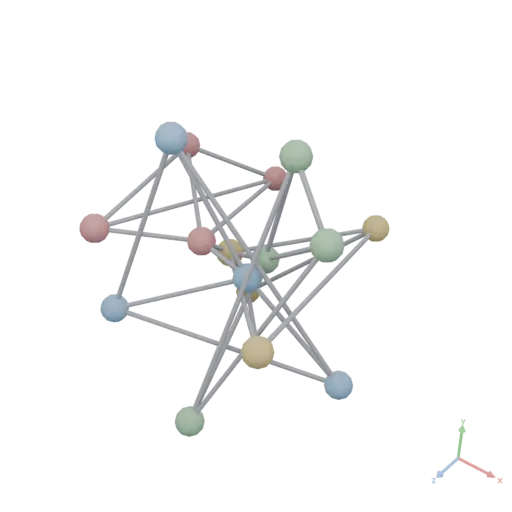
Loft
MeshesAsset Loft({ input: PolygonsAsset[], heights?: number[], closed?: boolean })
Creates a solid by blending between multiple 2D cross-sections placed at different heights along +Y. 2D X maps to 3D X, 2D Y maps to 3D Z (same mapping as Extrude). Sections with different vertex counts are automatically resampled for correspondence. Only the outer contour of each section is used — holes (inner contours) are ignored, unlike Extrude and Sweep.
heights: Y-positions for each section. Default is evenly spaced from 0 to 1.closed: Not supported; must be false (the default). Heights are strictly increasing, so a closed loft — the last section blending back to the first — would always self-intersect.
yaml
moon: "1.0"
doc: |
    Loft blends between a square base, a circular middle, and a small square top to produce a smoothly transitioning solid.
render:
    op: Loft
    with:
        heights: [0, 0.4, 0.8]
    input:
        items:
          - op: Rect
            with:
                size: [0.5, 0.5]
          - op: Circle
            with:
                radius: 0.28
          - op: Rect
            with:
                size: [0.2, 0.2]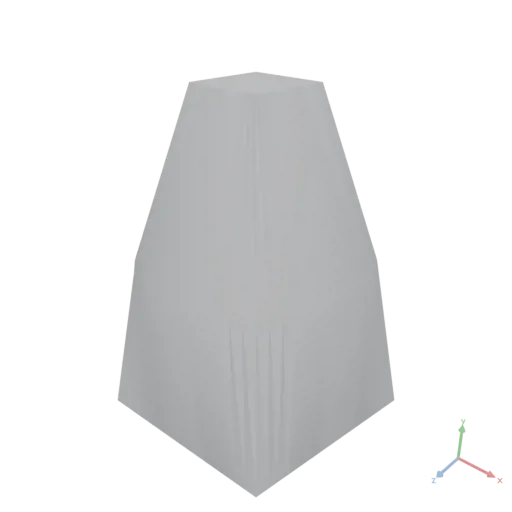
Log
DataAsset Log({ input: DataAsset })
Natural logarithm of every element. Non-positive inputs follow Math.Log semantics (NaN / -Infinity, serialized as null).
yaml
moon: "1.0"
doc: |
    Log takes the natural logarithm of each element. log([1, e]) = [0, 1].
render:
    op: Log
    input: [1, 2.718281828459045]
json
[
  0,
  1
]
Material
MaterialAsset Material({ color: number[], roughness?: number, metallic?: number, emissive?: number[], emissiveStrength?: number, transmission?: number, ior?: number, thickness?: number, attenuationColor?: number[], attenuationDistance?: number, clearcoat?: number, clearcoatRoughness?: number, specular?: number, specularColor?: number[], sheenColor?: number[], sheenRoughness?: number, unlit?: boolean })
Creates a uniform PBR material from constant values. A material is inert until applied to geometry via ApplyMaterial or OverrideMaterial.
Beyond color / roughness / metallic, the optional surface properties map 1:1 (names, units, defaults) onto core glTF emissive and the ratified KHR_materials_* extensions (emissive_strength, transmission, ior, volume, clearcoat, specular, sheen, unlit). An extension is written into the exported glTF only when a value differs from its default, so plain materials stay extension-free. Every extension degrades gracefully in viewers without support except transmission: there the surface renders opaque and hides what is behind it — for a lowest-common-denominator transparency use a color alpha below 1 (alpha blending) instead. Baked materials (BakeMaterial) drop these properties; TileMaterial keeps them.
color: Base color as [r, g, b, a] with values in range [0, 1]. An alpha below 1 renders alpha-blended.roughness: Surface roughness in range [0, 1]. Default is 0.5.metallic: Metalness in range [0, 1]. Default is 0.emissive: Emitted light color as linear [r, g, b] in range [0, 1]. Default is [0, 0, 0] (none).emissiveStrength: Multiplier onemissivefor HDR-bright emitters (KHR_materials_emissive_strength). Default is 1.transmission: Fraction of light refracted through the surface (glass, crystal) in range [0, 1] — physically based see-through that keeps reflections, unlike alpha (KHR_materials_transmission). Default is 0. Note: viewers without the extension render the surface opaque.ior: Index of refraction (KHR_materials_ior). Water 1.33, glass 1.5, sapphire 1.77, diamond 2.42. Default is 1.5.thickness: Thickness of the transmissive volume in meters, in the mesh's scale — 0 means thin-walled (KHR_materials_volume). Default is 0.attenuationColor: Linear [r, g, b] the light is tinted to after travelingattenuationDistancethrough the volume (KHR_materials_volume). Default is [1, 1, 1].attenuationDistance: Distance in meters at which the light reachesattenuationColor(KHR_materials_volume). Default is unlimited (no absorption).clearcoat: Strength of an additional glossy coating layer (car paint, lacquer, polished wood) in range [0, 1] (KHR_materials_clearcoat). Default is 0.clearcoatRoughness: Roughness of the clearcoat layer in range [0, 1]. Default is 0.specular: Strength of the dielectric specular reflection in range [0, 1] (KHR_materials_specular). Default is 1.specularColor: Linear [r, g, b] tint of the dielectric specular reflection (KHR_materials_specular). Default is [1, 1, 1].sheenColor: Linear [r, g, b] color of the sheen layer for fabrics like velvet or satin; [0, 0, 0] disables (KHR_materials_sheen). Default is [0, 0, 0].sheenRoughness: Roughness of the sheen layer in range [0, 1]. Default is 0.unlit: Render the base color without lighting or shading (KHR_materials_unlit) — for labels, screens or pre-lit textures. Default is false.
yaml
moon: "1.0"
doc: |
    Material factory (constant variant) creates a uniform red PBR material; shown applied to a sphere.
assets:
    red_plastic:
        op: Material
        with:
            color: [0.85, 0.1, 0.1, 1]
            roughness: 0.4
            metallic: 0
render:
    op: ApplyMaterial
    with:
        material:
            asset: red_plastic
    input:
        op: Sphere
        with:
            radius: 0.4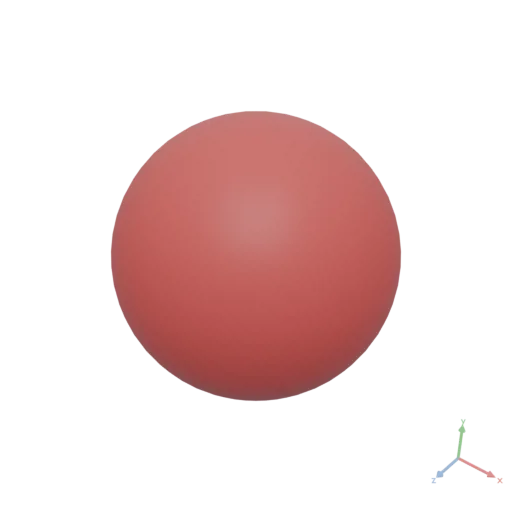
MaterialAsset Material({ color: ImageAsset, normal?: ImageAsset, roughness?: ImageAsset, metallic?: ImageAsset, textureSizeInMeters?: number, colorFactor?: number[], roughnessFactor?: number, metallicFactor?: number, emissiveFactor?: number[], emissiveStrength?: number, transmissionFactor?: number, ior?: number, thicknessFactor?: number, attenuationColor?: number[], attenuationDistance?: number, clearcoatFactor?: number, clearcoatRoughnessFactor?: number, specularFactor?: number, specularColorFactor?: number[], sheenColorFactor?: number[], sheenRoughnessFactor?: number, unlit?: boolean })
Creates a PBR material from texture maps, with optional constant factors multiplied onto the maps at render time (glTF factor × texture semantics). A material is inert until applied to geometry via ApplyMaterial or OverrideMaterial.
Viewers decode the color texture as sRGB (normal/roughness/metallic maps stay linear). A color texture computed in linear space must therefore be packed with Image({ input, transfer: "srgb" }) — or its tint math done in sRGB — to display correctly. colorFactor is applied by the viewer after the sRGB decode, so it takes linear values like the constant-color variant and lets one shared texture be tinted per use without baking tinted copies.
The extended surface properties (emissive, transmission, ior, volume, clearcoat, specular, sheen, unlit) are the same as in the constant-color variant and map 1:1 onto core glTF emissive and the KHR_materials_* extensions; properties that have a texture slot in glTF carry the Factor suffix, reserving the plain name for a future map input. See the constant-color variant for the per-property documentation and the transmission fallback note.
color: Base color (albedo) image asset. Decoded as sRGB by viewers.normal: Tangent-space normal map image asset.roughness: Single-channel roughness image asset.metallic: Single-channel metallic image asset.textureSizeInMeters: Physical size of the texture in meters. A value of 1.0 means the texture covers 1m × 1m. Default is 1.0.colorFactor: Constant tint [r, g, b, a] multiplied onto the color texture, linear-space values in range [0, 1] — exactly as the constant-color variant's color. Default is [1, 1, 1, 1] (no tint).roughnessFactor: Constant multiplier on the roughness map in range [0, 1]. Default is 1.metallicFactor: Constant multiplier on the metallic map in range [0, 1]. Default is 1.emissiveFactor: Emitted light color as linear [r, g, b]. Default is [0, 0, 0] (none).emissiveStrength: Multiplier onemissiveFactor(KHR_materials_emissive_strength). Default is 1.transmissionFactor: Fraction of light refracted through the surface in range [0, 1] (KHR_materials_transmission). Default is 0. Note: viewers without the extension render the surface opaque.ior: Index of refraction (KHR_materials_ior). Default is 1.5.thicknessFactor: Thickness of the transmissive volume in meters; 0 = thin-walled (KHR_materials_volume). Default is 0.attenuationColor: Linear [r, g, b] the light is tinted to afterattenuationDistance(KHR_materials_volume). Default is [1, 1, 1].attenuationDistance: Distance in meters at which the light reachesattenuationColor(KHR_materials_volume). Default is unlimited.clearcoatFactor: Strength of the glossy coating layer in range [0, 1] (KHR_materials_clearcoat). Default is 0.clearcoatRoughnessFactor: Roughness of the clearcoat layer in range [0, 1]. Default is 0.specularFactor: Strength of the dielectric specular reflection in range [0, 1] (KHR_materials_specular). Default is 1.specularColorFactor: Linear [r, g, b] tint of the dielectric specular reflection (KHR_materials_specular). Default is [1, 1, 1].sheenColorFactor: Linear [r, g, b] sheen color for fabrics; [0, 0, 0] disables (KHR_materials_sheen). Default is [0, 0, 0].sheenRoughnessFactor: Roughness of the sheen layer in range [0, 1]. Default is 0.unlit: Render the color texture without lighting (KHR_materials_unlit). Default is false.
yaml
moon: "1.0"
doc: |
    Material factory (texture variant) builds a PBR material from imported color, normal, and roughness maps; shown applied to a sphere.
assets:
    marble:
        op: Material
        with:
            color:
                import: https://assets.moonomat.com/textures/ambientcg/Marble/Marble001_Color.jpg
            normal:
                import: https://assets.moonomat.com/textures/ambientcg/Marble/Marble001_NormalGL.jpg
            roughness:
                import: https://assets.moonomat.com/textures/ambientcg/Marble/Marble001_Roughness.jpg
            textureSizeInMeters: 0.5
render:
    op: BakeMaterial
    input:
        op: ApplyMaterial
        with:
            material:
                asset: marble
        input:
            op: Sphere
            with:
                radius: 0.3
Max
DataAsset Max({ input: DataAsset, axis?: integer })
Finds the maximum value along axis, reducing that dimension. When axis is null, finds the global maximum and returns a number scalar.
axis: Axis to reduce over.null= global maximum.
yaml
moon: "1.0"
doc: |
    Max reduces a 2x3 matrix along axis 0, collapsing rows into a length-3 tensor containing the column-wise maxima.
render:
    op: Max
    with:
        axis: 0
    input:
        value: [[1, 8, 3], [7, 2, 9]]
json
[
  7,
  8,
  9
]
Maximum
DataAsset Maximum({ input: DataAsset, other: DataAsset })
Element-wise binary maximum of two broadcast-compatible operands — the numpy np.maximum. Distinct from the Max reduction (which collapses an axis): this keeps the broadcast shape. Useful for the "lighten" blend mode and for clamping one image against another.
other: Second numeric operand (broadcast-compatible).
yaml
moon: "1.0"
doc: |
    Maximum is the element-wise binary max of two broadcast-compatible operands (numpy np.maximum).
    maximum([2, 5, 1], [1, 0, 3]) = [2, 5, 3].
render:
    op: Maximum
    with: { other: [1, 0, 3] }
    input: [2, 5, 1]
json
[
  2,
  5,
  3
]
Mean
DataAsset Mean({ input: DataAsset, axis?: integer })
Computes the arithmetic mean along axis, reducing that dimension. When axis is null, averages all elements and returns a number scalar.
axis: Axis to reduce over.null= global mean.
yaml
moon: "1.0"
doc: |
    Mean reduces a 2×3 matrix along axis 1 (columns), producing a length-2 tensor containing the row-wise arithmetic mean of each row.
render:
    op: Mean
    with:
        axis: 1
    input:
        value: [[1, 2, 3], [10, 20, 30]]
json
[
  2,
  20
]
Mesh
MeshesAsset Mesh({ input: DataAsset })
Rebuilds a mesh asset from a single mesh record read from an existing asset (asset.meshes[i]). The result reproduces the input mesh, carrying over only the record's fields.
yaml
moon: "1.0"
doc: |
    Mesh with a single mesh-record input rebuilds that mesh as a standalone asset —
    here extracting just the first mesh (the slab) out of a two-mesh group.
render:
    expression: |
        const pair = Group([Box({ size: [1, 0.2, 1] }), Sphere({ radius: 0.3 })])
        return Mesh(pair.meshes[0])
    produces: MESHES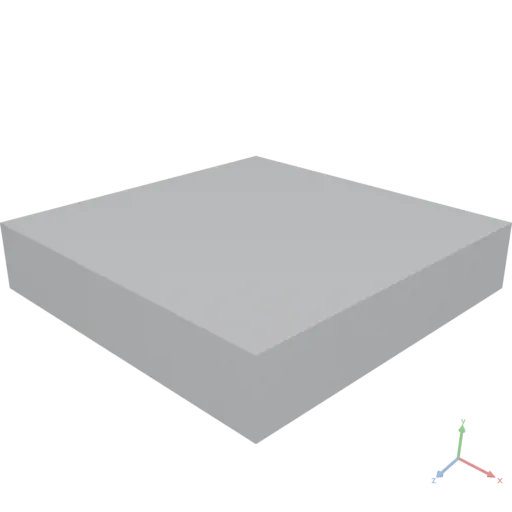
MeshesAsset Mesh({ vertices: DataAsset, triangles: DataAsset, normals?: DataAsset, materialUVs?: DataAsset, material?: DataAsset, vertexCount?: integer, triangleCount?: integer })
Constructs a mesh asset directly from vertex data — the entry point for computed geometry (parametric surfaces, data-driven meshes, vertex-level deformation of imported models).
Triangle winding is counter-clockwise = outward-facing (glTF convention). A constructed mesh renders and transforms directly; boolean operations (union, difference, intersection) additionally require the geometry to be watertight (manifold) and fail with an evaluation error on open surfaces.
js
// A single triangle
Mesh({ vertices: [[0,0,0], [1,0,0], [0,0,1]], triangles: [[0, 2, 1]] })

// Round-trip: rebuild a mesh read from an existing asset
Mesh(asset.meshes[0])vertices: Vertex positions as a numeric [N, 3] tensor (or nested array). All values must be finite.triangles: Triangle vertex indices as an integer [T, 3] tensor (or nested array), 0-based, counter-clockwise = outward.normals: Per-vertex normals as a numeric [N, 3] tensor. If omitted, normals are computed from the triangles (flat per-face, averaged per vertex). Default is null.materialUVs: Per-vertex texture coordinates as a numeric [N, 2] tensor. Default is null.material: MATERIAL asset to apply, passed through opaquely. Default is null.vertexCount: Ignored. Accepted so a spread mesh record (Mesh({ ...m, vertices: … })) round-trips; the count always derives fromvertices.triangleCount: Ignored. Accepted so a spread mesh record round-trips; the count always derives fromtriangles.
yaml
moon: "1.0"
doc: |
    A parametric sine-wave sheet built directly from computed vertex data:
    vertex positions from a formula, the grid triangulation from GridIndices,
    and normals computed automatically (flat per-face, averaged per vertex).
params:
    n: 40
render:
    expression: |
        const n = params.n
        const vertices = []
        for (let r = 0; r < n; r++) {
            for (let c = 0; c < n; c++) {
                const x = c / (n - 1) - 0.5, z = r / (n - 1) - 0.5
                vertices.push([x, 0.08 * Math.sin(10 * x) * Math.cos(10 * z), z])
            }
        }
        return Mesh({ vertices, triangles: GridIndices({ rows: n, cols: n }) })
    produces: MESHES
Min
DataAsset Min({ input: DataAsset, axis?: integer })
Finds the minimum value along axis, reducing that dimension. When axis is null, finds the global minimum and returns a number scalar.
axis: Axis to reduce over.null= global minimum.
yaml
moon: "1.0"
doc: |
    Min reduces a 2x3 matrix along axis 0, collapsing rows into a length-3 tensor containing the column-wise minima.
render:
    op: Min
    with:
        axis: 0
    input:
        value: [[5, 8, 3], [7, 2, 9]]
json
[
  5,
  2,
  3
]
Minimum
DataAsset Minimum({ input: DataAsset, other: DataAsset })
Element-wise binary minimum of two broadcast-compatible operands — the numpy np.minimum. Distinct from the Min reduction; see Maximum. Useful for the "darken" blend mode.
other: Second numeric operand (broadcast-compatible).
yaml
moon: "1.0"
doc: |
    Minimum is the element-wise binary min of two broadcast-compatible operands (numpy np.minimum).
    minimum([2, 5, 1], [1, 0, 3]) = [1, 0, 1].
render:
    op: Minimum
    with: { other: [1, 0, 3] }
    input: [2, 5, 1]
json
[
  1,
  0,
  1
]
Mirror
MeshesAsset Mirror({ input: MeshesAsset, normal: number[] })
Mirrors the geometry over a plane through the origin defined by the given normal vector.
normal: The normal vector [x, y, z] of the mirror plane passing through the origin.
yaml
moon: "1.0"
doc: |
    Mirror reflects an off-center shape across the YZ plane (normal along +X), producing a symmetric pair.
render:
    op: Group
    input:
        items:
          - op: Transform
            with:
                translate: [0.4, 0, 0]
            input:
                op: RoundedBox
                with:
                    size: [0.4, 0.3, 0.2]
                    radius: 0.05
          - op: Mirror
            with:
                normal: [1, 0, 0]
            input:
                op: Transform
                with:
                    translate: [0.4, 0, 0]
                input:
                    op: RoundedBox
                    with:
                        size: [0.4, 0.3, 0.2]
                        radius: 0.05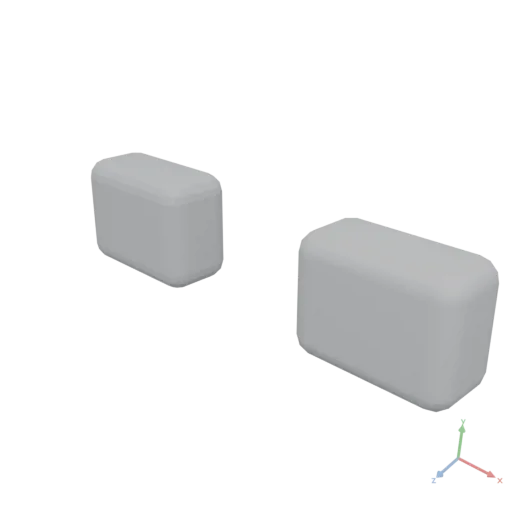
PolygonsAsset Mirror({ input: PolygonsAsset, axis: number[] })
Mirrors the geometry over a line through the origin.
axis: The normal [x, y] of the mirror line, not the line's direction: [1, 0] mirrors across the Y axis (flips X); [0, 1] mirrors across the X axis (flips Y).
yaml
moon: "1.0"
doc: |
    Mirror reflects a 2D shape across an axis through the origin, here producing a left-right symmetric pair of half-circles.
assets:
    half:
        op: Transform
        with:
            translate: [0.3, 0]
        input:
            op: Polygon
            with:
                points:
                  - [0, -0.3]
                  - [0.3, -0.2]
                  - [0.35, 0]
                  - [0.3, 0.2]
                  - [0, 0.3]
render:
    op: Group
    input:
        items:
          - asset: half
          - op: Mirror
            with:
                axis: [0, 1]
            input:
asset: half'%20stroke='rgb(0,%200,%200)'%20stroke-width='0.0017499999'%20fill-rule='evenodd'%20d='M%200.3%20-0.3%20L%200.6%20-0.2%20L%200.65%200%20L%200.6%200.2%20L%200.3%200.3%20Z%20M%200.3%20-0.3%20L%200.6%20-0.2%20L%200.65%200%20L%200.6%200.2%20L%200.3%200.3%20Z'%20/%3e%3c/svg%3e)
ImageAsset Mirror({ input: ImageAsset, axis: string })
Mirrors the image — axis names the direction that is reversed: "x" mirrors left/right, "y" mirrors top/bottom.
axis:"x"= mirror left/right,"y"= mirror top/bottom.
yaml
moon: "1.0"
doc: |
    Mirror flips an image left/right ("x") or top/bottom ("y") — the axis names the
    direction that is reversed.
assets:
    base:
        op: Image
        with:
            input:
                expression: |
                    const [x, y] = Coords({ shape: [96, 96], normalize: true })
                    return StackAxis({ input: [x, y, Fill({ value: 0.4, shape: [96, 96] })], axis: 2 })
                produces: IMAGE
render:
    op: Mirror
    with: { axis: x }
    input: { asset: base }
Mix
DataAsset Mix({ input: DataAsset, target: DataAsset, t: DataAsset })
Linear interpolation input·(1 − t) + target·t, element-wise. input, target, and t broadcast together by the standard NumPy rules — e.g. two [H, W, C] images with a scalar t, or with a per-pixel [H, W, 1] mask. Shapes must be broadcast-compatible.
target: End value(s).t: Interpolation factor(s), typically in[0, 1].
yaml
moon: "1.0"
doc: |
    Mix linearly interpolates input*(1-t) + target*t, element-wise (broadcasting).
    mix([0, 0], [10, 20], t: 0.5) = [5, 10].
render:
    op: Mix
    with: { target: [10, 20], t: 0.5 }
    input: [0, 0]
json
[
  5,
  10
]
NDim
integer NDim({ input: DataAsset })
Returns the number of dimensions (rank) of input. Scalars return 0; 1-D lists / tensors return 1; matrices return 2; etc.
yaml
moon: "1.0"
doc: |
    NDim returns the rank (number of dimensions) of a tensor — here a 3-dimensional tensor of shape [2, 3, 4] has rank 3.
render:
    op: NDim
    input:
        op: Zeros
        with:
            shape: [2, 3, 4]
json
3Neighbors
DataAsset Neighbors({ input: GraphAsset, node: integer })
Returns the out-neighbors of a single node as a 1-D integer tensor. The order of the returned indices matches the order in which edges were added.
node: Zero-based index of the node whose out-neighbors are returned.
yaml
moon: "1.0"
doc: |
    Neighbors returns the out-neighbors of a single node as a 1-D Int32 array.
    Node 1 of this five-node graph has out-edges to nodes 2 and 3.
assets:
    g:
        op: Graph
        with:
            edges:
              - [0, 1]
              - [1, 2]
              - [1, 3]
              - [3, 4]
render:
    op: Neighbors
    with:
        node: 1
    input:
        asset: g
json
[
  2,
  3
]
NodeCount
integer NodeCount({ input: GraphAsset })
Returns the number of nodes in the graph.
yaml
moon: "1.0"
doc: |
    NodeCount returns the number of nodes in the graph.
    The edge list mentions node indices 0 through 4, so the graph has 5 nodes — including node 2,
    which appears only as a target and has no out-edges of its own.
assets:
    g:
        op: Graph
        with:
            edges:
              - [0, 1]
              - [1, 2]
              - [1, 3]
              - [3, 4]
render:
    op: NodeCount
    input:
        asset: g
json
5Noise
DataAsset Noise({ shape: integer[], seed: integer, scale?: number, type?: string, octaves?: integer, persistence?: number, lacunarity?: number })
Generates a deterministic, seeded grayscale noise field as a single-channel [H, W] Float64 tensor in [0, 1].
Returns a tensor, not a packed image, so mid-pipeline math (octave blends, warps, thresholds) stays high-precision. Pack it with Image(...) (or return it under produces: IMAGE) when done. Identical arguments always produce identical output.
js
// An fbm noise field, ready to drive Heightmap or pack into an IMAGE
Noise({ shape: [256, 256], seed: 7, scale: 4, type: "fbm" })shape: Field size[H, W].seed: Integer seed for reproducibility.scale: Feature size — number of noise cells across the larger dimension. Higher = finer. Default is 4.type:perlin(default),simplex, orfbm(sums octaves).octaves: fbm only — number of summed layers. Default is 4.persistence: fbm only — amplitude falloff per octave. Default is 0.5.lacunarity: fbm only — frequency growth per octave. Default is 2.0.
yaml
moon: "1.0"
doc: |
    Noise generates a deterministic, seeded grayscale field (perlin/simplex/fbm) as an
    [H, W] tensor in [0, 1]. Returned as a tensor so octaves/warps compose before packing.
render:
    op: Noise
    with: { shape: [8, 8], seed: 1, scale: 3 }
json
[
  [
    0.5,
    0.813815,
    0.713375,
    0.422962,
    0.5,
    0.577038,
    0.39642,
    0.570564
  ],
  [
    0.69219,
    0.69402,
    0.334494,
    0.158539,
    0.403905,
    0.649271,
    0.575058,
    0.65335
  ],
  [
    0.554897,
    0.232221,
    0.145196,
    0.353683,
    0.472551,
    0.59142,
    0.740613,
    0.602523
  ],
  [
    0.509932,
    0.220051,
    0.374524,
    0.671306,
    0.512769,
    0.350113,
    0.523705,
    0.342219
  ],
  [
    0.676777,
    0.411612,
    0.621879,
    0.929882,
    0.765165,
    0.472122,
    0.54264,
    0.30456
  ],
  [
    0.58697,
    0.275888,
    0.382498,
    0.683393,
    0.760909,
    0.585892,
    0.614711,
    0.63894
  ],
  [
    0.286625,
    0.0528875,
    0.16664,
    0.412396,
    0.527449,
    0.412417,
    0.444991,
    0.686378
  ],
  [
    0.186185,
    0.380163,
    0.45441,
    0.349558,
    0.523119,
    0.626049,
    0.416411,
    0.293717
  ]
]
Norm
DataAsset Norm({ input: DataAsset, axis?: integer })
Computes the Euclidean (L2) norm along axis, reducing that dimension. When axis is null, computes the global norm and returns a number scalar.
axis: Axis to reduce over.null= global norm.
yaml
moon: "1.0"
doc: |
    Norm reduces a 3x3 matrix along axis 1, returning the L2 norm of each row as a length-3 vector.
render:
    op: Norm
    with:
        axis: 1
    input:
        value: [[3, 4, 0], [1, 2, 2], [0, 0, 5]]
json
[
  5,
  3,
  5
]
Offset
PolygonsAsset Offset({ input: PolygonsAsset, delta: number, joinType?: string, miterLimit?: number, segmentsPerCorner?: integer })
Inflates or deflates polygon contours by a given delta. Positive values expand, negative values contract.
delta: Distance to offset contours. Positive expands, negative contracts.joinType: Corner join style: "round", "miter", "square", or "bevel". Default is "round".miterLimit: Limit for mitered joins (only used when joinType is "miter"). Default is 2.segmentsPerCorner: Number of segments per rounded corner. 0 uses the standard circular resolution (64 segments for a full circle, i.e. 16 per right-angle corner), independent of scale. Default is 0.
yaml
moon: "1.0"
doc: |
    Offset inflates a rounded rectangle's contour outward by a positive delta.
render:
    op: Offset
    with:
        delta: 0.1
    input:
        op: Rect
        with:
            size: [0.8, 0.4]
            cornerRadius: [0.05, 0.05]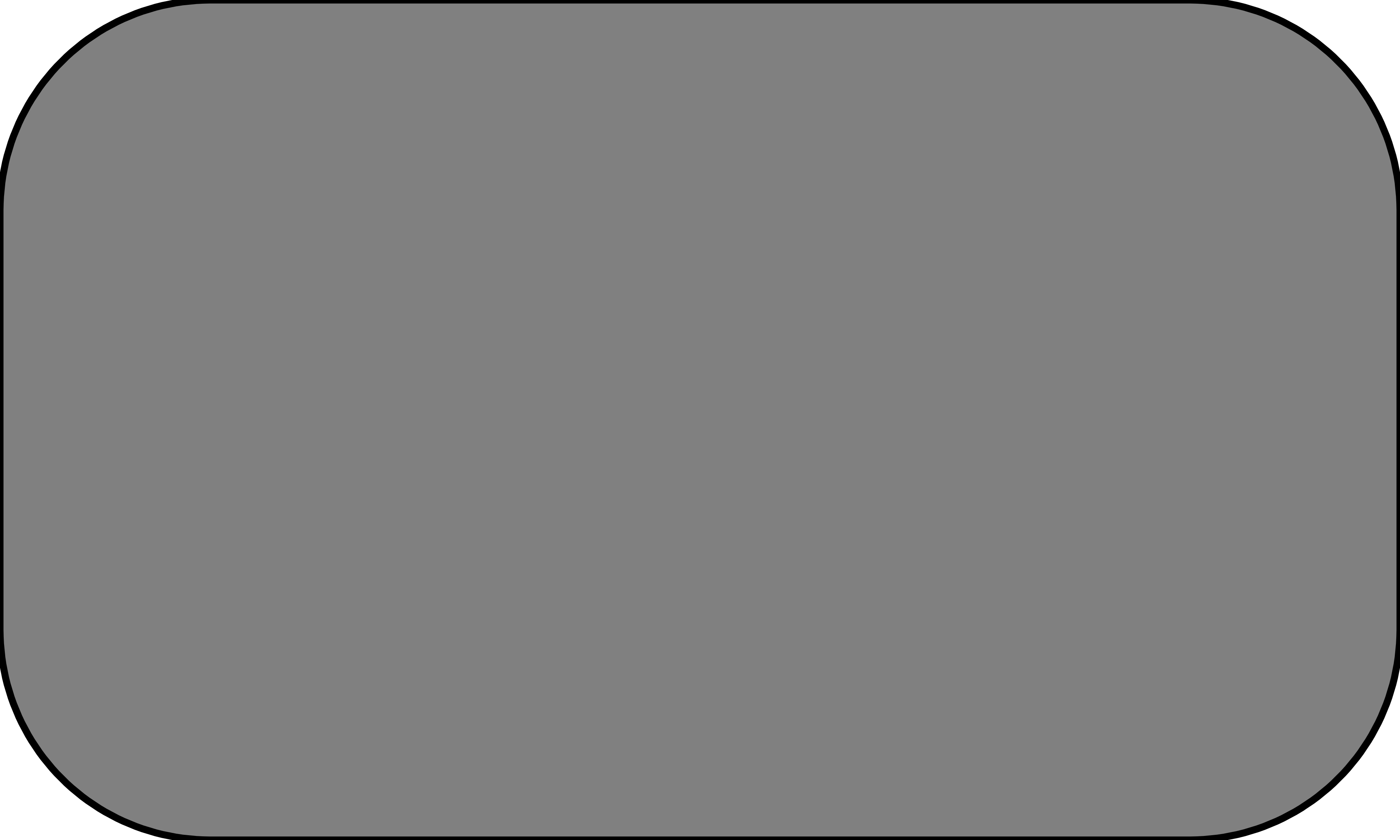
OverrideMaterial
MeshesAsset OverrideMaterial({ input: MeshesAsset, material: MaterialAsset })
Assigns a material to all triangles, unconditionally replacing any existing material assignments. Assignment does not generate UV coordinates: a textured material only renders on geometry that has UVs — follow with TileMaterial or BakeMaterial to generate them.
material: The material asset to apply.
yaml
moon: "1.0"
doc: |
    OverrideMaterial unconditionally replaces any existing material assignments with a single uniform PBR material across all triangles.
render:
    op: OverrideMaterial
    with:
        material:
            op: Material
            with:
                color: [0.1, 0.55, 0.85, 1]
                roughness: 0.25
                metallic: 0.8
    input:
        op: RoundedBox
        with:
            size: [0.6, 0.4, 0.4]
            radius: 0.08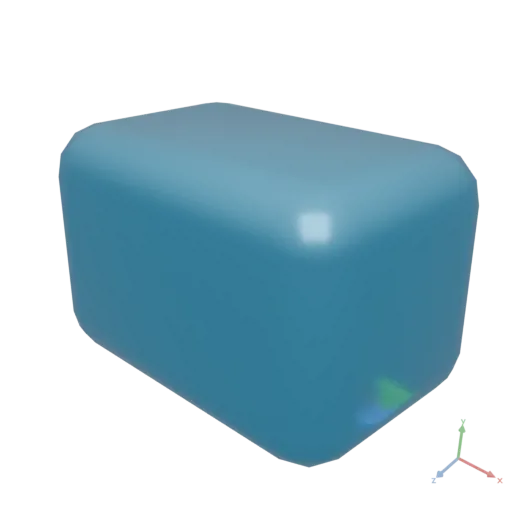
Pad
ImageAsset Pad({ input: ImageAsset, margin: integer[], color?: number[] })
Adds a border. margin = [top, right, bottom, left] (or [v, h]) pixels. color must match the input's channel count ([r,g,b] for RGB, [r,g,b,a] for RGBA) — Pad preserves channels and does not promote RGB→RGBA. Default fill is zeros: black for RGB, transparent for RGBA.
margin:[top, right, bottom, left]or[v, h]pixels.color: Border color matching the channel count. Default is zeros.
yaml
moon: "1.0"
doc: |
    Pad adds a border. margin is [top, right, bottom, left] (or [v, h]); color matches the
    channel count (default zeros).
assets:
    base:
        op: Image
        with:
            input:
                expression: |
                    const [x, y] = Coords({ shape: [96, 96], normalize: true })
                    return StackAxis({ input: [x, y, Fill({ value: 0.4, shape: [96, 96] })], axis: 2 })
                produces: IMAGE
render:
    op: Pad
    with: { margin: [8, 8], color: [1, 1, 1] }
    input: { asset: base }
Path
PolygonsAsset Path({ d: string, resolution?: integer })
Constructs geometry from an SVG path data string. The path is treated as closed.
d: SVG path data string (e.g. "M 0 0 L 1 0 L 1 1 Z").resolution: Number of segments for a full circle, controlling curve tessellation quality. Default is 64.
yaml
moon: "1.0"
doc: |
    Path factory constructs SVG geometry from a raw SVG path data string, tessellating curves at the given resolution.
render:
    op: Path
    with:
        d: M 0 0 L 0.6 0 L 0.6 0.3 C 0.6 0.5 0.4 0.6 0.2 0.5 L 0 0.4 Z
resolution: 64'%20stroke='rgb(0,%200,%200)'%20stroke-width='0.003'%20fill-rule='evenodd'%20d='M%200.6%200.3%20L%200.5998543%200.30930138%20L%200.5994202%200.318454%20L%200.59870225%200.32745552%20L%200.5977051%200.3363037%20L%200.5964333%200.34499627%20L%200.59489137%200.35353088%20L%200.593084%200.3619053%20L%200.59101564%200.3701172%20L%200.588691%200.3781643%20L%200.5861145%200.38604432%20L%200.5832909%200.39375496%20L%200.58022463%200.40129396%20L%200.57692033%200.40865898%20L%200.5733826%200.41584778%20L%200.56961596%200.42285806%20L%200.565625%200.4296875%20L%200.56141436%200.43633386%20L%200.55698854%200.4427948%20L%200.55235213%200.44906807%20L%200.5475098%200.45515138%20L%200.542466%200.4610424%20L%200.53722537%200.4667389%20L%200.53179246%200.47223854%20L%200.52617186%200.47753906%20L%200.5203682%200.48263818%20L%200.514386%200.48753357%20L%200.50822985%200.492223%20L%200.5019043%200.4967041%20L%200.495414%200.50097466%20L%200.48876345%200.50503236%20L%200.48195726%200.5088749%20L%200.47500002%200.5125%20L%200.46789628%200.5159054%20L%200.46065065%200.51908875%20L%200.4532677%200.5220478%20L%200.44575197%200.5247803%20L%200.43810806%200.52728385%20L%200.4303406%200.5295563%20L%200.4224541%200.53159523%20L%200.41445315%200.53339845%20L%200.40634233%200.5349636%20L%200.39812624%200.53628844%20L%200.38980943%200.5373707%20L%200.3813965%200.538208%20L%200.37289202%200.53879815%20L%200.36430055%200.5391388%20L%200.3556267%200.53922766%20L%200.346875%200.5390625%20L%200.3380501%200.538641%20L%200.3291565%200.5379608%20L%200.32019883%200.5370197%20L%200.31118166%200.5358154%20L%200.30210954%200.5343456%20L%200.29298708%200.53260803%20L%200.2838188%200.53060037%20L%200.2746094%200.5283203%20L%200.2653633%200.5257656%20L%200.25608522%200.52293396%20L%200.24677964%200.5198231%20L%200.23745118%200.5164307%20L%200.2281044%200.51275444%20L%200.2187439%200.5087921%20L%200.20937423%200.5045414%20L%200.2%200.5%20L%200%200.4%20L%200%200%20L%200.6%200%20Z'%20/%3e%3c/svg%3e)
PathCount
integer PathCount({ input: PolygonsAsset })
Returns the number of closed contours (paths) in the input.
yaml
moon: "1.0"
doc: |
    PathCount returns the number of closed contours in an SVG asset. The text "Oi!" contains six closed contours (the outer O and its hole, the i's dot and stem, and the exclamation mark's bar and dot) — demonstrating that letter shapes yield multiple paths.
render:
    op: PathCount
    input:
        op: Text
        with:
            text: Oi!
            fontSize: 0.4
json
6Perimeter
number Perimeter({ input: PolygonsAsset })
Returns the total perimeter (edge length) across all contours.
yaml
moon: "1.0"
doc: |
    Perimeter returns the total edge length across all contours of a shape. For a unit circle this approximates $2\pi r \approx 3.1416$.
render:
    op: Perimeter
    input:
        op: Circle
        with:
            radius: 0.5
            resolution: 256
json
3.14151Place
MeshesAsset Place({ input: MeshesAsset, positions: number[][] })
Places copies of the input at each of the given positions.
positions: Array of world-space positions as [x, y, z] to place copies at. Also accepts an (N, 3) numeric tensor, so positions can come straight from tensor operations or table data.
yaml
moon: "1.0"
doc: |
    Place copies a small sphere at each of the given 3D positions, producing a lazy scene union of instances.
render:
    op: Place
    with:
        positions:
          - [0, 0, 0]
          - [0.4, 0.1, 0]
          - [0.8, 0.0, 0.2]
          - [0.3, 0.3, 0.4]
          - [-0.2, 0.2, 0.3]
    input:
        op: Sphere
        with:
            radius: 0.08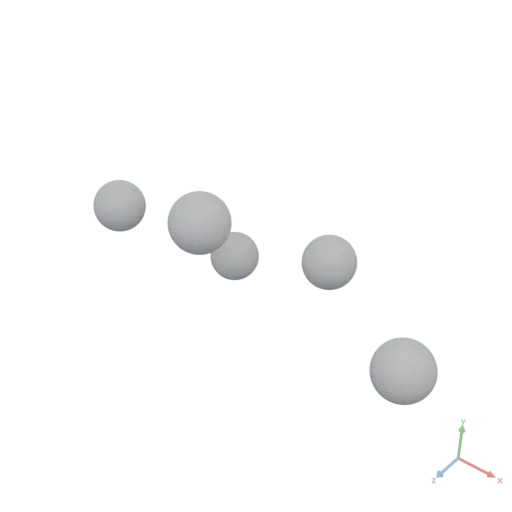
PolygonsAsset Place({ input: PolygonsAsset, positions: number[][] })
Places copies of the input at each of the given positions.
positions: Array of positions as [x, y] to place copies at.
yaml
moon: "1.0"
doc: |
    Place copies a small circle at each of the given 2D positions, producing a lazy polygon set.
render:
    op: Place
    with:
        positions:
          - [0, 0]
          - [0.3, 0.1]
          - [0.6, -0.05]
          - [0.2, 0.4]
          - [-0.2, 0.3]
    input:
        op: Circle
        with:
            radius: 0.06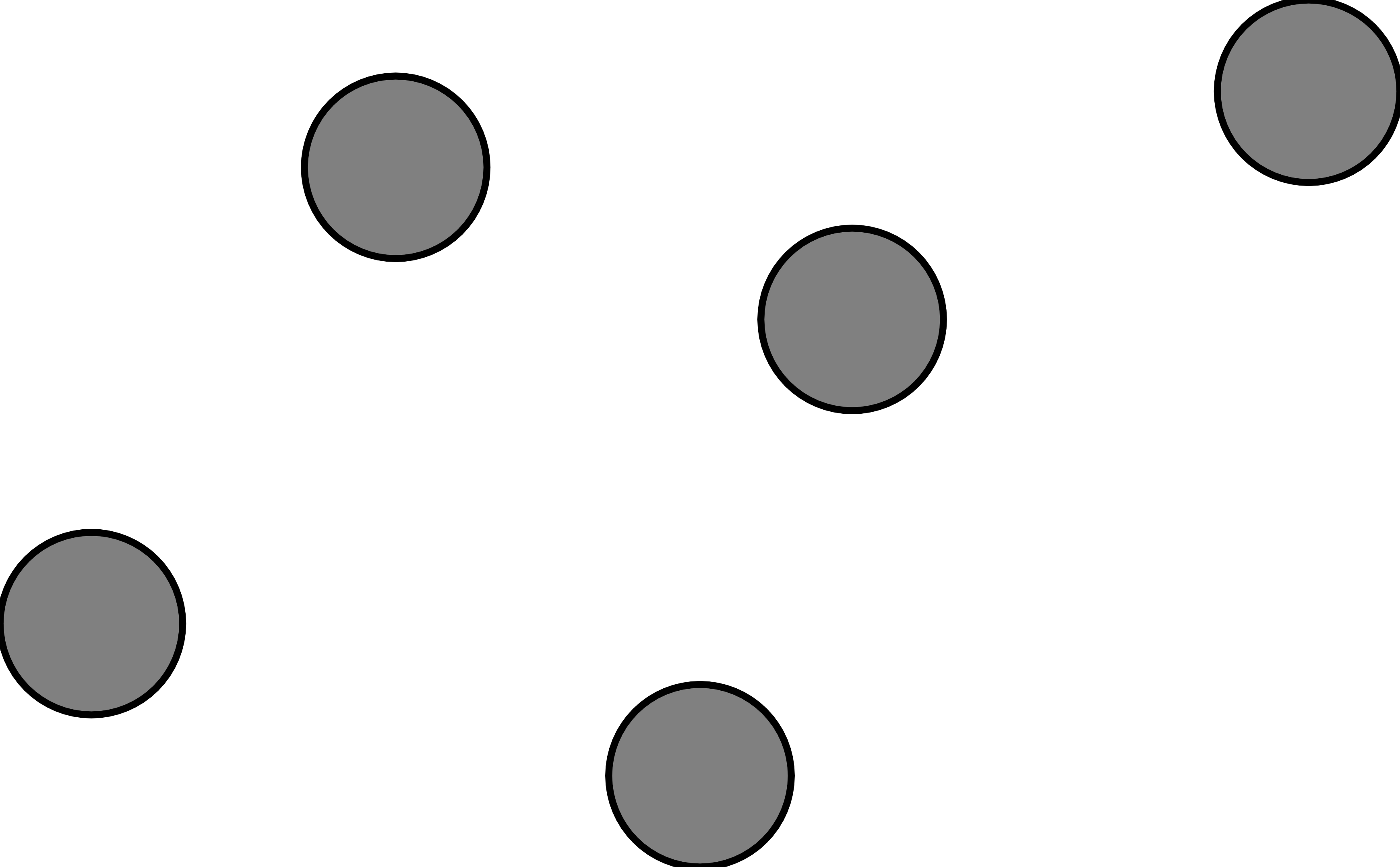
PlaceGrid
MeshesAsset PlaceGrid({ input: MeshesAsset, count: integer[], spacing: number[] })
Places copies of the input in a regular 3D grid pattern. Setting count Z to 1 and spacing Z to 0 produces a flat 2D grid in XY.
count: Number of repetitions as [x, y, z] with integer values.spacing: Distance between anchor points as [x, y, z].
yaml
moon: "1.0"
doc: |
    PlaceGrid lays out copies of a small sphere in a regular 3D grid.
render:
    op: PlaceGrid
    with:
        count: [4, 3, 2]
        spacing: [0.3, 0.3, 0.3]
    input:
        op: Sphere
        with:
            radius: 0.08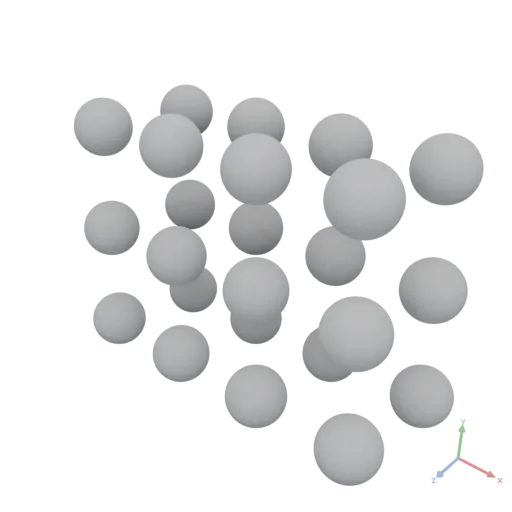
PolygonsAsset PlaceGrid({ input: PolygonsAsset, count: integer[], spacing: number[] })
Places copies of the input in a regular 2D grid pattern.
count: Number of columns (X) and rows (Y) as [x, y] with integer values.spacing: Distance between anchor points as [x, y].
yaml
moon: "1.0"
doc: |
    PlaceGrid lays out copies of a small circle in a 2D grid pattern of 5 columns by 4 rows.
render:
    op: PlaceGrid
    with:
        count: [5, 4]
        spacing: [0.2, 0.2]
    input:
        op: Circle
        with:
            radius: 0.06
Polygon
PolygonsAsset Polygon({ points: number[][] })
Constructs a closed polygon from an array of vertex positions.
points: Array of vertices as [x, y].
yaml
moon: "1.0"
doc: |
    Polygon factory constructs a closed five-pointed star from an explicit vertex list.
render:
    op: Polygon
    with:
        points:
          - [0.0, 0.5]
          - [0.12, 0.16]
          - [0.48, 0.16]
          - [0.19, -0.06]
          - [0.29, -0.4]
          - [0.0, -0.2]
          - [-0.29, -0.4]
          - [-0.19, -0.06]
          - [-0.48, 0.16]
- [-0.12, 0.16]'%20stroke='rgb(0,%200,%200)'%20stroke-width='0.0047999998'%20fill-rule='evenodd'%20d='M%200%200.5%20L%200.12%200.16%20L%200.48%200.16%20L%200.19%20-0.06%20L%200.29%20-0.4%20L%200%20-0.2%20L%20-0.29%20-0.4%20L%20-0.19%20-0.06%20L%20-0.48%200.16%20L%20-0.12%200.16%20Z'%20/%3e%3c/svg%3e)
RandomNormal
DataAsset RandomNormal({ shape: integer[], seed: integer })
Creates a numeric DataAsset filled with normally distributed random values (mean 0, standard deviation 1).
The result is deterministic for a given seed — passing the same seed always produces the same output.
shape: Array of integer dimension sizes.seed: Integer random seed for reproducibility.
yaml
moon: "1.0"
doc: |
    RandomNormal produces a deterministic tensor of normally distributed samples given a fixed seed.
render:
    op: RandomNormal
    with:
        shape: [2, 4]
        seed: 42
json
[
  [
    -1.14976,
    0.0738278,
    -0.605463,
    0.130218
  ],
  [
    0.616095,
    -0.730447,
    -1.07324,
    -0.97736
  ]
]
Range
DataAsset Range({ count: integer, start?: number, step?: number })
Creates a 1-D numeric DataAsset forming an arithmetic sequence of count values.
The sequence starts at start and each successive element is step larger than the previous one, i.e. start, start+step, start+2*step, ….
js
// [0, 1, 2, 3, 4]
Range({ count: 5 })

// [1, 1.5, 2, 2.5, 3]
Range({ count: 5, start: 1, step: 0.5 })count: Number of elements to generate. Must be ≥ 0.start: First value in the sequence. Default is 0.step: Increment between consecutive values. Default is 1.
yaml
moon: "1.0"
doc: |
    Arithmetic sequence produced by the Range factory.
render:
    op: Range
    with:
        count: 5
        start: 10
        step: 2
json
[
  10,
  12,
  14,
  16,
  18
]
Rasterize
ImageAsset Rasterize({ input: PolygonsAsset, size: integer[], region?: number[][], fill?: number[], background?: number[], antialias?: boolean })
Rasterizes vector contours into a raster image — the bridge from the POLYGONS / SVG system into imaging, and the immutability-respecting way to "draw": describe marks as Rect / Circle / Path / Text / boolean geometry and rasterize them, rather than poking pixels.
Axis mapping matches the SVG export of the same contours, so a rasterized polygon looks identical to its .svg: 2D +X → image columns, 2D +Y → image rows downward (image row 0 is the region's minY — the top). Interior fill uses the nonzero winding rule (curves are already tessellated at the POLYGONS layer).
size: Output[H, W]in pixels.region: The world-space rectangle[[minX, minY], [maxX, maxY]](in meters) that maps onto the image. This sets the meters→pixel scale. Ifregionandsizeaspect ratios differ, contours scale per-axis (non-uniform). Default is the input's bounding box.fill: Contour color[r, g, b]or[r, g, b, a]in[0, 1]. Its component count sets the output channel count. Default is opaque white[1, 1, 1, 1].background: Color outside contours, matchingfill's component count. Default is zeros (transparent).antialias: Coverage-based edge anti-aliasing. Default is true.
yaml
moon: "1.0"
doc: |
    Rasterize fills vector contours into a raster image — the bridge from POLYGONS into imaging.
    Here a circle is rasterized white-on-transparent into a 64x64 RGBA texture.
render:
    op: Rasterize
    with:
        size: [64, 64]
        fill: [1, 1, 1, 1]
        background: [0, 0, 0, 0]
    input:
        op: Circle
        with: { radius: 0.4 }
Rect
PolygonsAsset Rect({ size: number[], anchor?: number[], cornerRadius?: number[], resolution?: integer })
Constructs an axis-aligned rectangle with optional rounded corners.
size: Dimensions as [width, height].anchor: The normalized [0–1] point of the bounding box placed at the origin. Default is [0.5, 0.5] (centered).cornerRadius: Corner radii as [rx, ry] for rounding. Default is no rounding.resolution: Number of segments for a full circle (used for rounded corners). Default is 64.
yaml
moon: "1.0"
doc: |
    Rectangle factory with rounded corners.
render:
    op: Rect
    with:
        size: [2, 1]
cornerRadius: [0.2, 0.2]'%20stroke='rgb(0,%200,%200)'%20stroke-width='0.01'%20fill-rule='evenodd'%20d='M%200.8%20-0.5%20L%200.81960344%20-0.49903694%20L%200.83901805%20-0.49615705%20L%200.85805696%20-0.49138805%20L%200.87653667%20-0.4847759%20L%200.89427936%20-0.47638425%20L%200.91111404%20-0.46629393%20L%200.92687863%20-0.4546021%20L%200.94142133%20-0.44142136%20L%200.95460206%20-0.42687866%20L%200.96629393%20-0.41111404%20L%200.9763843%20-0.39427936%20L%200.9847759%20-0.3765367%20L%200.9913881%20-0.35805693%20L%200.99615705%20-0.33901808%20L%200.99903697%20-0.3196034%20L%201%20-0.3%20L%201%200.3%20L%200.99903697%200.3196034%20L%200.99615705%200.33901808%20L%200.9913881%200.35805693%20L%200.9847759%200.3765367%20L%200.9763843%200.39427936%20L%200.96629393%200.41111404%20L%200.95460206%200.42687866%20L%200.94142133%200.44142136%20L%200.92687863%200.4546021%20L%200.91111404%200.46629393%20L%200.89427936%200.47638425%20L%200.87653667%200.4847759%20L%200.85805696%200.49138805%20L%200.83901805%200.49615705%20L%200.81960344%200.49903694%20L%200.8%200.5%20L%20-0.8%200.5%20L%20-0.81960344%200.49903694%20L%20-0.83901805%200.49615705%20L%20-0.85805696%200.49138805%20L%20-0.87653667%200.4847759%20L%20-0.89427936%200.47638425%20L%20-0.91111404%200.46629393%20L%20-0.92687863%200.4546021%20L%20-0.94142133%200.44142136%20L%20-0.95460206%200.42687866%20L%20-0.96629393%200.41111404%20L%20-0.9763843%200.39427936%20L%20-0.9847759%200.3765367%20L%20-0.9913881%200.35805693%20L%20-0.99615705%200.33901808%20L%20-0.99903697%200.3196034%20L%20-1%200.3%20L%20-1%20-0.3%20L%20-0.99903697%20-0.3196034%20L%20-0.99615705%20-0.33901808%20L%20-0.9913881%20-0.35805693%20L%20-0.9847759%20-0.3765367%20L%20-0.9763843%20-0.39427936%20L%20-0.96629393%20-0.41111404%20L%20-0.95460206%20-0.42687866%20L%20-0.94142133%20-0.44142136%20L%20-0.92687863%20-0.4546021%20L%20-0.91111404%20-0.46629393%20L%20-0.89427936%20-0.47638425%20L%20-0.87653667%20-0.4847759%20L%20-0.85805696%20-0.49138805%20L%20-0.83901805%20-0.49615705%20L%20-0.81960344%20-0.49903694%20L%20-0.8%20-0.5%20Z'%20/%3e%3c/svg%3e)
Repeat
DataAsset Repeat({ input: DataAsset, repeats: integer })
Returns a 1-D numeric DataAsset where each element of input is repeated repeats times consecutively.
The result always has shape [size * repeats].
js
// [1, 1, 2, 2, 3, 3]
Repeat({ input: Data([1, 2, 3]), repeats: 2 })repeats: Number of times to repeat each element.
yaml
moon: "1.0"
doc: |
    Repeat duplicates each element of a tensor along the first axis — here each value in [1, 2, 3] is repeated 3 times to give [1, 1, 1, 2, 2, 2, 3, 3, 3].
render:
    op: Repeat
    with:
        repeats: 3
    input:
        value: [1, 2, 3]
json
[
  1,
  1,
  1,
  2,
  2,
  2,
  3,
  3,
  3
]
Reshape
DataAsset Reshape({ input: DataAsset, newShape: integer[] })
Reshapes a numeric DataAsset to newShape without changing the underlying data.
The total element count must be unchanged: ∏ newShape[i] == ∏ oldShape[i].
js
// Turn a 6-element 1-D tensor into a 2×3 matrix
Reshape({ input: myData, newShape: [2, 3] })newShape: Target shape as an integer array.
yaml
moon: "1.0"
doc: |
    Reshape rearranges a flat 12-element tensor into a 3x4 matrix without altering the data.
render:
    op: Reshape
    with:
        newShape: [3, 4]
    input:
        value: [1, 2, 3, 4, 5, 6, 7, 8, 9, 10, 11, 12]
json
[
  [
    1,
    2,
    3,
    4
  ],
  [
    5,
    6,
    7,
    8
  ],
  [
    9,
    10,
    11,
    12
  ]
]
Resize
ImageAsset Resize({ input: ImageAsset, size: integer[] })
Resamples to size = [H, W] using bilinear interpolation; both dimensions ≥ 1.
size: Target size as[H, W].
yaml
moon: "1.0"
doc: |
    Resize resamples an image to [H, W] using bilinear interpolation.
assets:
    base:
        op: Image
        with:
            input:
                expression: |
                    const [x, y] = Coords({ shape: [96, 96], normalize: true })
                    return StackAxis({ input: [x, y, Fill({ value: 0.4, shape: [96, 96] })], axis: 2 })
                produces: IMAGE
render:
    op: Resize
    with: { size: [64, 128] }
    input: { asset: base }
Revolve
MeshesAsset Revolve({ input: PolygonsAsset, resolution?: integer, revolveDegrees?: number })
Constructs a solid of revolution by revolving a 2D profile around the 3D Y axis. 2D X maps to radial distance from the Y axis. 2D Y maps to 3D Y (height). Geometry at 2D X = 0 lies on the revolution axis; geometry at negative 2D X is silently clipped at the axis (a profile entirely at negative X yields valid empty geometry).
resolution: Number of segments for a full circle. Default is 64.revolveDegrees: Degrees to revolve. Default is 360.
yaml
moon: "1.0"
doc: |
    Revolve spins a 2D profile around the Y axis to produce a vase-like solid.
render:
    op: Revolve
    with:
        resolution: 64
    input:
        op: Polygon
        with:
            points:
              - [0, 0]
              - [0.25, 0]
              - [0.2, 0.1]
              - [0.12, 0.25]
              - [0.18, 0.45]
              - [0.22, 0.6]
              - [0, 0.6]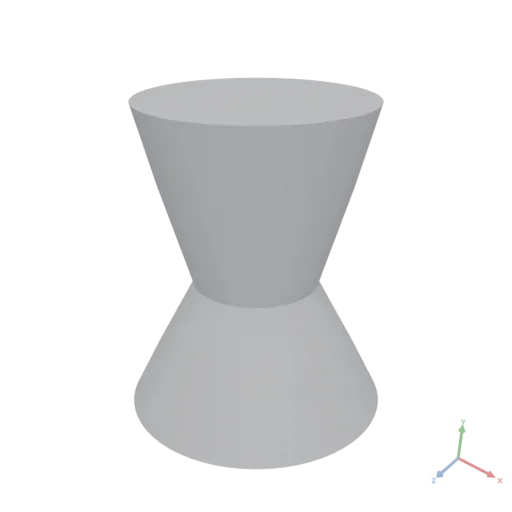
RotateImage
ImageAsset RotateImage({ input: ImageAsset, degrees: number, expand?: boolean })
Rotates degrees counter-clockwise about the center (bilinear). expand grows the canvas to fit (default false → same size, corners clipped).
Newly-exposed area is filled with zeros: black [0,0,0] on a 3-channel image, transparent [0,0,0,0] on a 4-channel image. RotateImage does not promote RGB→RGBA — to get transparent corners, convert to RGBA first (e.g. add an opaque alpha channel via StackAxis). To rotate meshes or polygons, use Transform with its rotate argument.
degrees: Counter-clockwise rotation angle in degrees.expand: Grow the canvas to fit the rotated image. Default is false.
yaml
moon: "1.0"
doc: |
    RotateImage turns an image counter-clockwise about its centre (bilinear); expand grows
    the canvas to fit. Newly-exposed area is transparent on RGBA, black on RGB.
assets:
    base:
        op: Image
        with:
            input:
                expression: |
                    const [x, y] = Coords({ shape: [96, 96], normalize: true })
                    return StackAxis({ input: [x, y, Fill({ value: 0.4, shape: [96, 96] })], axis: 2 })
                produces: IMAGE
render:
    op: RotateImage
    with: { degrees: 30, expand: true }
    input: { asset: base }
Round
DataAsset Round({ input: DataAsset })
Rounds every element to the nearest integer, halves away from zero (0.5 → 1, −0.5 → −1).
yaml
moon: "1.0"
doc: |
    Round rounds each element to the nearest integer, halves away from zero.
    round([1.4, 1.5, 2.5, -0.5]) = [1, 2, 3, -1].
render:
    op: Round
    input: [1.4, 1.5, 2.5, -0.5]
json
[
  1,
  2,
  3,
  -1
]
RoundedBox
MeshesAsset RoundedBox({ size: number[], radius: number, resolution?: integer, anchor?: number[] })
Constructs an axis-aligned box with uniformly rounded edges and corners. The rounding is an exact circular profile of the given radius, produced by taking the convex hull of eight spheres placed at the inner corners. The radius is clamped to half the smallest dimension. Setting radius to 0 produces a sharp-edged box identical to Box().
size: Dimensions as [x, y, z].radius: Fillet radius applied to all edges and corners.resolution: Number of segments for a full circle on the rounded edges. Default is 16.anchor: The normalized [0–1] point of the bounding box placed at the origin. Default is [0.5, 0.5, 0.5] (centered).
yaml
moon: "1.0"
doc: |
    RoundedBox factory — an axis-aligned box with a uniform fillet radius on all edges and corners.
render:
    op: RoundedBox
    with:
        size: [0.8, 0.5, 0.6]
        radius: 0.08
        resolution: 32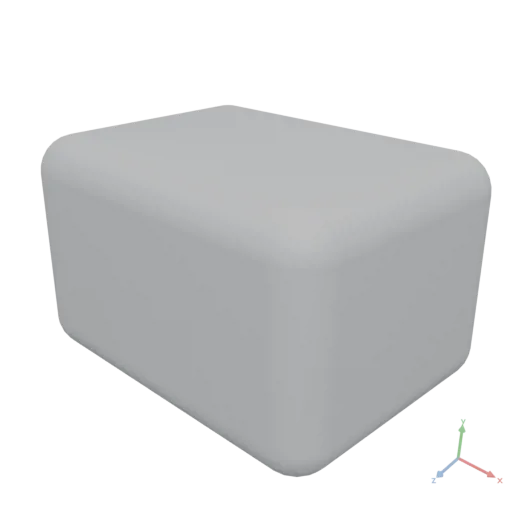
RowCount
integer RowCount({ input: DataAsset })
Returns the number of rows in a tabular DataAsset.
yaml
moon: "1.0"
doc: |
    RowCount returns the number of rows in a table built from a JSON array of records.
assets:
    cities:
        value:
          - city: NewYork
            population: 8400000
          - city: Tokyo
            population: 14000000
          - city: Paris
            population: 2100000
          - city: London
            population: 8900000
render:
    op: RowCount
    input:
        asset: cities
json
4Select
DataAsset Select({ input: DataAsset, path: string })
Evaluates a path expression against input and returns the matching value, or null when the path does not resolve.
Path expressions use a subset of JsonPath syntax. The root selector $ always refers to input itself. From there, each step either selects a named field or an integer-indexed element:
$: The root asset itself..key: Named field on an object / record.["key"]/['key']: Quoted string field on an object / record.[n]: Integer index on a list or 1-D numeric tensor. Negative values count from the end (-1is the last element).
Recursive descent ($..), wildcards ($[*]), and filter predicates ($[?(...)]) are intentionally not supported — use the native members of tables, tensors, and lists inside an expression for those patterns.
js
// JSON source: {"store":{"name":"ACME","prices":[1.5,2.5,3.5]}}

Select({ input: asset, path: "$.store.name" })          // "ACME"
Select({ input: asset, path: "$.store.prices[1]" })     // 2.5
Select({ input: asset, path: "$.store['prices'][0]" })  // 1.5
Select({ input: asset, path: "$.missing" }) // nullpath: A path expression starting with$. See the examples above for supported syntax.
yaml
moon: "1.0"
doc: |
    Select evaluates a path expression against a data asset, extracting a nested field.
assets:
    store:
        value:
            store:
                name: ACME Books
                prices: [1.5, 2.5, 3.5]
render:
    op: Select
    with:
        path: $.store.name
    input:
        asset: store
json
"ACME Books"SelectColumns
DataAsset SelectColumns({ input: DataAsset, columns: string[] })
Selects specific columns from a tabular DataAsset.
- Single numeric column: Returns a 1-D tensor of shape
[rowCount]. - Single text column: Returns a list of strings.
- Multiple columns: Returns a table containing only the specified columns.
columns: Column names to include in the result.
yaml
moon: "1.0"
doc: |
    SelectColumns narrows a table to a subset of columns; with two columns selected the result is a smaller table.
assets:
    cities:
        value:
          - city: NewYork
            population: 8400000
            area_sqkm: 783
          - city: Tokyo
            population: 14000000
            area_sqkm: 2194
          - city: Paris
            population: 2100000
            area_sqkm: 105
render:
    op: SelectColumns
    with:
        columns: [city, population]
    input:
        asset: cities
json
[
  {
    "city": "NewYork",
    "population": 8400000
  },
  {
    "city": "Tokyo",
    "population": 14000000
  },
  {
    "city": "Paris",
    "population": 2100000
  }
]
Shape
integer[] Shape({ input: DataAsset })
Returns the shape of input as an integer array.
- Scalars (numbers, strings, booleans) →
[](rank 0). - 1-D lists / tensors →
[n]. - N-D numeric tensors → their full shape, e.g.
[rows, cols]. - Tables →
[rowCount, columnCount].
yaml
moon: "1.0"
doc: |
    Shape returns the per-axis sizes of a tensor as an integer array.
render:
    op: Shape
    input:
        value: [[[1, 2], [3, 4], [5, 6]], [[7, 8], [9, 10], [11, 12]]]
json
[
  2,
  3,
  2
]
Sharpen
ImageAsset Sharpen({ input: ImageAsset, amount?: number })
Unsharp-mask sharpen: result = input + amount·(input − blur(input)), with a small Gaussian low-pass. amount scales the high-frequency boost.
amount: Sharpening strength. Default is 1.0.
yaml
moon: "1.0"
doc: |
    Sharpen applies an unsharp mask: input + amount*(input - blur(input)), boosting edges.
assets:
    base:
        op: Image
        with:
            input:
                expression: |
                    const [x, y] = Coords({ shape: [96, 96] })
                    return (Floor(x / 12) + Floor(y / 12)) % 2
                produces: IMAGE
render:
    op: Sharpen
    with: { amount: 1.5 }
    input: { asset: base }
Simplify
PolygonsAsset Simplify({ input: PolygonsAsset, epsilon?: number })
Simplifies polygons by removing vertices within epsilon of the line segments.
epsilon: Maximum allowed deviation from the original contour. Default is 1e-6.
yaml
moon: "1.0"
doc: |
    Simplify removes vertices that lie within epsilon of the line segment between their neighbors. A high-resolution circle is reduced toward a coarse polygon.
render:
    op: Simplify
    with:
        epsilon: 0.02
    input:
        op: Circle
        with:
            radius: 0.4
resolution: 128'%20stroke='rgb(0,%200,%200)'%20stroke-width='0.0039807386'%20fill-rule='evenodd'%20d='M%200.11611387%20-0.38277614%20L%200.2537573%20-0.3092042%20L%200.3527685%20-0.18855868%20L%200.39807388%20-0.03920686%20L%200.38277614%200.11611387%20L%200.3092042%200.2537573%20L%200.18855868%200.3527685%20L%200.03920686%200.39807388%20L%20-0.11611387%200.38277614%20L%20-0.2537573%200.3092042%20L%20-0.3527685%200.18855868%20L%20-0.39807388%200.03920686%20L%20-0.38277614%20-0.11611387%20L%20-0.3092042%20-0.2537573%20L%20-0.18855868%20-0.3527685%20L%20-0.03920686%20-0.39807388%20Z'%20/%3e%3c/svg%3e)
Simulate
DataAsset Simulate({ input: DataAsset, masses?: DataAsset, distance?: DataAsset, bending?: DataAsset, stitch?: DataAsset, pins?: DataAsset, colliders?: MeshesAsset, acceleration?: number[], duration?: number, substeps?: integer, iterations?: integer, damping?: number, thickness?: number, friction?: number, colliderCellSize?: number })
Runs a deterministic particle simulation (XPBD position-based dynamics) and returns the rest state. Particles fall under acceleration, are held together by distance-type constraints, and collide against optional collider meshes — the building block for cloth draping, hanging chains and ropes, nets, and form-finding.
Constraint sets are records of tensors. Because a bare YAML mapping is not a value, pass them either as a literal via value: or build them in an expression (Simulate({ input: p, distance: { indices: e, compliance: 1e-6 } })). Each constraint connects particle indices into input; omitted rest lengths default to the initial distances (stitches always pull to zero). The optional strainLimit makes stretch biphasic: beyond that relative strain the constraint switches to limitCompliance (knit fabric locking). Compliance intuition at gram-scale particle masses: cloth distance ~1e-7…1e-9, bending ~5e-4…5e-3; measured fabric stretch is ≈5e-3 m/N (jersey) — much smaller values are effectively rigid.
The solver runs substeps small steps over duration seconds, one Gauss-Seidel sweep per substep, in double precision with a sequential constraint order — results are bit-identical across platforms. Colliders are baked once into a signed-distance grid (colliderCellSize); contacts push particles to thickness above the surface and apply tangential friction. For staged simulations (e.g. stitch a garment together, then drape), feed the returned positions into a second Simulate call.
Returns a DATA record { positions [N, 3] } — the settled particle positions, in input order. Positions are plain data: render them via Mesh({ vertices: sim.positions, triangles }), Place, or Sweep.
js
// A hanging chain: 5 particles, ends pinned
assets:
    chain:
        expression: |
            const p = [[0,1,0], [0.25,1,0], [0.5,1,0], [0.75,1,0], [1,1,0]]
            const links = { indices: [[0,1],[1,2],[2,3],[3,4]], compliance: 1e-8 }
            const pinned = { indices: [0, 4] }
            return Simulate({ input: p, distance: links, pins: pinned })
render:
asset: chainmasses: Particle mass in kg: a number (all particles) or an [N] tensor. Mass 0 pins a particle in place. Default is 1.distance: Structural constraints record:{ indices [C,2], compliance, restLengths [C]?, strainLimit?, limitCompliance? }.compliance(m/N, XPBD) is a number or a per-constraint [C] tensor; lower is stiffer. Default is null.bending: Bending constraints record:{ indices [C,4], compliance }with rows [edgeA, edgeB, wingA, wingB] (adjacent triangle pairs); resistance is applied between the two wing vertices. [C,2] wing pairs are also accepted. Default is null.stitch: Seam constraints record:{ indices [C,2], compliance }— zero-rest-length springs pulling index pairs together (sewing panels shut). Default is null.pins: Pinned particles record:{ indices [C], targets [C,3]? }— the particles become immovable, optionally teleported totargetsfirst. (Equivalent to mass 0, as a convenience.) Default is null.colliders: MESHES to collide against, baked once into a signed-distance grid. Meshes should be closed; the body/prop the cloth rests on. Collision is resolved at particle positions only: ease sharp convex collider edges withFillet(radius at least the cloth edge length) so cloth chords cannot cut across them. Particles never collide with each other (no cloth self-collision). Default is null.acceleration: Constant acceleration in m/s² applied to all particles. Default is Earth gravity [0, -9.81, 0].duration: Simulated time in seconds. Default is 2.substeps: Number of solver substeps spread overduration; more substeps = stiffer, more settled results. When changingduration, scalesubstepsproportionally to keep the same step rate. Default is 600.iterations: Constraint sweeps per substep. 1 is right for cloth; long stiff chains under load settle with less residual stretch at 4-8. Default is 1.damping: Fraction of velocity retained per simulated second (velocity damping), independent of the substep rate. Lower settles faster; 1 = undamped. Default is 0.55.thickness: Collision offset in meters kept between particles and collider surfaces. Default is 0.003.friction: Tangential friction coefficient in contacts, 0 (slide) to 1 (stick). Default is 0.3.colliderCellSize: Cell size in meters of the baked collider signed-distance grid. Default is 0.01.
yaml
moon: "1.0"
doc: |
    Three hanging strands between two posts — two bead chains rendered by
    placing spheres at the simulated particle positions, and one rope swept
    as a tube along the simulated path. Chains, not cloth: distance
    constraints only, settled with extra solver iterations.
assets:
    postMaterial:
        op: Material
        with:
            color: [0.2, 0.14, 0.1, 1]
            roughness: 0.6
    pearlMaterial:
        op: Material
        with:
            color: [0.95, 0.93, 0.9, 1]
            roughness: 0.15
            metallic: 0.2
    goldMaterial:
        op: Material
        with:
            color: [0.85, 0.65, 0.25, 1]
            roughness: 0.3
            metallic: 0.9
    ropeMaterial:
        op: Material
        with:
            color: [0.72, 0.58, 0.4, 1]
            roughness: 0.9
    fixtures:
        expression: |
            const parts = []
            for (let s = -1; s <= 1; s += 2) {
                const post = Cylinder({ height: 1.52, radiusLow: 0.035, anchor: [0.5, 0, 0.5] })
                parts.push(Transform({ input: post, translate: [s * 1.03, 0, 0] }))
                const cap = Sphere({ radius: 0.055 })
                parts.push(Transform({ input: cap, translate: [s * 1.03, 1.53, 0] }))
            }
            const base = Cylinder({ height: 0.02, radiusLow: 1.4, anchor: [0.5, 0, 0.5] })
            parts.push(base)
            return ApplyMaterial({ input: Group({ input: parts }), material: assets.postMaterial })
        produces: MESHES
    strands:
        expression: |
            // strand specs: arc length, z offset, particle spacing
            const specs = [
                { length: 2.25, z: 0.035, spacing: 0.03 },
                { length: 2.6, z: -0.035, spacing: 0.03 },
                { length: 3.0, z: 0.0, spacing: 0.03 },
            ]
            const start = [], links = [], rests = [], pinIdx = [], pinTargets = []
            const ranges = []
            for (let s = 0; s < specs.length; s++) {
                const spec = specs[s]
                const count = Math.round(spec.length / spec.spacing) + 1
                const seg = spec.length / (count - 1)
                const first = start.length
                for (let i = 0; i < count; i++) {
                    start.push([-1 + 2 * i / (count - 1), 1.46, spec.z])
                    if (i > 0) { links.push([first + i - 1, first + i]); rests.push(seg) }
                }
                pinIdx.push(first)
                pinTargets.push([-1, 1.46, spec.z])
                pinIdx.push(first + count - 1)
                pinTargets.push([1, 1.46, spec.z])
                ranges.push([first, count])
            }
            const sim = Simulate({
                input: start,
                masses: 0.005,
                distance: { indices: links, compliance: 1e-9, restLengths: rests },
                pins: { indices: pinIdx, targets: pinTargets },
                duration: 5,
                substeps: 2000,
                iterations: 8,
                damping: 0.06,
            })
            const perStrand = []
            for (let s = 0; s < ranges.length; s++) {
                const pts = []
                for (let i = 0; i < ranges[s][1]; i++) pts.push(sim.positions[ranges[s][0] + i])
                perStrand.push(pts)
            }
            const pearls = Place({ input: Sphere({ radius: 0.017, resolution: 20 }), positions: perStrand[0] })
            const gold = Place({ input: Sphere({ radius: 0.015, resolution: 20 }), positions: perStrand[1] })
            const rope = Sweep({ input: Circle({ radius: 0.009, resolution: 12 }), path: perStrand[2], resolution: 2 })
            return Group({ input: [
                ApplyMaterial({ input: pearls, material: assets.pearlMaterial }),
                ApplyMaterial({ input: gold, material: assets.goldMaterial }),
                ApplyMaterial({ input: rope, material: assets.ropeMaterial }),
            ] })
        produces: MESHES
render:
    op: Group
    input:
        items:
          - asset: fixtures
          - asset: strands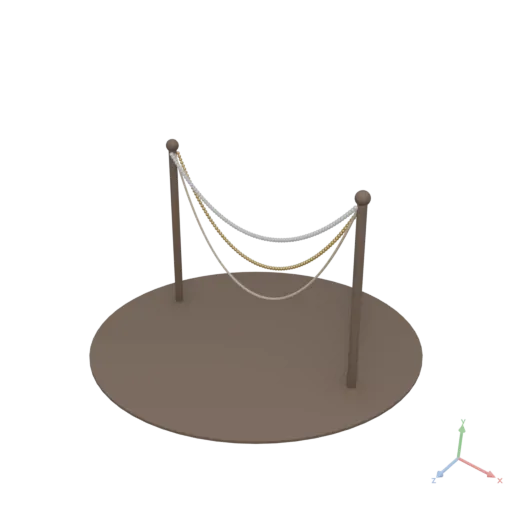
Sin
DataAsset Sin({ input: DataAsset })
Applies sine to every element, returning a Float64 tensor of the input's shape (angles in radians). A scalar / array is upgraded via Data.
yaml
moon: "1.0"
doc: |
    Sin applies sine element-wise (radians). sin([0, pi/2, pi]) = [0, 1, 0].
render:
    op: Sin
    input: [0, 1.5707963267948966, 3.141592653589793]
json
[
  0,
  1,
  0
]
Size
integer Size({ input: DataAsset })
Returns the total number of scalar elements in input. For scalars this is always 1.
yaml
moon: "1.0"
doc: |
    Size returns the total number of elements in a tensor — the product of its shape dimensions. A 3x4x5 tensor contains 60 elements.
render:
    op: Size
    input:
        op: Zeros
        with:
            shape: [3, 4, 5]
json
60Slice
DataAsset Slice({ input: DataAsset, start?: integer, count?: integer })
Returns a contiguous subset of rows from a tabular DataAsset.
Negative start counts from the end of the table (e.g. -1 is the last row). A count of -1 means all remaining rows.
js
// First 100 rows
Slice({ input: table, start: 0, count: 100 })

// Last 10 rows
Slice({ input: table, start: -10 })start: Starting row index. Default is 0.count: Number of rows to take.-1means all. Default is-1.
yaml
moon: "1.0"
doc: |
    Slice takes a contiguous range of rows from a table — here rows 1 and 2 (0-indexed) of a four-row city table.
assets:
    cities:
        value:
          - city: NewYork
            population: 8400000
          - city: Tokyo
            population: 14000000
          - city: Paris
            population: 2100000
          - city: London
            population: 8900000
render:
    op: Slice
    with:
        start: 1
        count: 2
    input:
        asset: cities
json
[
  {
    "city": "Tokyo",
    "population": 14000000
  },
  {
    "city": "Paris",
    "population": 2100000
  }
]
Smooth
MeshesAsset Smooth({ input: MeshesAsset, subdivisions?: integer, tolerance?: number, edgeLength?: number, minSharpAngle?: number })
Smooths the geometry by subdividing and rounding flat surfaces while preserving sharp edges. Setting subdivisions to 0 applies smooth shading without adding geometry.
subdivisions: Number of edge subdivisions: each edge is split intosubdivisions + 1pieces (linear, not compounding — 2 gives 3 pieces per edge, not 4). Default is 1.tolerance: If greater than 0, subdivides until geometry matches the curved surface within this distance; overrides subdivisions.edgeLength: If greater than 0, subdivides until edges roughly match this length; overrides tolerance.minSharpAngle: Edges with dihedral angles above this value in degrees remain sharp. Default is 60.
yaml
moon: "1.0"
doc: |
    Smooth rounds flat surfaces of a coarse box via subdivision while preserving sharp edges above the dihedral threshold.
render:
    op: Smooth
    with:
        subdivisions: 3
        minSharpAngle: 80
    input:
        op: Box
        with:
            size: [0.5, 0.5, 0.5]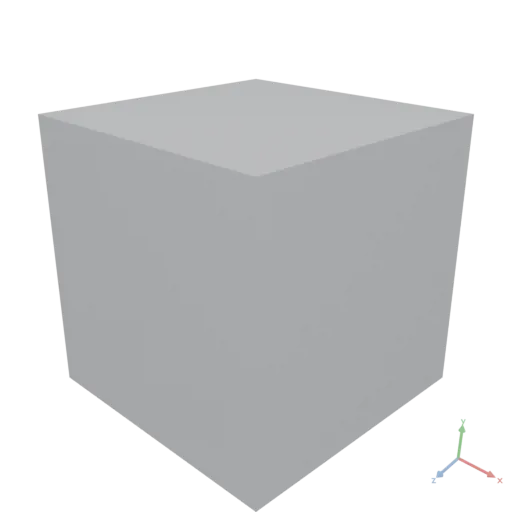
Smoothstep
DataAsset Smoothstep({ input: DataAsset, edge0: number, edge1: number })
Smooth Hermite threshold: 0 where input ≤ edge0, 1 where ≥ edge1, and a smooth 3t² − 2t³ ramp between. Element-wise; requires edge0 < edge1.
Note: like Step, input is first — GLSL's smoothstep(edge0, edge1, x) puts the value last.
edge0: Lower edge (maps to 0).edge1: Upper edge (maps to 1).
yaml
moon: "1.0"
doc: |
    Smoothstep is a smooth Hermite threshold between edge0 and edge1.
    smoothstep([0, 0.5, 1], 0, 1) = [0, 0.5, 1] (the midpoint maps to 0.5 with a smooth ramp).
render:
    op: Smoothstep
    with: { edge0: 0, edge1: 1 }
    input: [0, 0.25, 0.5, 0.75, 1]
json
[
  0,
  0.15625,
  0.5,
  0.84375,
  1
]
Sobel
ImageAsset Sobel({ input: ImageAsset })
Edge-magnitude image via the Sobel gradient operator: reduces to luminance, computes the gradient, and returns a single-channel grayscale image in [0, 1].
yaml
moon: "1.0"
doc: |
    Sobel returns the edge-magnitude image via the Sobel gradient operator (grayscale [0, 1]):
    flat interiors go black, edges light up.
assets:
    base:
        op: Image
        with:
            input:
                expression: |
                    const [x, y] = Coords({ shape: [96, 96] })
                    return (Floor(x / 12) + Floor(y / 12)) % 2
                produces: IMAGE
render:
    op: Sobel
    input: { asset: base }
SortBy
DataAsset SortBy({ input: DataAsset, column: string, descending?: boolean })
Returns a DataAsset with all rows sorted by the values in column.
Numeric columns use numeric sort (NaN sorts to the end). Text columns use ordinal string sort.
column: Column name to sort by.descending: Iftrue, sort in descending order. Default isfalse.
yaml
moon: "1.0"
doc: |
    SortBy orders table rows by a numeric column in descending order.
assets:
    cities:
        value:
          - city: NewYork
            population: 8400000
            area_sqkm: 783
          - city: Tokyo
            population: 14000000
            area_sqkm: 2194
          - city: Paris
            population: 2100000
            area_sqkm: 105
          - city: London
            population: 8900000
            area_sqkm: 1572
render:
    op: SortBy
    with:
        column: population
        descending: true
    input:
        asset: cities
json
[
{
"city": "Tokyo",
"population": 14000000,
"area_sqkm": 2194
},
{
"city": "London",
"population": 8900000,
"area_sqkm": 1572
},
{
"city": "NewYork",
"population": 8400000,
"area_sqkm": 783
},
{
"city": "Paris",
"population": 2100000,
"area_sqkm": 105
}
]Sphere
MeshesAsset Sphere({ radius: number, resolution?: integer, anchor?: number[] })
Constructs a geodesic sphere centered at the origin.
radius: Radius of the sphere.resolution: Number of segments for a full circle. Default is 64.anchor: The normalized [0–1] point of the bounding box placed at the origin. Default is [0.5, 0.5, 0.5] (centered).
yaml
moon: "1.0"
doc: |
Sphere factory — a geodesic sphere centered at the origin.
render:
op: Sphere
with:
radius: 0.5
resolution: 64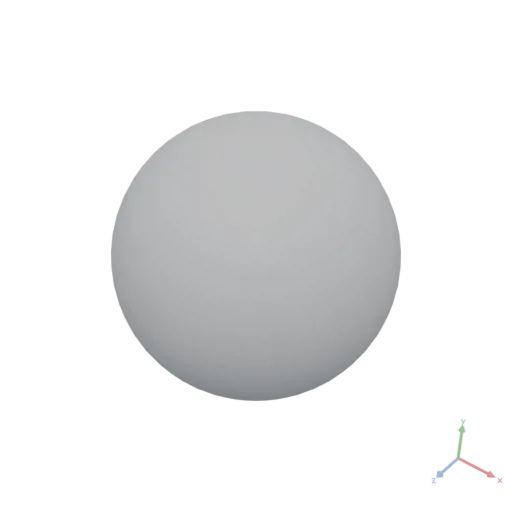
Split
DataAsset Split({ input: DataAsset, axis?: integer })
Inverse of StackAxis (numpy's unstack): separates input along axis into a single DATA list whose items are the tensors with that axis removed. For images, axis: 2 yields a 3-item list of [H, W] channel fields. The returned list is iterable, so it destructures positionally (const [r, g, b] = Split({ input: p, axis: 2 })) or indexes (Split(...)[0]).
axis: Axis to split along. Default is the last (-1).
yaml
moon: "1.0"
doc: |
Split is the inverse of StackAxis: it separates a tensor along an axis into a list of
lower-rank tensors. Splitting [[1, 2], [3, 4]] on axis 1 yields the columns [1, 3] and [2, 4].
render:
op: Split
with: { axis: 1 }
input:
- [1, 2]
- [3, 4]json
[
[
1,
3
],
[
2,
4
]
]Sqrt
DataAsset Sqrt({ input: DataAsset })
Square root of every element. Negative inputs follow Math.Sqrt semantics (NaN, which serializes to null in JSON).
yaml
moon: "1.0"
doc: |
Sqrt takes the square root of every element. sqrt([1, 4, 9]) = [1, 2, 3].
render:
op: Sqrt
input: [1, 4, 9]json
[
1,
2,
3
]Stack
MeshesAsset Stack({ input: MeshesAsset[], axis?: string, gap?: number })
Arranges the input shapes sequentially along an axis with a given gap between bounding boxes. The position of the first shape is preserved; subsequent shapes are placed relative to it. Use Transform() to reposition the result.
axis: The axis to stack along: "x", "y", or "z". Default is "y".gap: Empty space between bounding boxes. Default is 0.
yaml
moon: "1.0"
doc: |
Stack arranges three shapes sequentially along +Y with a fixed gap between their bounding boxes.
render:
op: Stack
with:
axis: y
gap: 0.05
input:
items:
- op: Box
with:
size: [0.4, 0.2, 0.4]
- op: Cylinder
with:
height: 0.3
radiusLow: 0.18
- op: Sphere
with:
radius: 0.15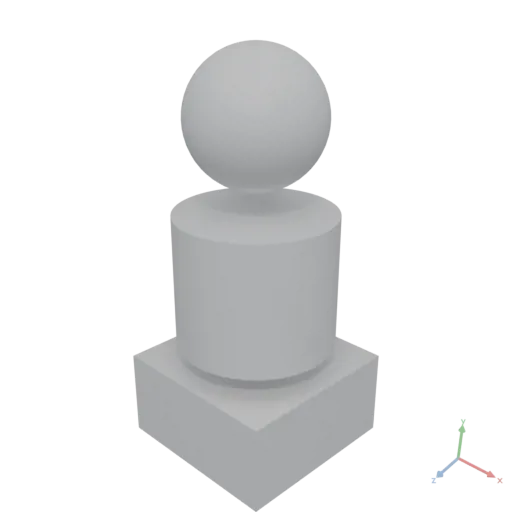
PolygonsAsset Stack({ input: PolygonsAsset[], axis?: string, gap?: number })
Arranges the input shapes sequentially along an axis with a given gap between bounding boxes. The position of the first shape is preserved; subsequent shapes are placed relative to it. Use Align() or Transform() to reposition the result.
axis: The axis to stack along: "x" or "y". Default is "x".gap: Empty space between bounding boxes. Default is 0.
yaml
moon: "1.0"
doc: |
Stack arranges three 2D shapes sequentially along +X with a fixed gap between their bounding boxes.
render:
op: Stack
with:
axis: x
gap: 0.05
input:
items:
- op: Rect
with:
size: [0.3, 0.3]
- op: Circle
with:
radius: 0.18
- op: Polygon
with:
points:
- [0, 0]
- [0.3, 0]
- [0.15, 0.3]'%20stroke='rgb(0,%200,%200)'%20stroke-width='0.0052999994'%20fill-rule='evenodd'%20d='M%200.76%200.3%20L%200.61%200%20L%200.91%200%20Z%20M%200.3976431%20-0.17913325%20L%200.41511625%20-0.17654134%20L%200.43225124%20-0.17224926%20L%200.44888303%20-0.16629831%20L%200.4648514%20-0.15874583%20L%200.48000264%20-0.14966454%20L%200.49419078%20-0.13914189%20L%200.5072792%20-0.12727922%20L%200.51914185%20-0.11419079%20L%200.5296645%20-0.10000264%20L%200.5387458%20-0.08485141%20L%200.5462983%20-0.06888302%20L%200.55224925%20-0.05225124%20L%200.5565413%20-0.03511626%20L%200.55913323%20-0.01764309%20L%200.56%200%20L%200.55913323%200.01764309%20L%200.5565413%200.03511626%20L%200.55224925%200.05225124%20L%200.5462983%200.06888302%20L%200.5387458%200.08485141%20L%200.5296645%200.10000264%20L%200.51914185%200.11419079%20L%200.5072792%200.12727922%20L%200.49419078%200.13914189%20L%200.48000264%200.14966454%20L%200.4648514%200.15874583%20L%200.44888303%200.16629831%20L%200.43225124%200.17224926%20L%200.41511625%200.17654134%20L%200.3976431%200.17913325%20L%200.38%200.18%20L%200.3623569%200.17913325%20L%200.34488374%200.17654134%20L%200.32774875%200.17224926%20L%200.311117%200.16629831%20L%200.29514858%200.15874583%20L%200.27999735%200.14966454%20L%200.2658092%200.13914189%20L%200.25272077%200.12727922%20L%200.24085812%200.11419079%20L%200.23033547%200.10000264%20L%200.22125417%200.08485141%20L%200.21370168%200.06888302%20L%200.20775074%200.05225124%20L%200.20345865%200.03511626%20L%200.20086674%200.01764309%20L%200.2%200%20L%200.20086674%20-0.01764309%20L%200.20345865%20-0.03511626%20L%200.20775074%20-0.05225124%20L%200.21370168%20-0.06888302%20L%200.22125417%20-0.08485141%20L%200.23033547%20-0.10000264%20L%200.24085812%20-0.11419079%20L%200.25272077%20-0.12727922%20L%200.2658092%20-0.13914189%20L%200.27999735%20-0.14966454%20L%200.29514858%20-0.15874583%20L%200.311117%20-0.16629831%20L%200.32774875%20-0.17224926%20L%200.34488374%20-0.17654134%20L%200.3623569%20-0.17913325%20L%200.38%20-0.18%20Z%20M%200.15%200.15%20L%20-0.15%200.15%20L%20-0.15%20-0.15%20L%200.15%20-0.15%20Z'%20/%3e%3c/svg%3e)
StackAxis
DataAsset StackAxis({ input: DataAsset[], axis?: integer })
Joins N equal-shaped tensors along a new axis — numpy's stack (contrast Group, which concatenates along the existing axis 0 like numpy's concatenate). For images, axis: 2 merges per-channel [H, W] fields into an [H, W, C] field. All inputs must share one shape; the result gains a dimension of size N at axis.
js
// Merge three [H, W] channels into an [H, W, 3] RGB field
StackAxis({ input: [r, g, b], axis: 2 })axis: Position of the new axis. Default is the last (-1).
yaml
moon: "1.0"
doc: |
StackAxis joins equal-shaped tensors along a NEW axis. Stacking [1, 2] and [3, 4] on axis 1
interleaves them into [[1, 3], [2, 4]] (for images, axis 2 merges channels into [H, W, C]).
render:
op: StackAxis
with: { axis: 1 }
input:
items:
- [1, 2]
- [3, 4]json
[
[
1,
3
],
[
2,
4
]
]Step
DataAsset Step({ input: DataAsset, edge: number })
Hard threshold: 0 where input < edge, else 1. Element-wise.
Note: input comes first per Moon convention, which reverses GLSL's step(edge, x) — irrelevant with named arguments, but shader-literate authors should not assume positional GLSL order.
edge: Threshold value.
yaml
moon: "1.0"
doc: |
Step is a hard threshold: 0 below edge, 1 at/above. step([0.2, 0.5, 0.8], edge: 0.5) = [0, 1, 1].
render:
op: Step
with: { edge: 0.5 }
input: [0.2, 0.5, 0.8]json
[
0,
1,
1
]Subgraph
GraphAsset Subgraph({ input: GraphAsset, nodes: DataAsset })
Returns the node-induced subgraph on the given node indices, with nodes renumbered 0 … m-1 in the order they appear in nodes. Only edges whose both endpoints are present in nodes are retained.
nodes: 1-D integer tensor of node indices to include. The position of each index in this array becomes the new node index in the returned subgraph (i.e.nodes[0]becomes node 0,nodes[1]becomes node 1, etc.).
yaml
moon: "1.0"
doc: |
Subgraph extracts a node-induced subgraph, renumbering nodes 0…m-1 in the order given.
Extracting nodes [1, 3, 4] keeps only edges whose both endpoints are in the set.
Node 1 becomes 0, node 3 becomes 1, node 4 becomes 2 — so edges 1→3 and 3→4 become 0→1 and 1→2.
assets:
g:
op: Graph
with:
edges:
- [0, 1]
- [1, 2]
- [1, 3]
- [3, 4]
render:
op: GraphEdges
input:
op: Subgraph
with:
nodes: [1, 3, 4]
input:
asset: gjson
[
[
0,
1
],
[
1,
2
]
]Sum
DataAsset Sum({ input: DataAsset, axis?: integer })
Computes the sum of elements along axis, reducing that dimension. When axis is null, sums all elements and returns a number scalar.
axis: Axis to reduce over.null= global sum.
yaml
moon: "1.0"
doc: |
Sum reduces a 2x3 matrix along axis 0, collapsing rows into a length-3 tensor of column sums.
render:
op: Sum
with:
axis: 0
input:
value: [[1, 2, 3], [4, 5, 6]]json
[
5,
7,
9
]SurfaceArea
number SurfaceArea({ input: MeshesAsset })
Returns the total surface area of the input mesh.
yaml
moon: "1.0"
doc: |
SurfaceArea returns the total surface area in square meters; for a unit-radius sphere this approximates $4\pi r^2 \approx 12.566$.
render:
op: SurfaceArea
input:
op: Sphere
with:
radius: 1
resolution: 128json
12.5567Sweep
MeshesAsset Sweep({ input: PolygonsAsset, path: number[][], resolution?: integer, closed?: boolean })
Extrudes a 2D cross-section along a 3D polyline path. The cross-section is placed with its origin on the path and oriented perpendicular to the path tangent at each point, using parallel transport (double-reflection method) to minimize twist. The initial frame is anchored to world up: the cross-section's local +Y is world +Y projected perpendicular to the path's starting tangent (falling back to +Z, then +X, for a vertical start), so the orientation depends only on the path's shape, never on how finely it is sampled. For a path circling the Y axis (e.g. a helix), the cross-section's local +X points radially outward.
path: Array of 3D points [x, y, z] defining the sweep path. Also accepts an (N, 3) numeric tensor, so paths can be built with tensor operations — e.g. a helix:t = Range({ count: n, step: turns * 2 * PI / n }), thenStackAxis({ input: [Cos(t) * r, t * pitch, Sin(t) * r], axis: 1 }).resolution: Path smoothing: values above 1 round the polyline into a Catmull-Rom spline through the given points, sampled with this many segments per span; 1 keeps the straight segments. Default is 1.closed: If true, the path forms a closed loop. Default is false.
yaml
moon: "1.0"
doc: |
Sweep extrudes a small circular cross-section along a 3D polyline path, producing a curved tube.
render:
op: Sweep
with:
path:
- [0, 0, 0]
- [0.3, 0.1, 0]
- [0.5, 0.3, 0.2]
- [0.5, 0.6, 0.5]
- [0.3, 0.8, 0.7]
- [0, 0.9, 0.7]
resolution: 8
input:
op: Circle
with:
radius: 0.04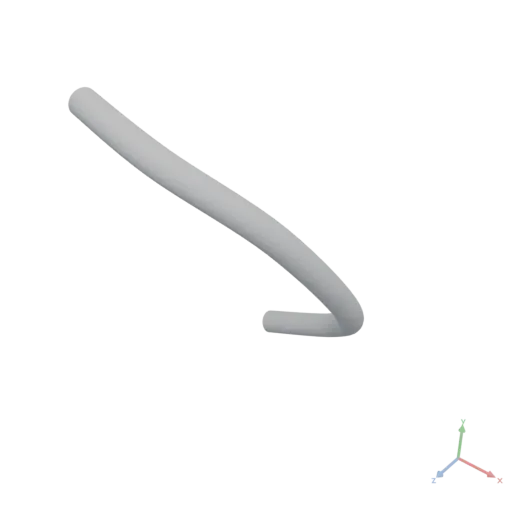
Tan
DataAsset Tan({ input: DataAsset })
Applies tangent to every element (radians). See Sin.
yaml
moon: "1.0"
doc: |
Tan applies tangent element-wise (radians). tan([0, pi/4]) = [0, 1].
render:
op: Tan
input: [0, 0.7853981633974483]json
[
0,
1
]Text
PolygonsAsset Text({ text: string, fontSize?: number, font?: FontAsset, alignX?: string, alignY?: string, target?: number[] })
Creates polygon outlines from a text string using the specified font and size. Falls back to a default font if no font is specified. The resulting shape can be used to generate 3D text with the Extrude() operation. This operation cannot be called from within an expression.
text: The text string to convert to polygon outlines.fontSize: Font size in world units. Default is 0.2.font: Font asset (e.g. loaded viaimport:of a .ttf or .otf). Omit this argument to use the default font (Roboto Regular). Passing a null value is an error, not a fallback — to make the font optional, branch and call Text withoutfont:in the default branch.alignX: Horizontal alignment: "left", "center", or "right". Default is "left".alignY: Vertical alignment: "baseline", "top", "center", or "bottom". Default is "baseline".target: Target point as [x, y] for the aligned text. Default is [0, 0].
yaml
moon: "1.0"
doc: |
Text converts a string into closed polygon outlines using the default
font. The resulting SVG profile is then passed to Extrude to
produce 3D text. A final Transform stands the text upright (rotating
about +X by 90°) so the letter faces point toward the camera along +Z.
render:
pipe:
- op: Text
with:
text: Moon
font:
import: https://assets.moonomat.com/fonts/Roboto-Regular.ttf
fontSize: 0.4
alignX: center
alignY: center
- op: Extrude
with:
height: 0.08
- op: Transform
with:
rotate: [90, 0, 0]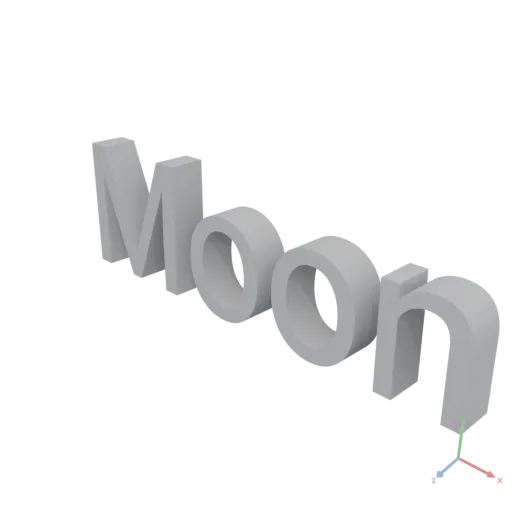
TileImage
ImageAsset TileImage({ input: ImageAsset, repeats: integer[] })
Repeats the image repeats = [ry, rx] times.
repeats: Repeat counts as[ry, rx](each ≥ 1).
yaml
moon: "1.0"
doc: |
TileImage repeats an image [ry, rx] times.
assets:
base:
op: Image
with:
input:
expression: |
const [x, y] = Coords({ shape: [96, 96], normalize: true })
return StackAxis({ input: [x, y, Fill({ value: 0.4, shape: [96, 96] })], axis: 2 })
produces: IMAGE
render:
op: TileImage
with: { repeats: [2, 3] }
input: { asset: base }
TileMaterial
MeshesAsset TileMaterial({ input: MeshesAsset })
Generates UV charts on the input geometry and scales them by each material's textureSizeInMeters so that existing tileable textures repeat naturally across the surface. The original materials and their textures are retained unchanged — only the UV coordinates are rewritten. Each chart additionally receives a deterministic pseudo-random UV offset derived from its world position, so repeated same-shaped parts sharing one material (floor boards, wall logs) sample different windows of the texture instead of all repeating the identical pattern. Identical documents keep identical output. This is the cheapest finishing strategy and is the right choice whenever the source material's texture is designed to tile (most procedural / scanned PBR materials are).
yaml
moon: "1.0"
doc: |
A brick wall finished with TileMaterial — the imported tileable brick
textures repeat naturally across each face based on their textureSizeInMeters.
assets:
brick:
op: Material
with:
color:
import: https://assets.moonomat.com/textures/ambientcg/Bricks/Bricks082A_Color.jpg
normal:
import: https://assets.moonomat.com/textures/ambientcg/Bricks/Bricks082A_NormalGL.jpg
roughness:
import: https://assets.moonomat.com/textures/ambientcg/Bricks/Bricks082A_Roughness.jpg
textureSizeInMeters: 1
render:
pipe:
- op: Box
with:
size: [2, 1, 0.4]
- op: ApplyMaterial
with:
material:
asset: brick
- op: TileMaterial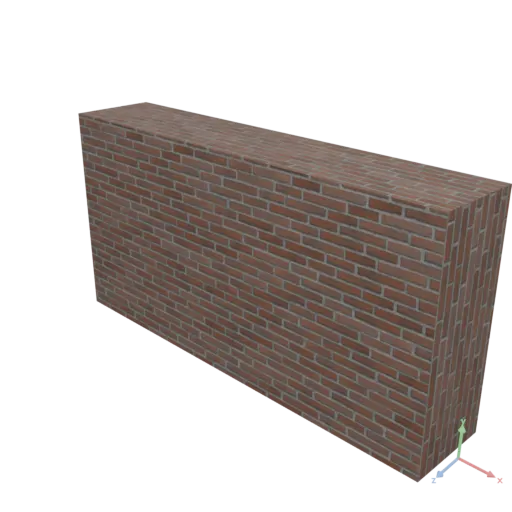
ToUndirected
GraphAsset ToUndirected({ input: GraphAsset })
Returns a new graph that contains the original edges plus the reverse of every edge, with duplicates removed. The result is suitable for algorithms that require an undirected graph (represented as a symmetric directed graph).
yaml
moon: "1.0"
doc: |
ToUndirected symmetrises a directed graph by adding reverse edges and removing duplicates.
The directed chain 0→1→2 becomes a symmetric graph where every edge exists in both directions.
assets:
directed:
op: Graph
with:
edges:
- [0, 1]
- [1, 2]
render:
op: GraphEdges
input:
op: ToUndirected
input:
asset: directedjson
[
[
0,
1
],
[
1,
2
],
[
1,
0
],
[
2,
1
]
]Transform
MeshesAsset Transform({ input: MeshesAsset, translate?: number[], rotate?: number[], scale?: number[] })
Applies a combined affine transformation following glTF 2.0 TRS conventions. Scale, then Rotate (intrinsic X, then Y, then Z — i.e. matrix order Rz·Ry·Rx), then Translate. For a column vector v: v' = T · Rz · Ry · Rx · S · v.
translate: Translation as [x, y, z]. Default is [0, 0, 0].rotate: Rotation in degrees as [x: pitch, y: yaw, z: roll]. Default is [0, 0, 0].scale: Scale factors as [x, y, z]. Default is [1, 1, 1].
yaml
moon: "1.0"
doc: |
Transform applies a combined scale, rotation, and translation to a box following glTF 2.0 TRS order.
render:
op: Transform
with:
translate: [0.3, 0.2, 0]
rotate: [0, 45, 30]
scale: [1, 0.5, 1.5]
input:
op: Box
with:
size: [0.4, 0.4, 0.4]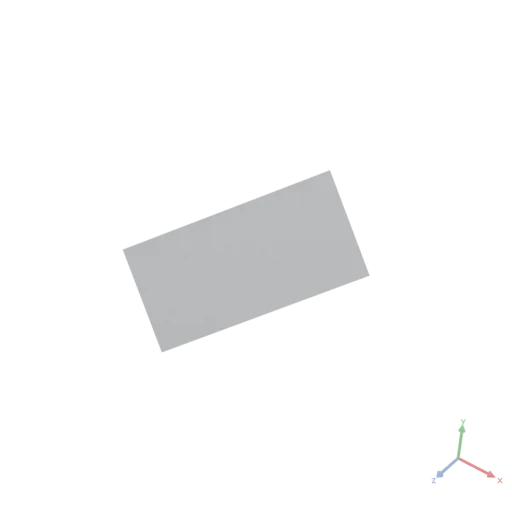
PolygonsAsset Transform({ input: PolygonsAsset, translate?: number[], degrees?: number, scale?: number[] })
Applies a combined affine transformation. Scale, then Rotate, then Translate. For a column vector v: v' = T · R · S · v. Positive degrees rotate counter-clockwise in standard math orientation.
translate: Translation as [x, y]. Default is [0, 0].degrees: Rotation in degrees (counter-clockwise). Default is 0.scale: Scale factors as [x, y]. Default is [1, 1].
yaml
moon: "1.0"
doc: |
Transform applies 2D scale, rotation (counter-clockwise degrees), and translation to an SVG shape in TRS order.
render:
op: Transform
with:
translate: [0.3, 0.2]
degrees: 30
scale: [1.5, 0.8]
input:
op: Rect
with:
size: [0.4, 0.3]'%20stroke='rgb(0,%200,%200)'%20stroke-width='0.003198076'%20fill-rule='evenodd'%20d='M%200.100192375%20-0.053923048%20L%200.6198076%200.24607696%20L%200.49980763%200.45392305%20L%20-0.019807622%200.15392305%20Z'%20/%3e%3c/svg%3e)
Transpose
DataAsset Transpose({ input: DataAsset, permutation: integer[] })
Permutes the axes of a numeric DataAsset according to permutation.
permutation must be a permutation of [0, 1, …, NDim-1] and have the same length as the tensor rank.
js
// Transpose a 2-D matrix (swap rows and columns)
Transpose({ input: matrix, permutation: [1, 0] })permutation: New axis order as an integer array.
yaml
moon: "1.0"
doc: |
Transpose permutes a 2x3 tensor's axes to produce its 3x2 transpose via the permutation [1, 0].
render:
op: Transpose
with:
permutation: [1, 0]
input:
value: [[1, 2, 3], [4, 5, 6]]json
[
[
1,
4
],
[
2,
5
],
[
3,
6
]
]TriangleCount
integer TriangleCount({ input: MeshesAsset })
Returns the total number of triangles of the input mesh.
yaml
moon: "1.0"
doc: |
TriangleCount returns the total triangle count of a geodesic sphere at its default resolution.
render:
op: TriangleCount
input:
op: Sphere
with:
radius: 0.5json
2048Triangulate
DataAsset Triangulate({ input: PolygonsAsset, edgeLength: number })
Triangulates 2D polygons into a flat, uniformly refined triangle mesh with interior vertices — the panel meshing step for cloth simulation, and a general way to turn an outline into a refined sheet.
Boundary vertices are placed exactly on the outline at ~edgeLength arc-length spacing and reported per contour in order (for seam stitching); the interior is filled with well-shaped triangles of ~edgeLength size (Delaunay over a hex seeding).
Returns a DATA record { vertices [N,3] (z=0), triangles [T,3], uvs [N,2], boundaries }, where uvs are the 2D coordinates normalized per axis to the bounding box (textures stretch on non-square outlines) and boundaries lists one ordered index tensor per contour. Feed it to Mesh({ vertices, triangles, materialUVs }) to render, or to Simulate via ClothConstraints to drape. The panel lies in the XY plane; to lay it flat on the ground (preserving orientation) swizzle with Gather({ input: vertices, indices: [0, 2, 1], axis: 1 }) * Data([1, 0, -1]).
js
// A refined disc sheet, ready for simulation
assets:
disc:
op: Circle
with:
radius: 0.3
panel:
op: Triangulate
with:
input:
asset: disc
edgeLength: 0.02
render:
expression: "return Mesh({ vertices: assets.panel.vertices, triangles: assets.panel.triangles })"
produces: MESHESedgeLength: Target triangle edge length in the polygons' units. Smaller = finer mesh.
yaml
moon: "1.0"
doc: |
Makes the Triangulate output itself visible: a plate with a hole is
triangulated at a uniform edge length, and every unique edge (from
ClothConstraints) is raised as a thin dark box on the extruded plate —
a wireframe view of the actual mesh.
assets:
plateRect:
op: Rect
with:
size: [0.9, 0.6]
holeCircle:
op: Circle
with:
radius: 0.13
hole:
op: Transform
with:
translate: [0.17, 0]
input:
asset: holeCircle
plateOutline:
op: Difference
input:
items:
- asset: plateRect
- asset: hole
plateMaterial:
op: Material
with:
color: [0.88, 0.87, 0.84, 1]
roughness: 0.85
lineMaterial:
op: Material
with:
color: [0.12, 0.12, 0.15, 1]
roughness: 0.8
plate:
op: Extrude
with:
input:
asset: plateOutline
height: 0.012
plateShaded:
op: ApplyMaterial
with:
input:
asset: plate
material:
asset: plateMaterial
wireframe:
expression: |
const panel = Triangulate({ input: assets.plateOutline, edgeLength: 0.05 })
const cc = ClothConstraints(panel)
const yBase = 0.01, yTop = 0.0145
const halfW = 0.0032
const verts = [], tris = []
for (let e = 0; e < cc.edges.length; e++) {
const a = panel.vertices[cc.edges[e][0]]
const b = panel.vertices[cc.edges[e][1]]
const dx = b[0] - a[0], dy = b[1] - a[1]
const len = Math.sqrt(dx * dx + dy * dy)
if (len < 1e-9) continue
const px = -dy / len * halfW, py = dx / len * halfW
// 2D (x, y) maps to 3D (x, height, y) — the Extrude convention.
// Each edge becomes a thin closed box standing on the plate, so
// the wireframe reads from any camera angle.
const B = verts.length
verts.push(
[a[0] + px, yBase, a[1] + py], [a[0] - px, yBase, a[1] - py],
[b[0] - px, yBase, b[1] - py], [b[0] + px, yBase, b[1] + py],
[a[0] + px, yTop, a[1] + py], [a[0] - px, yTop, a[1] - py],
[b[0] - px, yTop, b[1] - py], [b[0] + px, yTop, b[1] + py],
)
tris.push(
[B + 4, B + 7, B + 6], [B + 4, B + 6, B + 5], // top
[B, B + 1, B + 2], [B, B + 2, B + 3], // bottom
[B, B + 3, B + 7], [B, B + 7, B + 4], // sides
[B + 1, B + 5, B + 6], [B + 1, B + 6, B + 2],
[B, B + 4, B + 5], [B, B + 5, B + 1], // end caps
[B + 3, B + 2, B + 6], [B + 3, B + 6, B + 7],
)
}
return Mesh({ vertices: verts, triangles: tris, material: assets.lineMaterial })
produces: MESHES
render:
# lean the plate toward the camera so the triangulation reads face-on
op: Transform
with:
rotate: [55, 0, 0]
input:
op: Group
input:
items:
- asset: plateShaded
- asset: wireframe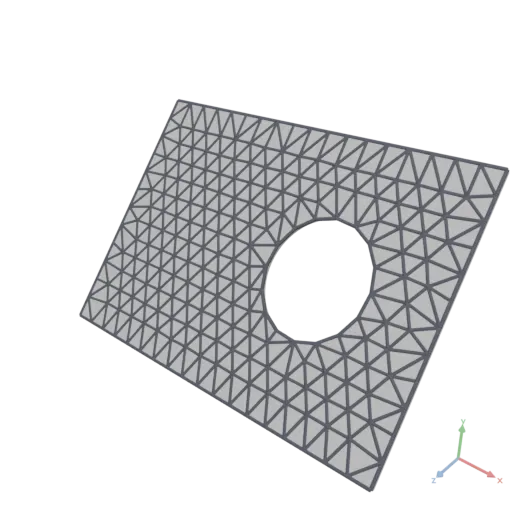
TrimByLine
PolygonsAsset TrimByLine({ input: PolygonsAsset, pointOnLine: number[], direction: number[] })
Cuts the input by a line, keeping the half on the positive-normal side. This is the 2D analog of the 3D TrimByPlane operation.
pointOnLine: A point as [x, y] that lies on the cutting line.direction: The direction as [x, y] of the cutting line; the kept side is to its left.
yaml
moon: "1.0"
doc: |
TrimByLine cuts a 2D shape with a line through a given point, keeping the half-plane to the left of the direction vector.
render:
op: TrimByLine
with:
pointOnLine: [0, 0]
direction: [1, 1]
input:
op: Circle
with:
radius: 0.4'%20stroke='rgb(0,%200,%200)'%20stroke-width='0.0034142137'%20fill-rule='evenodd'%20d='M%200.2828427%200.2828427%20L%200.2537573%200.3092042%20L%200.2222281%200.33258784%20L%200.18855868%200.3527685%20L%200.15307337%200.3695518%20L%200.11611387%200.38277614%20L%200.07803613%200.3923141%20L%200.03920686%200.39807388%20L%200%200.4%20L%20-0.03920686%200.39807388%20L%20-0.07803613%200.3923141%20L%20-0.11611387%200.38277614%20L%20-0.15307337%200.3695518%20L%20-0.18855868%200.3527685%20L%20-0.2222281%200.33258784%20L%20-0.2537573%200.3092042%20L%20-0.2828427%200.2828427%20L%20-0.3092042%200.2537573%20L%20-0.33258784%200.2222281%20L%20-0.3527685%200.18855868%20L%20-0.3695518%200.15307337%20L%20-0.38277614%200.11611387%20L%20-0.3923141%200.07803613%20L%20-0.39807388%200.03920686%20L%20-0.4%200%20L%20-0.39807388%20-0.03920686%20L%20-0.3923141%20-0.07803613%20L%20-0.38277614%20-0.11611387%20L%20-0.3695518%20-0.15307337%20L%20-0.3527685%20-0.18855868%20L%20-0.33258784%20-0.2222281%20L%20-0.3092042%20-0.2537573%20L%20-0.2828427%20-0.2828427%20Z'%20/%3e%3c/svg%3e)
TrimByPlane
MeshesAsset TrimByPlane({ input: MeshesAsset, normal: number[], originOffset: number })
Trims the geometry by a plane, keeping the half on the positive-normal side.
normal: The normal vector [x, y, z] of the cutting plane.originOffset: Signed distance of the plane from the origin along the normal.
yaml
moon: "1.0"
doc: |
TrimByPlane slices a sphere with a tilted plane, keeping the half on the positive-normal side.
render:
op: TrimByPlane
with:
normal: [1, 1, 0]
originOffset: 0.1
input:
op: Sphere
with:
radius: 0.5
Union
MeshesAsset Union({ input: MeshesAsset[] })
Computes the boolean union of the input meshes, merging all volumes into one. Cost scales with total triangle count — for parts that do not overlap, Group assembles them at near-zero cost; lower curved primitives' resolution while iterating on a design.
yaml
moon: "1.0"
doc: |
Union of a box and an offset sphere, fused into a single solid.
render:
op: Union
input:
items:
- op: Box
with:
size: [1, 1, 1]
- op: Transform
with:
translate: [0.5, 0.5, 0.5]
input:
op: Sphere
with:
radius: 0.5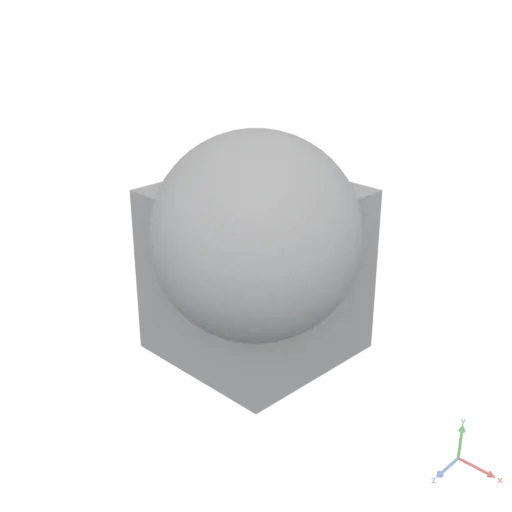
PolygonsAsset Union({ input: PolygonsAsset[] })
Computes the boolean union of the input polygons, merging all areas into one.
yaml
moon: "1.0"
doc: |
Union merges two overlapping 2D shapes into a single contour, useful for building composite profiles before extrusion.
render:
op: Union
input:
items:
- op: Rect
with:
size: [0.6, 0.3]
- op: Transform
with:
translate: [0.2, 0.2]
input:
op: Circle
with:
radius: 0.2'%20stroke='rgb(0,%200,%200)'%20stroke-width='0.0034999999'%20fill-rule='evenodd'%20d='M%200.3%200.02704457%20L%200.31111404%200.03370608%20L%200.32687867%200.04539791%20L%200.34142137%200.05857864%20L%200.3546021%200.07312134%20L%200.3662939%200.08888595%20L%200.37638426%200.10572065%20L%200.3847759%200.12346331%20L%200.39138806%200.14194307%20L%200.39615706%200.16098194%20L%200.39903694%200.18039657%20L%200.4%200.2%20L%200.39903694%200.21960343%20L%200.39615706%200.23901805%20L%200.39138806%200.25805694%20L%200.3847759%200.2765367%20L%200.37638426%200.29427934%20L%200.3662939%200.31111404%20L%200.3546021%200.32687867%20L%200.34142137%200.34142137%20L%200.32687867%200.3546021%20L%200.31111404%200.3662939%20L%200.29427934%200.37638426%20L%200.2765367%200.3847759%20L%200.25805694%200.39138806%20L%200.23901805%200.39615706%20L%200.21960343%200.39903694%20L%200.2%200.4%20L%200.18039657%200.39903694%20L%200.16098194%200.39615706%20L%200.14194307%200.39138806%20L%200.12346331%200.3847759%20L%200.10572065%200.37638426%20L%200.08888595%200.3662939%20L%200.07312134%200.3546021%20L%200.05857864%200.34142137%20L%200.04539791%200.32687867%20L%200.03370608%200.31111404%20L%200.02361575%200.29427934%20L%200.01522409%200.2765367%20L%200.00861193%200.25805694%20L%200.00384294%200.23901805%20L%200.00096305%200.21960343%20L%200%200.2%20L%200.00096305%200.18039657%20L%200.00384294%200.16098194%20L%200.00659377%200.15%20L%20-0.3%200.15%20L%20-0.3%20-0.15%20L%200.3%20-0.15%20Z'%20/%3e%3c/svg%3e)
VertexCount
integer VertexCount({ input: MeshesAsset })
Returns the total number of vertices of the input mesh.
yaml
moon: "1.0"
doc: |
VertexCount returns the total number of vertices across all meshes of a glTF asset.
render:
op: VertexCount
input:
op: Sphere
with:
radius: 0.5
resolution: 32json
258integer VertexCount({ input: PolygonsAsset })
Returns the total number of vertices across all contours.
yaml
moon: "1.0"
doc: |
VertexCount returns the total number of vertices across all contours of an SVG asset. A circle at resolution 32 tessellates into 32 vertices.
render:
op: VertexCount
input:
op: Circle
with:
radius: 0.4
resolution: 32json
32Volume
number Volume({ input: MeshesAsset })
Returns the total volume of the input mesh.
yaml
moon: "1.0"
doc: |
Volume returns the total enclosed volume of a mesh in cubic meters.
render:
op: Volume
input:
op: Sphere
with:
radius: 0.5json
0.520642Zeros
DataAsset Zeros({ shape: integer[] })
Creates a numeric DataAsset filled entirely with zeros, with the given shape.
js
// 1-D zero vector of length 5
Zeros({ shape: [5] })
// 3×4 zero matrix
Zeros({ shape: [3, 4] })shape: Array of integer dimension sizes.
yaml
moon: "1.0"
doc: |
Zeros factory creates a tensor of the given shape with every element initialized to 0 — the standard starting point for accumulator patterns.
render:
op: Zeros
with:
shape: [3, 4]json
[
[
0,
0,
0,
0
],
[
0,
0,
0,
0
],
[
0,
0,
0,
0
]
]